
Filmcraft (Fan Mod)
Brings minecraft movie items into minecraft
Screenshots
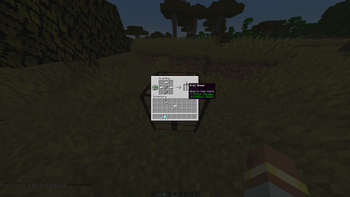
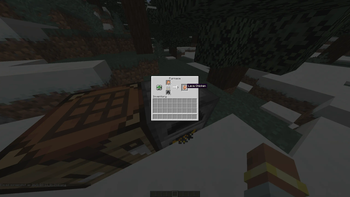
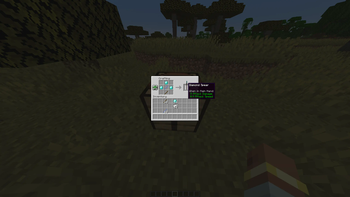
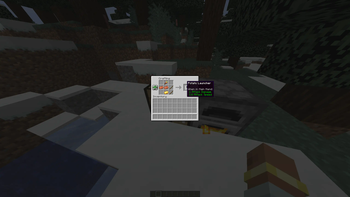
About this Mod
This mod is designed to bring items and features inspired by the Minecraft movie into the base game. The goal is to let players experience new and exciting content based on the movie's universe while staying true to the style and mechanics of Minecraft.
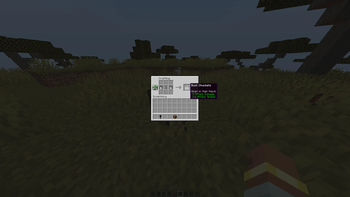
Currently, the mod includes several unique items from the movie, such as the Potato Launcher, a fun and powerful ranged weapon that fires potatoes; the Diamond Battle Axe, a strong melee weapon with high damage output; and the Lava Chicken, a fiery food item that restores hunger and offers a cinematic twist on traditional Minecraft cuisine. These are just the beginning—and more movie-inspired content is planned as new information about the film is released.
Whether you're a long-time Minecraft player or liked the minecraft movie, this mod adds a fresh and imaginative layer to your gameplay experience. Additional items and features will be introduced in future updates to further expand the connection between the game and the cinematic world.
Feedback is always welcome, and your suggestions can help shape the direction of future updates!
Available Versions
How to Install Filmcraft (Fan Mod) on Your Server
Order Server
Order a Minecraft Java server with at least 3 GB RAM (4 GB recommended).
Set neoforge Loader
In the panel under "Egg", select the neoforge loader and matching Minecraft version (1.21.5).
Install Mod
Open the mod browser in the dashboard and search for "Filmcraft (Fan Mod)". Click "Install" – done! Alternatively, upload the .jar via SFTP to the /mods folder.
Compatibility
Mod Loaders
Minecraft Versions
1.21.5, 1.21.4
Server-side
✓ RequiredRecommended RAM
4 GB(min. 3 GB)Frequently Asked Questions
Filmcraft (Fan Mod) server crashes on startup – what to do?
Most common cause: wrong neoforge version or insufficient RAM. Check the server log (latest.log) for "OutOfMemoryError" or "Mixin" errors. With Mado Hosting: ensure at least 3 GB RAM is allocated and the loader matches the mod version (1.21.5). You can switch loaders with one click in the panel.
Is Filmcraft (Fan Mod) compatible with neoforge?
Filmcraft (Fan Mod) officially supports neoforge for Minecraft 1.21.5, 1.21.4. The Mado dashboard automatically detects incompatible loader combinations.
Server lagging with Filmcraft (Fan Mod) – how to optimize performance?
Recommended RAM: 4 GB (per 8 players). Use /spark profiler to check if Filmcraft (Fan Mod) consumes the most tick time. Common fixes: reduce server view-distance to 8-10, install "performant" or "starlight" as supplementary mods on Forge. With Mado Hosting, your server runs on NVMe SSDs with dedicated CPU cores for minimal latency.
Similar Mods




![[TaCZ] Timeless and Classics Zero](https://cdn.modrinth.com/data/SzzJttH8/fd27766d2bb8390d284696b1dbd358f87e081439_96.webp)

Rent Modded Server
Install Filmcraft (Fan Mod) with just one click on your server.