
Minecraft Backrooms Found Footage
A mod that aims to turn Minecraft into a Found Footage Game.
Screenshots
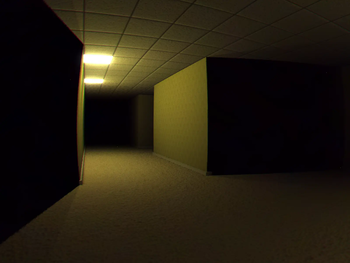
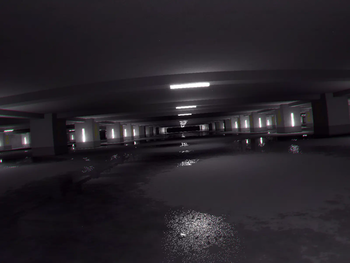
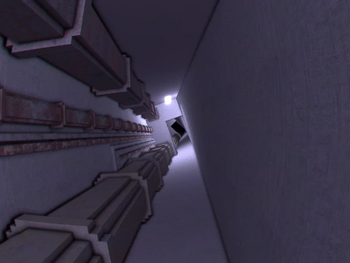
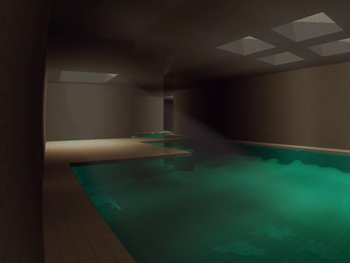
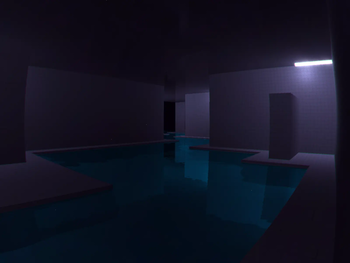

About this Mod



Minecraft Found Footage is a mod that aims to bring the feeling and aesthetic of "Found Footage" videos to Minecraft
This mod adds in custom shaders and camera effects using Veil and is not compatible with sodium or iris
The mod also has issues with integrated graphics and DOES NOT WORK with MacOS (we tried)
Use Mod menu to access the config
Suffocating yourself in any way for long enough will eventually cause you to noclip into the backrooms, where you have to travel through all 5 levels to escape:
- Level 0 ---------------------- The backrooms we all know and love
- Level 1 ---------------------- The Habitable Zone
- Level 2 ---------------------- Pipe Dreams
- Level 324 ------------------- The Forgotten Station
- The Poolrooms -------------- The Poolrooms O.o
- The Infinite Grass Field ----- This one's different
For better descriptions of each level, Read the wiki
The mod also adds four commands just in case:
- /skinwalker
: Just in case the skinwalker refuses to spawn naturally, you can do this to have the skinwalker take the skin of your target. Don't tell anyone :D - /release
: Releases the target from the skinwalker if the target has had their skin stolen - /backroomsevent
: Manually triggers an event - /gimmemyinventoryback
: Restores the saved inventory of the specified targets from before they entered the Backrooms - /level
: Manually teleport yourself to a certain level.
Please report any bugs you may find to the GitHub Page
If the mod does NOT work, make sure you're following all of the steps below:
- Download Simple Voice Chat and Geckolib. You do not need to download veil. It's already included
- Do not use sodium or iris. This mod uses Veil which, in 1.20.1, is incompatible with either
- Do not use Fabulous! graphics. Only Fast or Fancy
- Do not remove Veil's deferred resource pack
Notes
- The skinwalker does not spawn naturally in singleplayer. I really didn't see a point
- There are a few bugs with devices that use integrated graphics and Mac OS
Available Versions
How to Install Minecraft Backrooms Found Footage on Your Server
Order Server
Order a Minecraft Java server with at least 4 GB RAM (6 GB recommended).
Set fabric Loader
In the panel under "Egg", select the fabric loader and matching Minecraft version (1.20.1).
Install Mod
Open the mod browser in the dashboard and search for "Minecraft Backrooms Found Footage". Click "Install" – done! Alternatively, upload the .jar via SFTP to the /mods folder.
Compatibility
Mod Loaders
Minecraft Versions
1.20.1
Server-side
✓ RequiredRecommended RAM
6 GB(min. 4 GB)Frequently Asked Questions
Minecraft Backrooms Found Footage server crashes on startup – what to do?
Most common cause: wrong fabric version or insufficient RAM. Check the server log (latest.log) for "OutOfMemoryError" or "Mixin" errors. With Mado Hosting: ensure at least 4 GB RAM is allocated and the loader matches the mod version (1.20.1). You can switch loaders with one click in the panel.
Is Minecraft Backrooms Found Footage compatible with fabric?
Minecraft Backrooms Found Footage officially supports fabric for Minecraft 1.20.1. The Mado dashboard automatically detects incompatible loader combinations.
Server lagging with Minecraft Backrooms Found Footage – how to optimize performance?
Recommended RAM: 6 GB (per 5 players). Use /spark profiler to check if Minecraft Backrooms Found Footage consumes the most tick time. Common fixes: reduce server view-distance to 8-10, install "performant" or "starlight" as supplementary mods on Forge. With Mado Hosting, your server runs on NVMe SSDs with dedicated CPU cores for minimal latency.
Rent Modded Server
Install Minecraft Backrooms Found Footage with just one click on your server.