
Minecraft7tv
Minecraft 7tv is a fabric mod that brings to minecraft the extraordinary experience of using emotes while chatting. https://www.youtube.com/watch?v=f0kpISL69yk
Screenshots
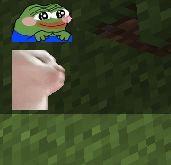
About this Mod
Minecraft 7tv is a fabric mod that brings to minecraft the extraordinary experience of using emotes while chatting.
This mod uses emotes from 7tv.
Features:
STBImage implementation to render images.
Infinite capacity of emotes.
Uses ImageMagick to convert image files to renderable gifs.
Server emote list to use with your friends.
Chat customization.
How to use it:
Open the menu with a custom keybind at Minecraft7tv, the menu has 5 sections:
Emotes:
All the emotes will be displayed here with their name, if you hover the top part you will be able to edit and remove the emote.
Add emote:
The emotes are added here, there are two text field widgets, the one at the top for the new emote name and at the other one you need to give the emote link obtained from here emotes, you can find more information clicking the guide button at the bottom part of the menu.
Emote settings:
All the emote related settings will be found here.
Server settings:
All the server related settings will be found here.
Settings:
All the mod related settings will be found here.
Once an emote has been added you will be able to us e it, just write it name at the chat!
Commands:
/client7tv serverEmotes -> requests server emote list, if the list has more than 10 emotes a file will be created at .minecraft/config/Minecraft7tv/server_emotes with all the emotes
/client7tv sync -> syncs all server emotes with your client.
Server:
Minecraft7tv has a server implementation. This one brings:
Server emote list: Every user in the server that has minecraft7tv mod (client) will be able to use server emotes. (Toggeable at the settings)
Server emote editors: People with Server Emote Editor role will be able to add and remove server emotes. (They are saved with uuid)
Commands:
/7tv emotes add-remove
/7tv editors add-remove
/7tv editors -> lists all emote editor roles in the server.
Future features:
Emote size fix, each emote has his dimensions, right now all emotes have predefined size that you can change at emote settings.
Stacking emotes, one of the last features of 7tv, stacking two emotes.
Sharing emotes.
Available Versions
How to Install Minecraft7tv on Your Server
Order Server
Order a Minecraft Java server with at least 3 GB RAM (4 GB recommended).
Set fabric Loader
In the panel under "Egg", select the fabric loader and matching Minecraft version (1.17).
Install Mod
Open the mod browser in the dashboard and search for "Minecraft7tv". Click "Install" – done! Alternatively, upload the .jar via SFTP to the /mods folder.
Compatibility
Mod Loaders
Minecraft Versions
1.17
Server-side
~ OptionalRecommended RAM
4 GB(min. 3 GB)Frequently Asked Questions
Minecraft7tv server crashes on startup – what to do?
Most common cause: wrong fabric version or insufficient RAM. Check the server log (latest.log) for "OutOfMemoryError" or "Mixin" errors. With Mado Hosting: ensure at least 3 GB RAM is allocated and the loader matches the mod version (1.17). You can switch loaders with one click in the panel.
Is Minecraft7tv compatible with fabric?
Minecraft7tv officially supports fabric for Minecraft 1.17. The Mado dashboard automatically detects incompatible loader combinations.
Server lagging with Minecraft7tv – how to optimize performance?
Recommended RAM: 4 GB (per 8 players). Use /spark profiler to check if Minecraft7tv consumes the most tick time. Common fixes: reduce server view-distance to 8-10, install "performant" or "starlight" as supplementary mods on Forge. With Mado Hosting, your server runs on NVMe SSDs with dedicated CPU cores for minimal latency.
Similar Mods






Rent Modded Server
Install Minecraft7tv with just one click on your server.