
MineFarms
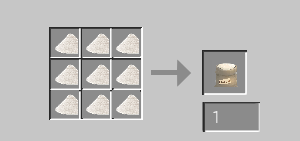
MineFarms Trading and farming that add lot of recipes to farm productions, also has its own Trade ATM Machine
Screenshots
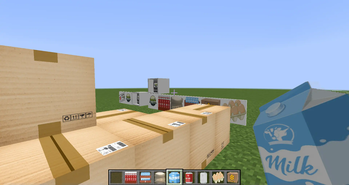
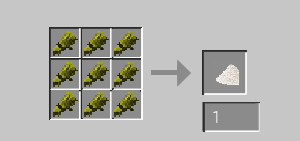
About this Mod
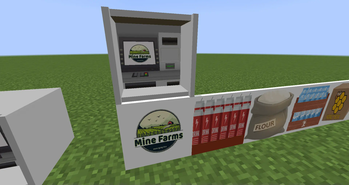
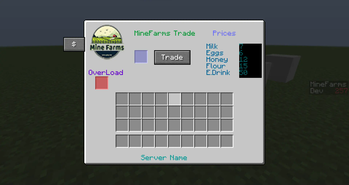
Minefarms is a new Mod that add lot of recipes to farm productions, also has its own Trade ATM Machine , this machine is auto trader with one Click
You can put a hopper on the ATM Block to take lot of stacks
Basically it should work with any Economy Mod
Tested on Economy inc mod
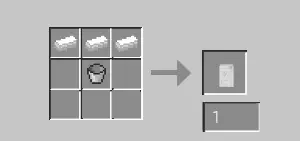
Also the Mod Contains Deco Blocks and A BOX Chest , a MineFarms Contract Item you can do things with it with other mods
Prices and variables are in the config file , you can change prices and economy command in the file , also if you have scoreboard , it will add +1 to a scoreboard when a player
Sell's Energy Drink Box to the MineFarms ATM
Note: MineFarms Mod Works Great with Immersive engineering for mass production , Also MrCrayfish Mod
Lot Of Changes to make things Easy for MineFarms 1.1
Removed all Prices from Config ,
Now OP can change the prices Globaly inside the MineFarms Atm Machine , OP Menu , Op Level can be changed in the Config File , Default "OpLevel": "4"
Economy Command Now can be changed inside MineFarms Atm Machine All Changes Are Globaly
added command /market for players to see the Prices
added command /minefarmsinfo for OP to check Config File info
Players can now add Thier Server Names to all MineFarms GUI , edit config file
Scoreboard added to config file default is "MineFarms" can be changed , Note: Scores added to players Who sells the Energy Drink cause Energy Drink is Expensive to make
Please feel free to comment, and any suggestion you need to be added
Thank you
IVEN
DISCORD : IVEN#2107
Available Versions
How to Install MineFarms on Your Server
Order Server
Order a Minecraft Java server with at least 3 GB RAM (4 GB recommended).
Set forge Loader
In the panel under "Egg", select the forge loader and matching Minecraft version (1.16.5).
Install Mod
Open the mod browser in the dashboard and search for "MineFarms". Click "Install" – done! Alternatively, upload the .jar via SFTP to the /mods folder.
Compatibility
Mod Loaders
Minecraft Versions
1.16.5
Server-side
✓ RequiredRecommended RAM
4 GB(min. 3 GB)Frequently Asked Questions
MineFarms server crashes on startup – what to do?
Most common cause: wrong forge version or insufficient RAM. Check the server log (latest.log) for "OutOfMemoryError" or "Mixin" errors. With Mado Hosting: ensure at least 3 GB RAM is allocated and the loader matches the mod version (1.16.5). You can switch loaders with one click in the panel.
Is MineFarms compatible with forge?
MineFarms officially supports forge for Minecraft 1.16.5. The Mado dashboard automatically detects incompatible loader combinations.
Server lagging with MineFarms – how to optimize performance?
Recommended RAM: 4 GB (per 8 players). Use /spark profiler to check if MineFarms consumes the most tick time. Common fixes: reduce server view-distance to 8-10, install "performant" or "starlight" as supplementary mods on Forge. With Mado Hosting, your server runs on NVMe SSDs with dedicated CPU cores for minimal latency.
Similar Mods



![CobbleDollars [Cobblemon Addon]](https://cdn.modrinth.com/data/s7N7AsqL/684040a264fc1d7f9b856ec5d2da39767398c7ad.png)

Rent Modded Server
Install MineFarms with just one click on your server.