
MineLingo
Learn languages while playing Minecraft. Answer vocabulary quizzes to unlock items and progress naturally through gameplay.
Screenshots
About this Mod
MineLingo
Learn languages while playing Minecraft.
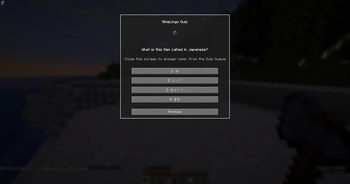
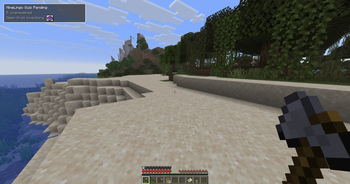
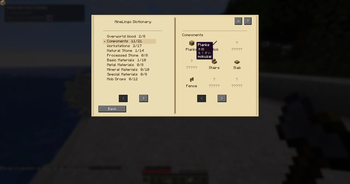
MineLingo transforms Minecraft progression into a language-learning experience. When you collect or craft items, you'll be challenged with vocabulary quizzes. Correct answers unlock items and help you build your vocabulary naturally through gameplay.
Features
Language Learning Through Gameplay
Instead of studying from flashcards, learn words while exploring, mining, crafting, and building.
Vocabulary-Based Item Unlocks
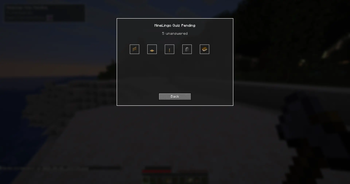
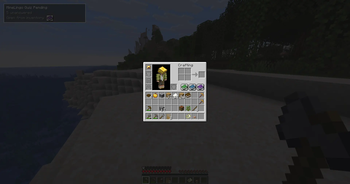
Items are unlocked by answering language questions correctly. Once learned, words remain unlocked for future use.
Multiple Choice Quiz System
Quick and beginner-friendly quizzes designed to fit naturally into Minecraft gameplay.
Grouped Vocabulary
Related items can be unlocked together, helping players learn useful categories of words more efficiently.
Multiplayer Support
Each player maintains their own learning progress and unlocks.
Current Languages
Learning Languages
- Japanese
- English
Interface Languages
- English
- Japanese
More languages are planned for future updates.
Example
- Pick up a log.
- MineLingo presents a vocabulary question.
- Answer correctly.
- The item becomes unlocked.
- Continue learning while playing Minecraft.
Beta Information
MineLingo is currently in beta.
Tested features include:
- Single-player gameplay
- Multiplayer gameplay
- Save and load functionality
- Vocabulary unlock progression
Feedback and bug reports are greatly appreciated.
日本語
MineLingoとは?
MineLingo は Minecraft を遊びながら語学を学べる教育系 MOD です。
アイテムを入手したりクラフトしたりすると、対応する単語クイズが表示されます。正解するとアイテムがアンロックされ、ゲームを進めながら自然に語彙を学習できます。
主な機能
- Minecraft を遊びながら語学学習
- 四択クイズシステム
- 単語によるアイテムアンロック
- 単語グループ対応
- マルチプレイ対応
- プレイヤーごとの学習進行状況を保存
対応言語
学習言語
- 日本語
- 英語
インターフェース言語
- 日本語
- 英語
今後さらに多くの言語への対応を予定しています。
ベータ版について
現在ベータ版として公開中です。
フィードバックやバグ報告を歓迎します。
Available Versions
How to Install MineLingo on Your Server
Order Server
Order a Minecraft Java server with at least 3 GB RAM (4 GB recommended).
Set fabric Loader
In the panel under "Egg", select the fabric loader and matching Minecraft version (1.21.11).
Install Mod
Open the mod browser in the dashboard and search for "MineLingo". Click "Install" – done! Alternatively, upload the .jar via SFTP to the /mods folder.
Compatibility
Mod Loaders
Minecraft Versions
1.21.11
Server-side
✓ RequiredRecommended RAM
4 GB(min. 3 GB)Frequently Asked Questions
MineLingo server crashes on startup – what to do?
Most common cause: wrong fabric version or insufficient RAM. Check the server log (latest.log) for "OutOfMemoryError" or "Mixin" errors. With Mado Hosting: ensure at least 3 GB RAM is allocated and the loader matches the mod version (1.21.11). You can switch loaders with one click in the panel.
Is MineLingo compatible with fabric?
MineLingo officially supports fabric for Minecraft 1.21.11. The Mado dashboard automatically detects incompatible loader combinations.
Server lagging with MineLingo – how to optimize performance?
Recommended RAM: 4 GB (per 8 players). Use /spark profiler to check if MineLingo consumes the most tick time. Common fixes: reduce server view-distance to 8-10, install "performant" or "starlight" as supplementary mods on Forge. With Mado Hosting, your server runs on NVMe SSDs with dedicated CPU cores for minimal latency.
Similar Mods




Rent Modded Server
Install MineLingo with just one click on your server.