
Mineqtt
A Mod that allows Minecraft to talk to iot devices using the mqtt protocol. Ever wanted to turn on your smart lights by flicking a lever in Minecraft?
Screenshots
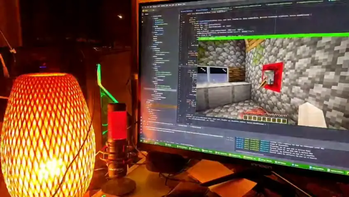
About this Mod
Mineqtt
Control real devices from inside your Minecraft World
Control real life devices with minecraft redstone or display sensor values on your fancy 7 segment redstone display, or
use it to wirelessly connect redstone contraptions in your Minecraft world.
Or maybe you want to know if your virtual nuclear reactor is about to blow up, with Mineqtt you could trigger a real
airhorn/sirene to wake you up before its too late.
Inter Server Communication - Signals Between Minecraft Worlds
Another Use Case is wireless redstone between multiple servers that are connected to the same mqtt broker. You can also
send signals from Single Player Worlds to online Servers and Vice versa.
Note of caution
This Mod establishes a connection to a seperate MQTT Server (Configurable). Connecting to public mqtt servers bears the
risk of someone else triggering your redstone or sending unfiltered Data to your server/world or receiving the signals
you send via unsecured public mqtt servers. I suggest using a self hosted MQTT-Broker.
Roadmap
Implemented
- Connect to MQTT-Broker with username/password Authentication
- Gui to configure topics for Senders and Receivers
- Portable Topic Debugger (Subscribe/Publish via handheld "Cyberdeck")
- Smart Light remote control
Planned
- Send/Receive Redstone Signal Strength
- Integrate Native Minecraft features like chat, scorebord, achievements,...)
Showcase
Send redstone state to MQTT
Receive redstone state from MQTT
Configuring topics using item stacks and named paper
Available Versions
How to Install Mineqtt on Your Server
Order Server
Order a Minecraft Java server with at least 3 GB RAM (4 GB recommended).
Set fabric Loader
In the panel under "Egg", select the fabric loader and matching Minecraft version (1.21.8).
Install Mod
Open the mod browser in the dashboard and search for "Mineqtt". Click "Install" – done! Alternatively, upload the .jar via SFTP to the /mods folder.
Compatibility
Mod Loaders
Minecraft Versions
1.21.8
Server-side
✓ RequiredRecommended RAM
4 GB(min. 3 GB)Frequently Asked Questions
Mineqtt server crashes on startup – what to do?
Most common cause: wrong fabric version or insufficient RAM. Check the server log (latest.log) for "OutOfMemoryError" or "Mixin" errors. With Mado Hosting: ensure at least 3 GB RAM is allocated and the loader matches the mod version (1.21.8). You can switch loaders with one click in the panel.
Is Mineqtt compatible with fabric?
Mineqtt officially supports fabric for Minecraft 1.21.8. The Mado dashboard automatically detects incompatible loader combinations.
Server lagging with Mineqtt – how to optimize performance?
Recommended RAM: 4 GB (per 8 players). Use /spark profiler to check if Mineqtt consumes the most tick time. Common fixes: reduce server view-distance to 8-10, install "performant" or "starlight" as supplementary mods on Forge. With Mado Hosting, your server runs on NVMe SSDs with dedicated CPU cores for minimal latency.
Similar Mods





Rent Modded Server
Install Mineqtt with just one click on your server.