
Mineralized
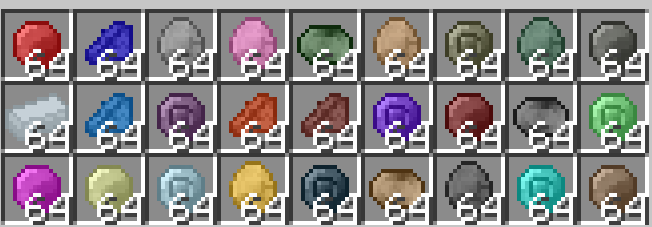
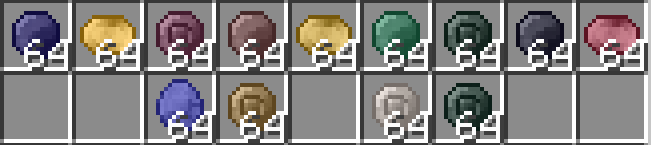
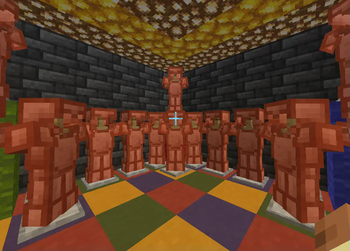
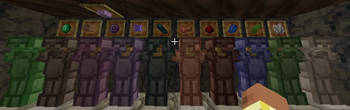
Mineralized gives Minecraft a lot more minerals. Oh boy, there is truly a lot. There are also tools and armor for existing Minecraft minerals (quartz, copper, etc.).
Screenshots
About this Mod
Introduction
Welcome to Mineralized! This mod adds a ton of new minerals, tools, weapons, armor, and blocks. Since this mod has so many gems, think of this mod as a sequel to another mod named "Ancient Gems".
Please note that the quality of the textures are not the best, as I am not an artist when it comes to Minecraft textures. Most textures have been auto-generated with the power of MCreator. Yes, you heard me right, MCreator. This entire mod wouldn't have existed without MCreator, which is the only tool I can use to make actual Minecraft mods. Thank you to the creator of MCreator, as my account wouldn't have existed without you and your awesome project.
Regular Features
Normally, the following minerals by default are: coal, redstone, iron, gold, copper, emerald, diamond, netherite (ore is ancient debris), lapis lazuli, amethyst, and probably some ones I forgot. However, this mod is here to change that. It adds various new minerals, such as: ruby, gabbro, tin (0.1 version of tin ingot was just named tin, this was fixed in 0.1.2), chrysocolla, and many more!
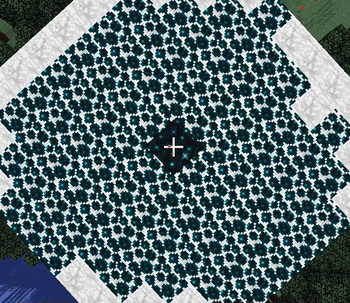
There is also pumice, which is meant to be crafted. And, with pumice, you can craft volcanic glass. Unlike all other glass types, which doesn't block light but also doesn't emit them, and tinted glass blocks which block all light, volcanic glass sends a light level of 6 (according to my memory).
You may also get sunstone or moonstone. If you do get those precious gems, you can turn them both into blocks and make a portal out of them. If you do this, you will be able to go to different planets.
Travel to Different Planets
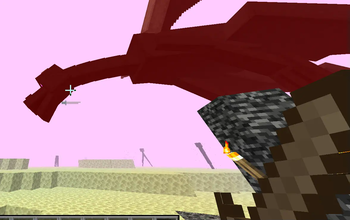
If you make a sunstone portal frame and light it with hot citrine, you can go to Venus. On the other hand, if you make a moonstone portal frame and light it with cold sapphire, you can go to Uranus.
Wiki
https://mineralized-minecraft-mod.fandom.com/wiki/Mineralized_Wiki
Available Versions
How to Install Mineralized on Your Server
Order Server
Order a Minecraft Java server with at least 4 GB RAM (6 GB recommended).
Set forge Loader
In the panel under "Egg", select the forge loader and matching Minecraft version (1.21.5).
Install Mod
Open the mod browser in the dashboard and search for "Mineralized". Click "Install" – done! Alternatively, upload the .jar via SFTP to the /mods folder.
Compatibility
Mod Loaders
Minecraft Versions
1.21.5, 1.21.4, 1.21.1 (+1 more)
Server-side
✓ RequiredRecommended RAM
6 GB(min. 4 GB)Frequently Asked Questions
Mineralized server crashes on startup – what to do?
Most common cause: wrong forge version or insufficient RAM. Check the server log (latest.log) for "OutOfMemoryError" or "Mixin" errors. With Mado Hosting: ensure at least 4 GB RAM is allocated and the loader matches the mod version (1.21.5). You can switch loaders with one click in the panel.
Is Mineralized compatible with forge and neoforge?
Mineralized officially supports forge, neoforge for Minecraft 1.21.5, 1.21.4, 1.21.1. The Mado dashboard automatically detects incompatible loader combinations.
Server lagging with Mineralized – how to optimize performance?
Recommended RAM: 6 GB (per 5 players). Use /spark profiler to check if Mineralized consumes the most tick time. Common fixes: reduce server view-distance to 8-10, install "performant" or "starlight" as supplementary mods on Forge. With Mado Hosting, your server runs on NVMe SSDs with dedicated CPU cores for minimal latency.
Similar Mods




![[TaCZ] Timeless and Classics Zero](https://cdn.modrinth.com/data/SzzJttH8/fd27766d2bb8390d284696b1dbd358f87e081439_96.webp)

Rent Modded Server
Install Mineralized with just one click on your server.