
Mit's Synths
Adds synths/robots to Minecraft that will follow your commands and help you!
Screenshots


About this Mod

Mit's Synths - Minecraft: Become Players
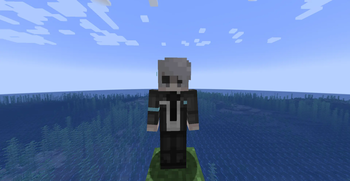
Mit's Synths is a Minecraft Forge mod that adds Synths (robots) from popular games and TV shows such as Detroit: Become Human and Humans. These Synths are able to follow you around, act as an extra inventory, and protect you from dangers. But be warned, treat them badly, and you may have an uprising on your hands.
Features
- Synths: Synthetic robots that will aid you in your day-to-day activities. Whether it be carrying your luggage, protecting you from mobs, or even just being a friend, they can do it!
- Synth Personalization: During the setup process, you are able to select different options for your synth. Such options include their name and gender.
- Synth Inventories: As they walk around, Synths will pick up items left on the floor and store them in their inventories. These inventories can be accessed by crouching and right-clicking a synth with an empty hand. Please note, you must own the Synth to do this. They will also drop their inventories upon death.
- Synth Protectors: When you attack or are attacked by a mob, your nearby synths will come to your aid and attempt to assist you.
Synth Instructions
When communicating with your synth, it is important to state their name with each instruction. Then again, you could just say "synths" and all of your owned synths in a 25-block radius will follow that command.
- stay: Tell your synth/s to stay where they are and not move.
- follow: Tell your synth/s to follow you around.
- roam: Tell your synth/s to roam around randomly. (careful not to lose them)
Examples: phrasing doesn't have to match but it must have the name and the instruction
- "Alex stay", "Alex please stay" - Tell your synth (Alex) to stay.
- "Synths stay", "Synths, stay." - Tell all your synths to stay. (within 25 blocks)
Available Versions
How to Install Mit's Synths on Your Server
Order Server
Order a Minecraft Java server with at least 3 GB RAM (4 GB recommended).
Set forge Loader
In the panel under "Egg", select the forge loader and matching Minecraft version (1.20.1).
Install Mod
Open the mod browser in the dashboard and search for "Mit's Synths". Click "Install" – done! Alternatively, upload the .jar via SFTP to the /mods folder.
Compatibility
Mod Loaders
Minecraft Versions
1.20.1
Server-side
✓ RequiredRecommended RAM
4 GB(min. 3 GB)Frequently Asked Questions
Mit's Synths server crashes on startup – what to do?
Most common cause: wrong forge version or insufficient RAM. Check the server log (latest.log) for "OutOfMemoryError" or "Mixin" errors. With Mado Hosting: ensure at least 3 GB RAM is allocated and the loader matches the mod version (1.20.1). You can switch loaders with one click in the panel.
Is Mit's Synths compatible with forge and neoforge?
Mit's Synths officially supports forge, neoforge for Minecraft 1.20.1. The Mado dashboard automatically detects incompatible loader combinations.
Server lagging with Mit's Synths – how to optimize performance?
Recommended RAM: 4 GB (per 8 players). Use /spark profiler to check if Mit's Synths consumes the most tick time. Common fixes: reduce server view-distance to 8-10, install "performant" or "starlight" as supplementary mods on Forge. With Mado Hosting, your server runs on NVMe SSDs with dedicated CPU cores for minimal latency.
Similar Mods



![[TaCZ] Timeless and Classics Zero](https://cdn.modrinth.com/data/SzzJttH8/fd27766d2bb8390d284696b1dbd358f87e081439_96.webp)


Rent Modded Server
Install Mit's Synths with just one click on your server.