
Mix Energy
Interactive energy mod, that adds stamina and custom overlay
Screenshots
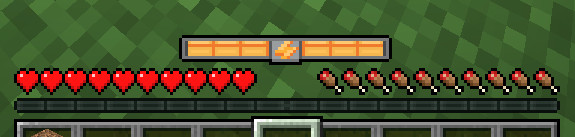
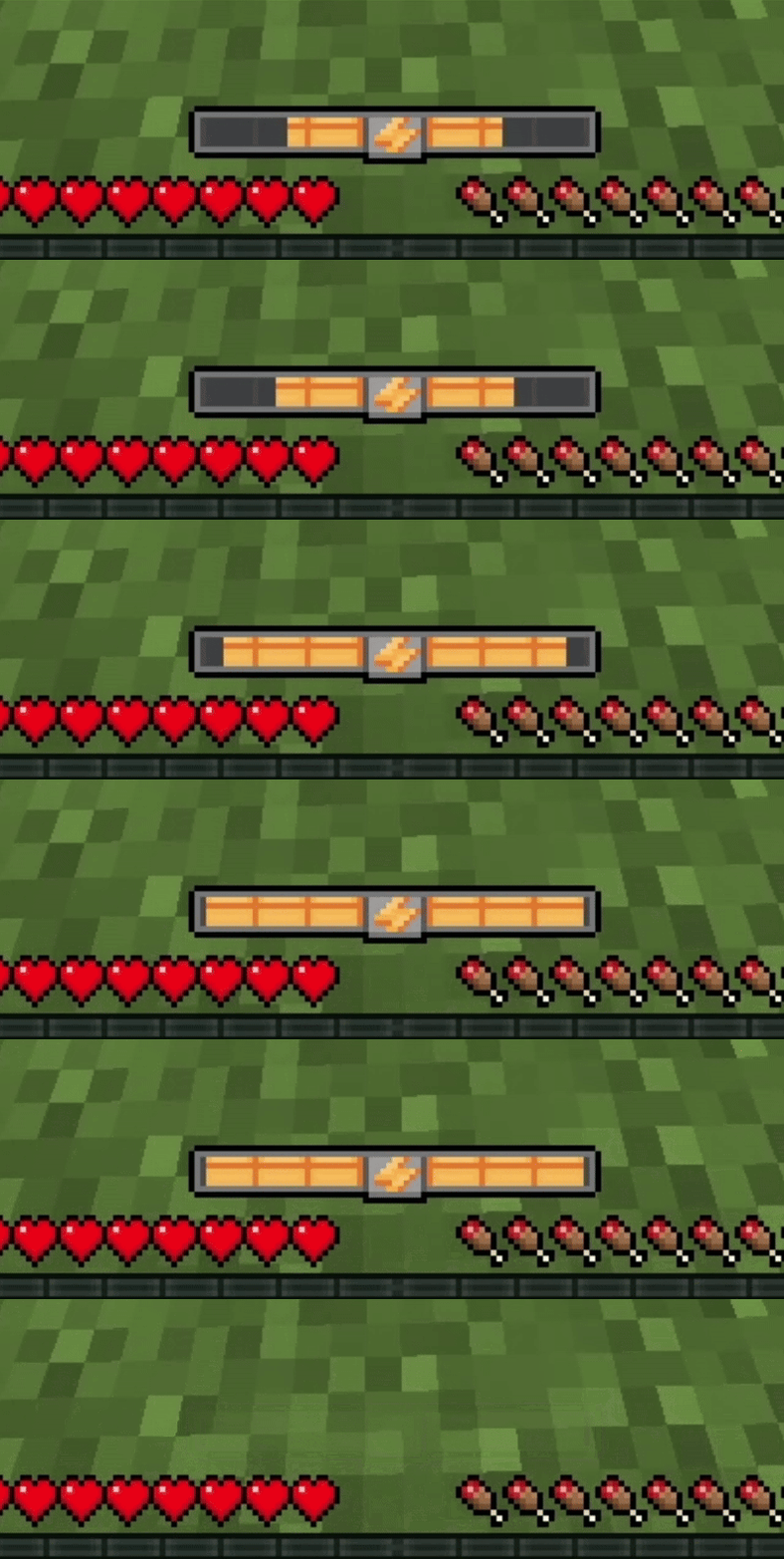
About this Mod
MixEnergy Mod
The MixEnergy Mod introduces a unique mechanic to Minecraft: player energy. This energy system adds a new layer of challenge and strategy by making energy a consumable resource for various actions.
Key Features
Energy Consumption: Players will now spend energy on the following actions:
- Running: Energy is drained while sprinting.
- Breaking Blocks: Mining and harvesting require energy.
- Building Blocks: Placing blocks consumes energy.
- Attacking: Performing attacks depletes energy.
If the player runs out of energy, these actions will be temporarily disabled until energy is restored.
Energy Commands:
/setEnergy <value> <player:optional>: Set a specific player's energy level. If no player is specified, it defaults to the executing player./setMaxEnergy <value> <player:optional>: Adjust the maximum energy limit for a player. Similar to/setEnergy, the command defaults to the executing player if no target is provided.
Energy HUD
In creative mode energy doesn't working
Config
In the latest versions of the mod, a config has been added that allows you to set the initial energy values, regeneration speed, and, if desired, disable the impact of energy on block breaking or attacking entities.
Example
[general]
  defaultMaxEnergy = 45.0
  energyCostForBreakingBlocks = true
  energyCostForAttacks = true
  energyRegenCooldown = 1500
Gameplay Impact
This mod challenges players to manage their energy wisely, adding a survival aspect even in non-survival game modes. Whether you're mining deep underground, battling mobs, or building your dream base, energy management becomes crucial to success.
Enhance your Minecraft experience with MixEnergy and test your resourcefulness like never before!
Tags
Stamina, Stamina system, Energy, Player actions, Player stamina, Player energy, Running energy Minecraft, Building energy Minecraft, Attacking energy MinecraftAvailable Versions
How to Install Mix Energy on Your Server
Order Server
Order a Minecraft Java server with at least 3 GB RAM (4 GB recommended).
Set forge Loader
In the panel under "Egg", select the forge loader and matching Minecraft version (1.20.6).
Install Mod
Open the mod browser in the dashboard and search for "Mix Energy". Click "Install" – done! Alternatively, upload the .jar via SFTP to the /mods folder.
Compatibility
Mod Loaders
Minecraft Versions
1.20.6, 1.20.5, 1.20.4 (+3 more)
Server-side
✓ RequiredRecommended RAM
4 GB(min. 3 GB)Frequently Asked Questions
Mix Energy server crashes on startup – what to do?
Most common cause: wrong forge version or insufficient RAM. Check the server log (latest.log) for "OutOfMemoryError" or "Mixin" errors. With Mado Hosting: ensure at least 3 GB RAM is allocated and the loader matches the mod version (1.20.6). You can switch loaders with one click in the panel.
Is Mix Energy compatible with forge?
Mix Energy officially supports forge for Minecraft 1.20.6, 1.20.5, 1.20.4. The Mado dashboard automatically detects incompatible loader combinations.
Server lagging with Mix Energy – how to optimize performance?
Recommended RAM: 4 GB (per 8 players). Use /spark profiler to check if Mix Energy consumes the most tick time. Common fixes: reduce server view-distance to 8-10, install "performant" or "starlight" as supplementary mods on Forge. With Mado Hosting, your server runs on NVMe SSDs with dedicated CPU cores for minimal latency.
Similar Mods




Rent Modded Server
Install Mix Energy with just one click on your server.