
Mkn Lobby Command
A mod that fixes the respawn location of the lobby server and allows you to connect to a specified server in Velocity by right-clicking on a specific block
Screenshots
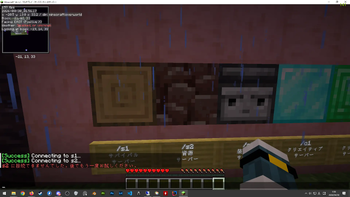
About this Mod
-JP
このMODはプレイヤーの再出現位置を固定し、特定の場所を右クリックすると指定のサーバーに飛ばしてくれるMODです。
ロビーサーバーで運用することを想定しており、Velocity環境が必須になります。
設定はconfig/lobbycommand/warp_points.jsonで行います。
設定を書き換えたあとは/warpreloadでコンフィグファイルを再読み込みできます。※要OP2↑
{
  "enable_spawn": false,                       //←デフォルトではOFFにしています。
  "enable_warps": false,                       //←必要に応じて"True"に置き換えてください。
  "spawn": {                                   //←プレイヤーのスポーン位置を固定するセクション
    "world": "minecraft:overworld",
    "x": -28,
    "y": 13,
    "z": 23,
    "yaw": 0.0,
    "pitch": 0.0
  },
  "warps": [                                   //←プレイヤーを飛ばすサーバーを指定するセクション
    {
      "world": "minecraft:overworld",
      "x": -19,
      "y": 14,
      "z": 32,
      "server": "survival"                      //←Velocityでつけたサーバーの名前を入力してください。
    },
    {
      "world": "minecraft:overworld",
      "x": -19,
      "y": 14,
      "z": 33,
      "server": "resource server"
    }
  ]
}
このMODを作成するのに膨大な時間をかけてきました、このMODを気に入ってもらえたなら支援してもらえると助かります。
https://www.paypal.com/paypalme/MikankanTPF2
-EN
This mod fixes the player's respawn location and allows you to teleport to a specified server by right-clicking on a specific location.
It is designed for use on lobby servers and requires the Velocity framework.
Configuration is done in config/lobbycommand/warp_points.json.
After modifying the settings, you can reload the config file using /warpreload. *Requires OP2 or higher.
{
  “enable_spawn”: false,                        //←Set to OFF by default.
  “enable_warps”: false,                        //←Replace with “True” as needed.
  “spawn”: {                                    //←Section to fix the player's spawn location
    “world”: “minecraft:overworld”,
    “x”: -28,
    “y”: 13,
    “z”: 23,
    “yaw”: 0.0,
    “pitch”: 0.0
  },
  “warps”: [                                    //←Section to specify the server to teleport the player to
    {
      “world”: “minecraft:overworld”,
      “x”: -19,
      “y”: 14,
      “z”: 32,
      “server”: “survival”                     //←Please enter the server name you created in Velocity.
    },
    {
      “world”: “minecraft:overworld”,
      “x”: -19,
      “y”: 14,
      “z”: 33,
      “server”: “resource server”
    }
  ]
}
I’ve spent a tremendous amount of time creating this mod, so if you like it, please consider supporting me.
https://www.paypal.com/paypalme/MikankanTPF2
Available Versions
How to Install Mkn Lobby Command on Your Server
Order Server
Order a Minecraft Java server with at least 3 GB RAM (4 GB recommended).
Set fabric Loader
In the panel under "Egg", select the fabric loader and matching Minecraft version (26.1.2).
Install Mod
Open the mod browser in the dashboard and search for "Mkn Lobby Command". Click "Install" – done! Alternatively, upload the .jar via SFTP to the /mods folder.
Compatibility
Mod Loaders
Minecraft Versions
26.1.2
Server-side
✓ RequiredRecommended RAM
4 GB(min. 3 GB)Frequently Asked Questions
Mkn Lobby Command server crashes on startup – what to do?
Most common cause: wrong fabric version or insufficient RAM. Check the server log (latest.log) for "OutOfMemoryError" or "Mixin" errors. With Mado Hosting: ensure at least 3 GB RAM is allocated and the loader matches the mod version (26.1.2). You can switch loaders with one click in the panel.
Is Mkn Lobby Command compatible with fabric?
Mkn Lobby Command officially supports fabric for Minecraft 26.1.2. The Mado dashboard automatically detects incompatible loader combinations.
Server lagging with Mkn Lobby Command – how to optimize performance?
Recommended RAM: 4 GB (per 8 players). Use /spark profiler to check if Mkn Lobby Command consumes the most tick time. Common fixes: reduce server view-distance to 8-10, install "performant" or "starlight" as supplementary mods on Forge. With Mado Hosting, your server runs on NVMe SSDs with dedicated CPU cores for minimal latency.
Similar Mods





Rent Modded Server
Install Mkn Lobby Command with just one click on your server.