
Mo-Variants
This datapack adds many new mob variants that spawn naturally throughout the world! From simple Skeleton Barbarians to a GIANT Boss!
Screenshots
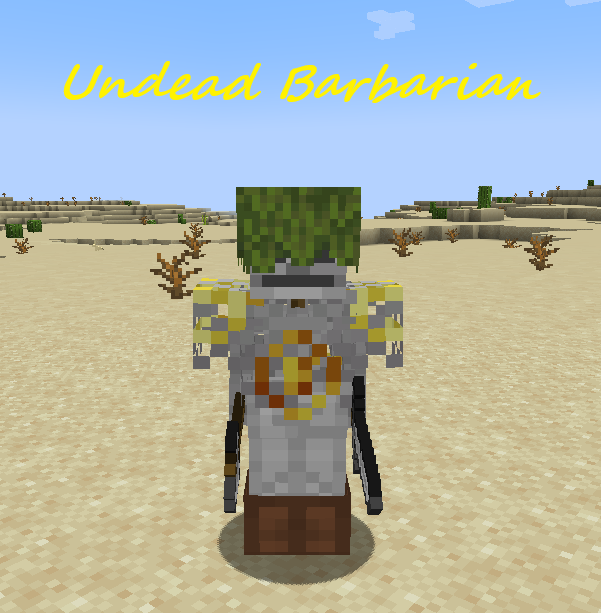
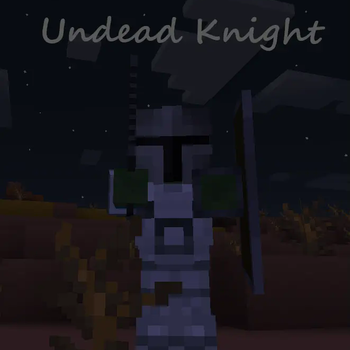
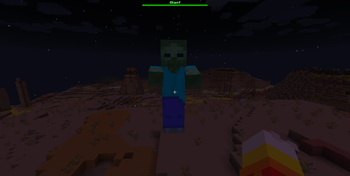
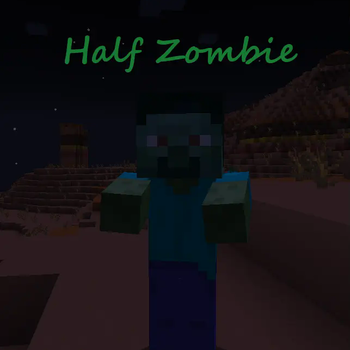
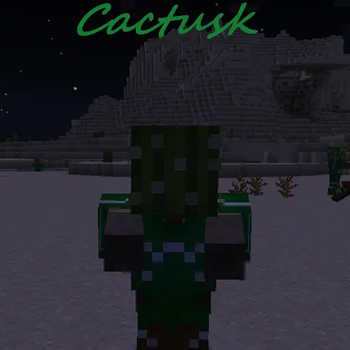
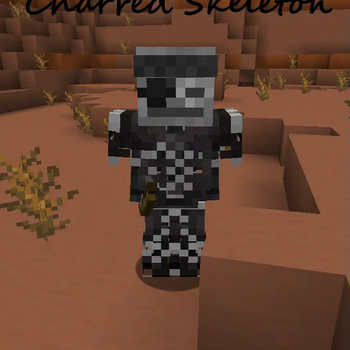
About this Mod
Not enough mobs for your taste?
Introducing Mo-Variants!
This datapack by Rainy Realm Creations brings all new mobs and variants to the game.
There are multiple categories of variants:
- Normal - These variants/mobs aren't really special in any way, but they are still unique and add to the game!
- Ambient - These variants/mobs are to help with the ambiance of a world.
- Bosses - These variants/mobs bring more challenge to the game, but are also a lot more rare to encounter.
- Seasonal - These variants/mobs are designed to appear during specific times of the real life year. More info down below!
- And more...
Support:
For questions, bug reports, suggestions, and any other support, check out our Discord Server!
You might also get sneak peaks at upcoming updates!
Mo-Config!
Run the following command to customize your experience!
/function mo-var:config
You can enable/disable some integrations, toggle each variant's spawning, and even change their spawnrates!
Mo-Items!
Some custom mobs/variants will drop some unique items.
The Forgotten miner drops a helmet that gives night vision, the Undead Barbarian dropping a unique battle axe, and a decent few more!
Some custom items will be split out of the pack in a future update to increase the ability for you to customize your experience!
Integrations:
Mo-Variants contains several integrations with other packs. Please bear in mind sometimes this list may be a little behind.
All integrations are always optional, and only exist to make your personal experience better.
- Time Lib Integration for 1.20.3+
- This integration will allow the automatic enabling and disabling of seasonal variants.
- Can be toggled in the config in case you need this pack for something else, but don't want seasonal variants.
- Horde Nights Integration for 1.20+
- This integration reduces issues that cause some variants under the Horde Effects to become nearly impossible to outlast.
There may be more, however these are the only tested integrations. If you would like a proper integration with another pack, please reach out!
Available Versions
How to Install Mo-Variants on Your Server
Order Server
Order a Minecraft Java server with at least 3 GB RAM (4 GB recommended).
Set datapack Loader
In the panel under "Egg", select the datapack loader and matching Minecraft version (26.1.2).
Install Mod
Open the mod browser in the dashboard and search for "Mo-Variants". Click "Install" – done! Alternatively, upload the .jar via SFTP to the /mods folder.
Compatibility
Mod Loaders
Minecraft Versions
26.1.2, 26.1.1, 26.1 (+25 more)
Server-side
✓ RequiredRecommended RAM
4 GB(min. 3 GB)Frequently Asked Questions
Mo-Variants server crashes on startup – what to do?
Most common cause: wrong datapack version or insufficient RAM. Check the server log (latest.log) for "OutOfMemoryError" or "Mixin" errors. With Mado Hosting: ensure at least 3 GB RAM is allocated and the loader matches the mod version (26.1.2). You can switch loaders with one click in the panel.
Is Mo-Variants compatible with datapack and fabric and forge and neoforge and quilt?
Mo-Variants officially supports datapack, fabric, forge, neoforge, quilt for Minecraft 26.1.2, 26.1.1, 26.1. Note: Forge and Fabric mods are NOT cross-compatible – pick one loader and stick with it. The Mado dashboard automatically detects incompatible loader combinations.
Server lagging with Mo-Variants – how to optimize performance?
Recommended RAM: 4 GB (per 8 players). Use /spark profiler to check if Mo-Variants consumes the most tick time. Common fixes: reduce server view-distance to 8-10, install "performant" or "starlight" as supplementary mods on Forge. With Mado Hosting, your server runs on NVMe SSDs with dedicated CPU cores for minimal latency.
Similar Mods




![[TaCZ] Timeless and Classics Zero](https://cdn.modrinth.com/data/SzzJttH8/fd27766d2bb8390d284696b1dbd358f87e081439_96.webp)

Rent Modded Server
Install Mo-Variants with just one click on your server.