
Mob Armory
Collect powerful armor themed around mobs and gain their unique abilities
Screenshots

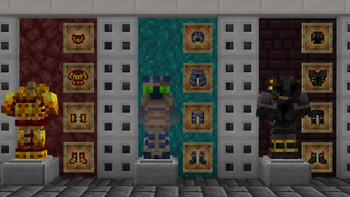
About this Mod
 Mob Armory
Collect powerful armor themed around mobs and gain their unique abilities
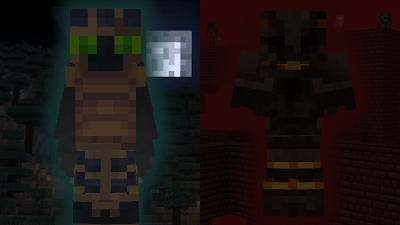


What the Pack does
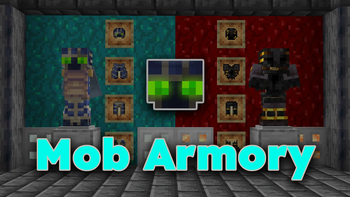
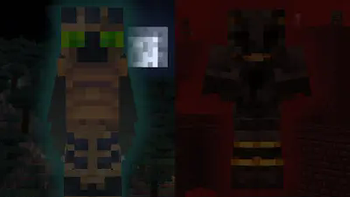
This pack adds new armor sets, each themed around a specific mob.
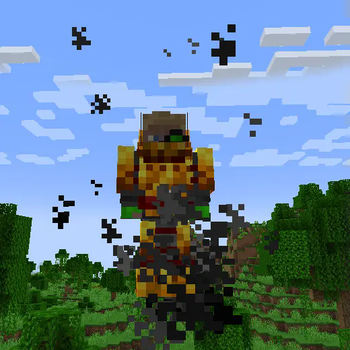
Each armor piece gives a unique and powerful passive buff, like allowing you to double jump or igniting any arrows you fire.
Optaining the Armor Sets

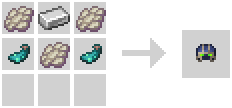
The armor pieces can be crafted in the regular crafting table.
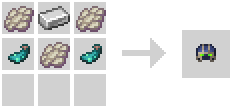
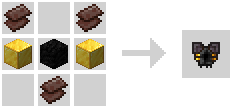
You will unlock the recipe for an armor piece once you pick up an item that is used to craft it.
From then on you can see it in the recipe book in crafting tables.
You can see all available armor sets in the "Mob Armory" advancement tab.
Though initially not every piece of an armor will be visible.
Compatibility
If you want to play this pack with Iris shaders, you also need to add CIT Resewn to be able to see the armor properly.
If you want to use this pack as a data pack with other data packs, I highly recommend merging all the data packs and resource packs using weld.
If you don't use Optifine or CIT Resewn, this pack is not compatible with resource packs that change the leather armor texture, you can still use that resource pack, just place it below this pack in the resource pack ordering.
Credit
Textures for the Blazing armor are made by @TheDukette




Available Versions
How to Install Mob Armory on Your Server
Order Server
Order a Minecraft Java server with at least 3 GB RAM (4 GB recommended).
Set datapack Loader
In the panel under "Egg", select the datapack loader and matching Minecraft version (1.20.6).
Install Mod
Open the mod browser in the dashboard and search for "Mob Armory". Click "Install" – done! Alternatively, upload the .jar via SFTP to the /mods folder.
Compatibility
Mod Loaders
Minecraft Versions
1.20.6, 1.20.5
Server-side
✓ RequiredRecommended RAM
4 GB(min. 3 GB)Frequently Asked Questions
Mob Armory server crashes on startup – what to do?
Most common cause: wrong datapack version or insufficient RAM. Check the server log (latest.log) for "OutOfMemoryError" or "Mixin" errors. With Mado Hosting: ensure at least 3 GB RAM is allocated and the loader matches the mod version (1.20.6). You can switch loaders with one click in the panel.
Is Mob Armory compatible with datapack and fabric and quilt?
Mob Armory officially supports datapack, fabric, quilt for Minecraft 1.20.6, 1.20.5. The Mado dashboard automatically detects incompatible loader combinations.
Server lagging with Mob Armory – how to optimize performance?
Recommended RAM: 4 GB (per 8 players). Use /spark profiler to check if Mob Armory consumes the most tick time. Common fixes: reduce server view-distance to 8-10, install "performant" or "starlight" as supplementary mods on Forge. With Mado Hosting, your server runs on NVMe SSDs with dedicated CPU cores for minimal latency.
Similar Mods




![[TaCZ] Timeless and Classics Zero](https://cdn.modrinth.com/data/SzzJttH8/fd27766d2bb8390d284696b1dbd358f87e081439_96.webp)

Rent Modded Server
Install Mob Armory with just one click on your server.