
Mobs Info
Mod that adds a new NEI tab with the mobs info (Name, Origin (Mod), HP, drops), also supports Infernal-Mobs.
Screenshots
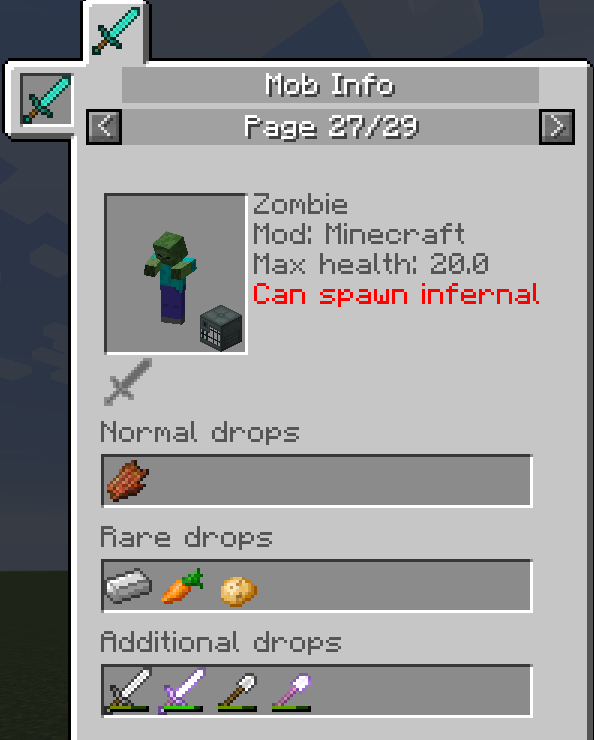
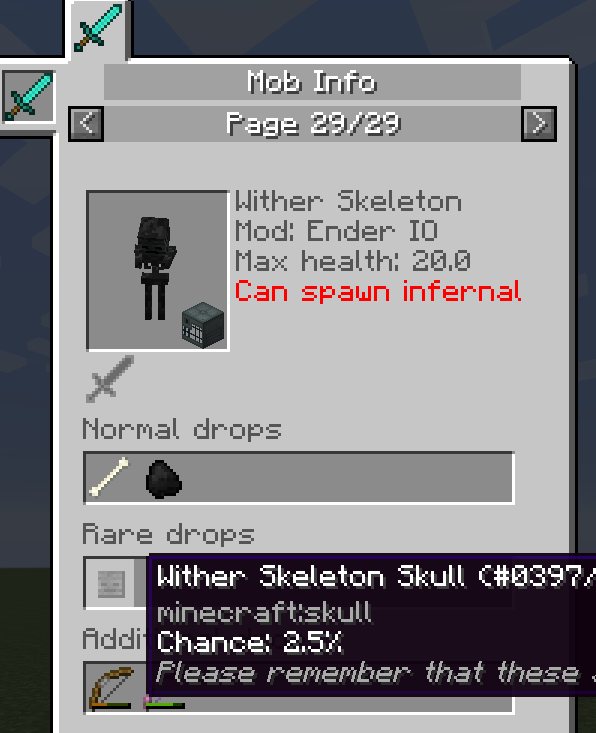
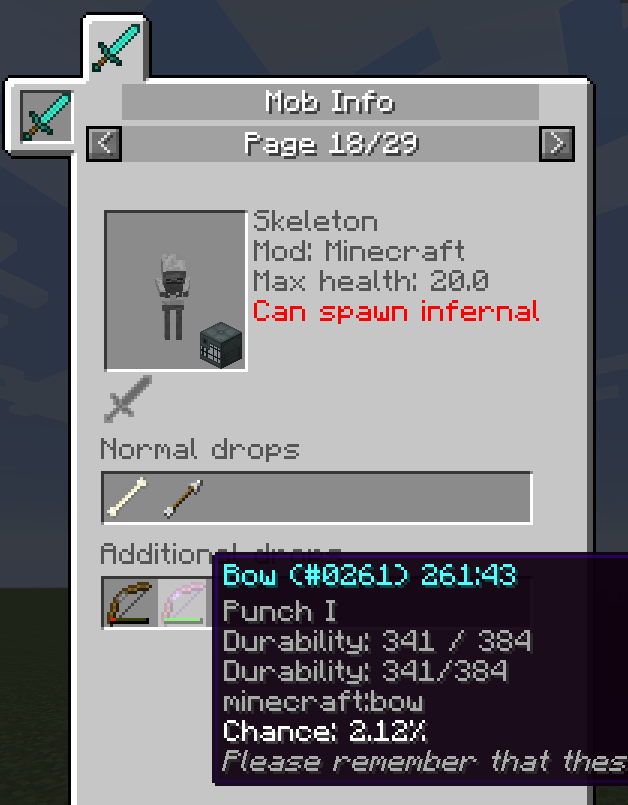
About this Mod
MobsInfo 1.7.10
About
This mod is an addon to NEI that adds a new tab with all of the information about the mobs.
These informations includes:
- How does it look (it is rendered and always looks at your cursor)
- Mob name
- Mob registry name (shown only with F3+H and shift)
- Which mod added the mob
- Max health
- Can it be spawned as infernal (only with Infernal-Mobs mod)
- Is it a boss
- Is it allowed on peaceful
- Can it be captured with a vial (only with EnderIO)
- Mob loot:
- Normal drops
- Rare drops
- Additional drops (armor, equipment)
Hidden mode
You can turn hidden mode on in the configuration file located in /config/mobsinfo/mobsinfo.cfg.
Hidden mode will make all mobs hidden in NEI until you kill them.
Screenshots in game
Compatibility
This mod is compatible with many mods including:
- Edit Mob Drops
- MineTweaker
- Ender IO
- Infernal Mobs
- And many others...
Screenshots in game
If you find any mod that adds its own drops to the game and they don't show in NEI then feel free to open an issue!
Configuration
There are two configuration files mobsinfo.cfg and MobOverrides.json in /config/mobsinfo/ directory that should generate at first launch.
There will also be third file called MobRecipeLoader.cache but it is to make your game start faster next time, so dont edit it!
You can turn various features on and off in there including:
- Hidden mode
- Infernal drops NEI page
- Show all EnderIO spawners in NEI!
- Mob blacklist
Override Config
Sometimes there are cases where it is impossible to generate loot that the mob gives.
In this cases you can manually edit the information on the page with the override config.
You can find it in .minecraft\config\MobsInfo\MobOverrides.json
Example file should generate at first start
License
MobsInfo - Minecraft addon
Copyright (C) 2023 kuba6000
This library is free software; you can redistribute it and/or
modify it under the terms of the GNU Lesser General Public
License as published by the Free Software Foundation; either
version 3 of the License, or (at your option) any later version.
This library is distributed in the hope that it will be useful,
but WITHOUT ANY WARRANTY; without even the implied warranty of
MERCHANTABILITY or FITNESS FOR A PARTICULAR PURPOSE. See the GNU
Lesser General Public License for more details.
You should have received a copy of the GNU Lesser General Public License
along with this library. If not, see https://www.gnu.org/licenses/.
Available Versions
How to Install Mobs Info on Your Server
Order Server
Order a Minecraft Java server with at least 3 GB RAM (4 GB recommended).
Set forge Loader
In the panel under "Egg", select the forge loader and matching Minecraft version (1.7.10).
Install Mod
Open the mod browser in the dashboard and search for "Mobs Info". Click "Install" – done! Alternatively, upload the .jar via SFTP to the /mods folder.
Compatibility
Mod Loaders
Minecraft Versions
1.7.10
Server-side
✓ RequiredRecommended RAM
4 GB(min. 3 GB)Frequently Asked Questions
Mobs Info server crashes on startup – what to do?
Most common cause: wrong forge version or insufficient RAM. Check the server log (latest.log) for "OutOfMemoryError" or "Mixin" errors. With Mado Hosting: ensure at least 3 GB RAM is allocated and the loader matches the mod version (1.7.10). You can switch loaders with one click in the panel.
Is Mobs Info compatible with forge?
Mobs Info officially supports forge for Minecraft 1.7.10. The Mado dashboard automatically detects incompatible loader combinations.
Server lagging with Mobs Info – how to optimize performance?
Recommended RAM: 4 GB (per 8 players). Use /spark profiler to check if Mobs Info consumes the most tick time. Common fixes: reduce server view-distance to 8-10, install "performant" or "starlight" as supplementary mods on Forge. With Mado Hosting, your server runs on NVMe SSDs with dedicated CPU cores for minimal latency.
Similar Mods



Rent Modded Server
Install Mobs Info with just one click on your server.