
Moderately Enough Effect Descriptions (MEED)
A JEED addon that has information on 400+ modded status effects!
Screenshots
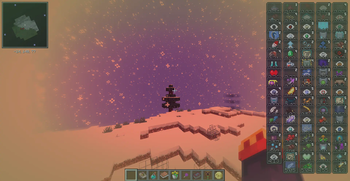
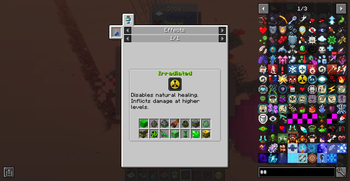
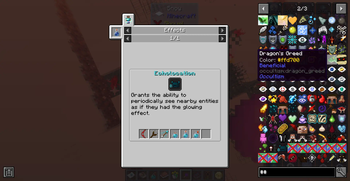
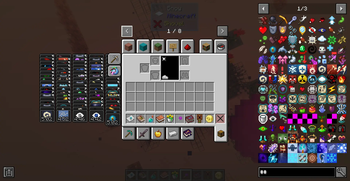

About this Mod
📖 About 📖
REQUIRES AND IS INSPIRED BY JUST ENOUGH EFFECT DESCRIPTIONS (JEED)
Moderately Enough Effect Descriptions (MEED) is an unofficial (but authorized by the creator) JEED addon that provides support for many different mods! For 1.21.1, 1.20.1, 1.19.2, and 1.18.2, you'll be able to discover and learn about 300+ status effects for 70+ mods and counting!
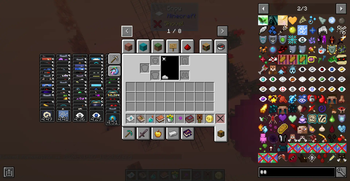
Just like JEED, you'll be able to view information regarding status effects such as its description, which mod it's from, its effect color, and what items apply/cause the effect in either JEI, REI, or EMI!
This mod is constantly adding support for new mods and will try and update to the most popular Minecraft versions as soon as possible!
Currently Supported Mods:
(These mods may not all be on Modrinth yet, but will still be listed and included in updates)
Spoiler
Required:
Choose one:
Optional Supported Mods:
Ars Elemental
Corail Tombstone
Cyclic
Ender's Delight
SculkyBits
Potions Master
Netherific (AKA Phantasmic)
CAS' Extra Potions
Nutritional Balance
Divine Weaponry - Better Combat
Blood and Madness
Deep Blood
Mobs of Sins
Born in Chaos
Feywild
🧪 Customization🧪
This mod does not and never will have support for all mods! If you'd like, you can easily change (ones added by MEED) or add effect descriptions by adding/changing the string "effect.[mod_id].[effect_name].description" in the lang file. I'd really appreciate it if you could comment ones you add so that I could add them to the mod! For a more in-depth tutorial on customization, see the JEED Modrinth page.
Feel free to use this in your modpack!
Also feel free to leave any questions, comments, bugs/issues, backport requests, and mod requests in my Discord server!
Join the Community!

Available Versions
How to Install Moderately Enough Effect Descriptions (MEED) on Your Server
Order Server
Order a Minecraft Java server with at least 3 GB RAM (4 GB recommended).
Set forge Loader
In the panel under "Egg", select the forge loader and matching Minecraft version (1.21.4).
Install Mod
Open the mod browser in the dashboard and search for "Moderately Enough Effect Descriptions (MEED)". Click "Install" – done! Alternatively, upload the .jar via SFTP to the /mods folder.
Compatibility
Mod Loaders
Minecraft Versions
1.21.4, 1.21.3, 1.21.2 (+4 more)
Server-side
✓ RequiredRecommended RAM
4 GB(min. 3 GB)Frequently Asked Questions
Moderately Enough Effect Descriptions (MEED) server crashes on startup – what to do?
Most common cause: wrong forge version or insufficient RAM. Check the server log (latest.log) for "OutOfMemoryError" or "Mixin" errors. With Mado Hosting: ensure at least 3 GB RAM is allocated and the loader matches the mod version (1.21.4). You can switch loaders with one click in the panel.
Is Moderately Enough Effect Descriptions (MEED) compatible with forge and neoforge?
Moderately Enough Effect Descriptions (MEED) officially supports forge, neoforge for Minecraft 1.21.4, 1.21.3, 1.21.2. The Mado dashboard automatically detects incompatible loader combinations.
Server lagging with Moderately Enough Effect Descriptions (MEED) – how to optimize performance?
Recommended RAM: 4 GB (per 8 players). Use /spark profiler to check if Moderately Enough Effect Descriptions (MEED) consumes the most tick time. Common fixes: reduce server view-distance to 8-10, install "performant" or "starlight" as supplementary mods on Forge. With Mado Hosting, your server runs on NVMe SSDs with dedicated CPU cores for minimal latency.
Similar Mods




Rent Modded Server
Install Moderately Enough Effect Descriptions (MEED) with just one click on your server.
Details
- License
- Creative Commons Attribution Non Commercial Share Alike 4.0 International
- Server-side
- Required