
Modern Elements
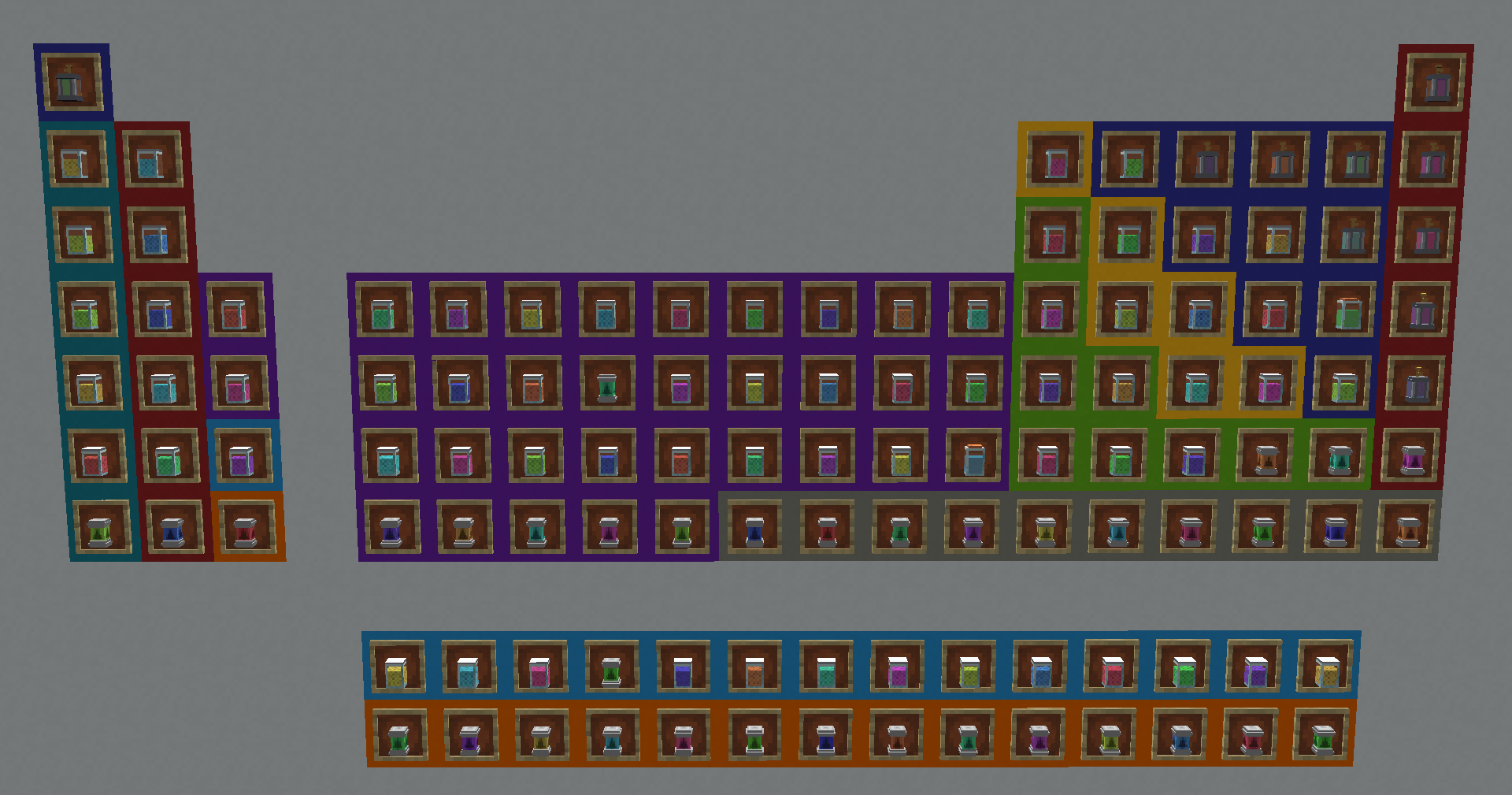
Explore 250+ realistic chemicals with Modern Elements! From Acids and Bases to Organic compounds and Alloys, this mod brings authentic chemistry to Minecraft 1.21.1. Featuring custom 3D lab models, dynamic fluid tints, and a full periodic table.
Screenshots


About this Mod
!
!
Modern Elements is a comprehensive chemistry and materials science framework for Minecraft 1.21.1. Designed for both technical players and builders, this mod introduces a massive library of over 100 realistic compounds, elements, and alloys, all rendered with high-quality 3D laboratory models.
This mod is intended to be used by other mods/modpacks.
On its own, it only adds items and there are no ways to get them, except from the creative menu.
Core Features
- 118 Elements: Every element on the periodic table of elements.
- 100 Unique Compounds: Explore a deep registry of Acids, Bases, Oxides, Salts, Organics, Halides, and Alloys.
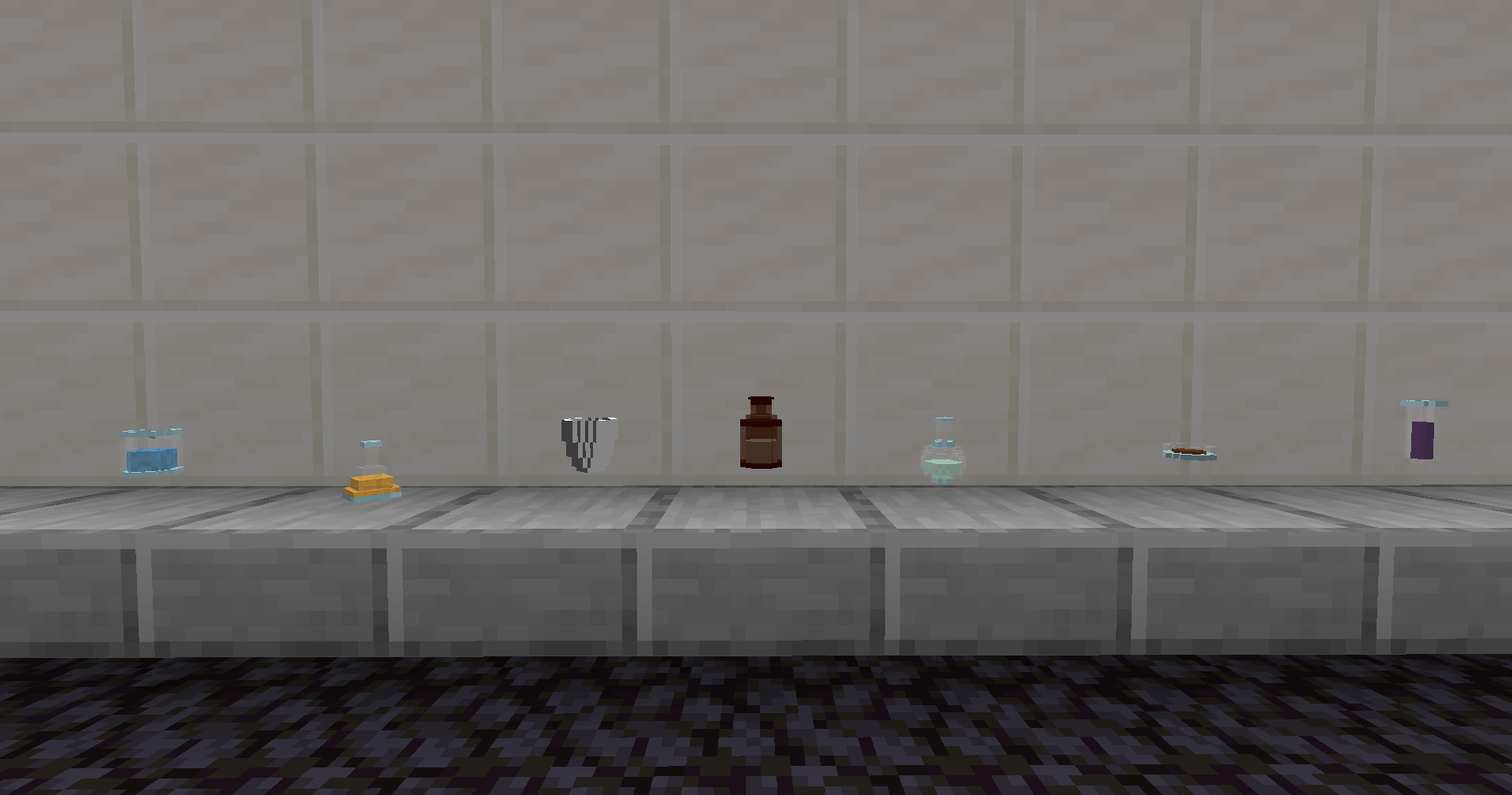
- Detailed 3D Labware: See your chemicals stored in realistic Beakers, Erlenmeyer Flasks, Petri Dishes, and Crucibles.
- Dynamic Tints: Utilizing a custom color registry, every compound is visually distinct.
- Architectury Powered: Built from the ground up to provide a native experience on both Fabric and NeoForge.
Comprehensive Material States
To ensure seamless integration with industrial automation, every element and compound in the registry includes a full suite of states:
- Solid States: Each chemical provides three distinct item forms: Nuggets, Ingots, and Blocks.
- Liquid State: A dedicated Fluid for transport via pipes and storage in tanks.
- Gaseous State: A specialized Gas Fluid for pressurized systems and atmospheric processing.
Technical Chemistry
Whether you are looking to create Sulfuric Acid for industrial processing or forging Stainless Steel for high-tier construction, Modern Elements provides the atomic foundation. Each chemical is defined by its real-world composition:
- Glucose: C6H12O6
- Baking Soda: NaHCO3
- Methane: CH4
Perfect For:
- Technical Modpacks: A perfect companion for mods like Create or Modern Industrialization.
- Laboratory Builders: Use the detailed 3D models to decorate your high-tech bases.
- Educational Play: Learn real-world chemical classifications and formulas while you play.
Mods Using Modern Elements:
Modpacks Using Modern Elements:
!
Available Versions
How to Install Modern Elements on Your Server
Order Server
Order a Minecraft Java server with at least 3 GB RAM (4 GB recommended).
Set fabric Loader
In the panel under "Egg", select the fabric loader and matching Minecraft version (26.1.2).
Install Mod
Open the mod browser in the dashboard and search for "Modern Elements". Click "Install" – done! Alternatively, upload the .jar via SFTP to the /mods folder.
Compatibility
Mod Loaders
Minecraft Versions
26.1.2, 26.1.1, 26.1 (+12 more)
Server-side
✓ RequiredRecommended RAM
4 GB(min. 3 GB)Frequently Asked Questions
Modern Elements server crashes on startup – what to do?
Most common cause: wrong fabric version or insufficient RAM. Check the server log (latest.log) for "OutOfMemoryError" or "Mixin" errors. With Mado Hosting: ensure at least 3 GB RAM is allocated and the loader matches the mod version (26.1.2). You can switch loaders with one click in the panel.
Is Modern Elements compatible with fabric and neoforge?
Modern Elements officially supports fabric, neoforge for Minecraft 26.1.2, 26.1.1, 26.1. The Mado dashboard automatically detects incompatible loader combinations.
Server lagging with Modern Elements – how to optimize performance?
Recommended RAM: 4 GB (per 8 players). Use /spark profiler to check if Modern Elements consumes the most tick time. Common fixes: reduce server view-distance to 8-10, install "performant" or "starlight" as supplementary mods on Forge. With Mado Hosting, your server runs on NVMe SSDs with dedicated CPU cores for minimal latency.
Similar Mods



Rent Modded Server
Install Modern Elements with just one click on your server.