
Modern Temperature
Adds a temperature system to Minecraft in order to add a little more challenge and difficult
Screenshots
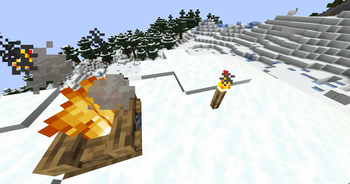

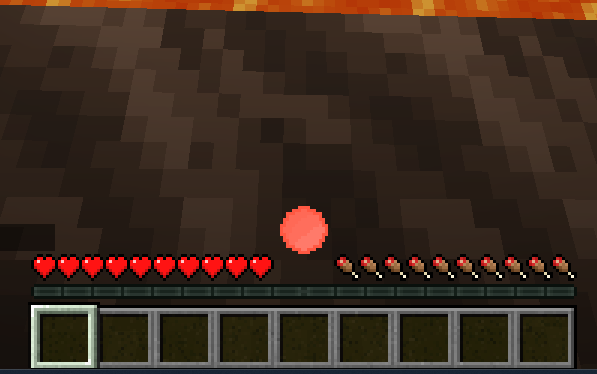
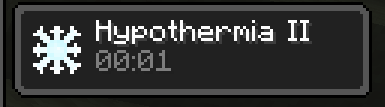
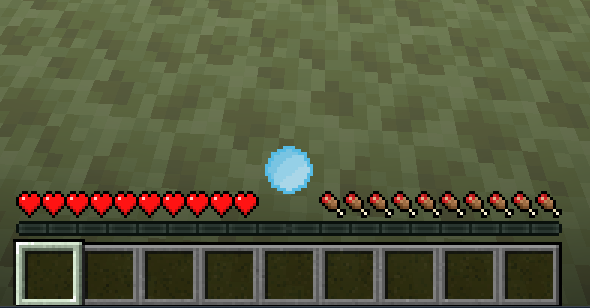
About this Mod
This project is no longer updated. It has been merged into my master mod, Red's Survival Overhaul
This is a mod that adds a temperature system to Minecraft, inspired by Tough as Nails. As you journey throughout your minecraft world, your temperature will go up and down, and getting too cold or too hot will have consequences. Fortunately, there are ways to protect yourself from the elements! Standing near a campfire, torch, lava, etc will keep you warm whereas standing in water, on ice, or near a soul campfire / torch etc will keep you cool. Some biomes are naturally warm (eg. jungles), some are naturally cool (eg. snowy plains), some are burning hot (the nether), and some are freezing cold (the end). Only by preparing yourself extremely well will you be able to brave the cold and heat.
Config:
(Almost) everything inside this mod is customizable! Config is stored at .minecraft/config/monderntemperature-common.toml and contains various values such as which blocks will keep you cool or warm when you stand near them, the default temperature of various biomes, and how much insulation armor gives you.
FAQ:
Q: How do I know my temperature value in game?
A: Depending on how you've customized the client configs, there will either be a numerical reading in the top left, a gauage about your hotbar that changes colors based on your temperature, or you can run the /temperature get command to get the exact value.
Q: Fabric port?
A: No! Although, out of all my mods, this one is the one I'm most likely to port.
Q: I have a question / issue / bug report!
A: Come report it on the issue tracker here!
This project is created under the MIT License
You are free to use this mod in your modpack :P
Available Versions
How to Install Modern Temperature on Your Server
Order Server
Order a Minecraft Java server with at least 3 GB RAM (4 GB recommended).
Set forge Loader
In the panel under "Egg", select the forge loader and matching Minecraft version (1.20.6).
Install Mod
Open the mod browser in the dashboard and search for "Modern Temperature". Click "Install" – done! Alternatively, upload the .jar via SFTP to the /mods folder.
Compatibility
Mod Loaders
Minecraft Versions
1.20.6, 1.20.5, 1.20.4 (+6 more)
Server-side
✓ RequiredRecommended RAM
4 GB(min. 3 GB)Frequently Asked Questions
Modern Temperature server crashes on startup – what to do?
Most common cause: wrong forge version or insufficient RAM. Check the server log (latest.log) for "OutOfMemoryError" or "Mixin" errors. With Mado Hosting: ensure at least 3 GB RAM is allocated and the loader matches the mod version (1.20.6). You can switch loaders with one click in the panel.
Is Modern Temperature compatible with forge?
Modern Temperature officially supports forge for Minecraft 1.20.6, 1.20.5, 1.20.4. The Mado dashboard automatically detects incompatible loader combinations.
Server lagging with Modern Temperature – how to optimize performance?
Recommended RAM: 4 GB (per 8 players). Use /spark profiler to check if Modern Temperature consumes the most tick time. Common fixes: reduce server view-distance to 8-10, install "performant" or "starlight" as supplementary mods on Forge. With Mado Hosting, your server runs on NVMe SSDs with dedicated CPU cores for minimal latency.
Similar Mods




Rent Modded Server
Install Modern Temperature with just one click on your server.