
ModernConfig
ModernConfig is a Configuration Library for Modern Fabric Mods
Screenshots
About this Mod
ModernConfig

A beautiful, modern configuration library for Minecraft mods




🌟 Overview
ModernConfig is a sleek configuration library for Minecraft Fabric mods that makes managing settings easy. No more config commands - ModernConfig has animations, a modern style, and its really easy to implement in your mods.
✨ Features
🧩 Configuration Options
- 🔘 Toggles: Boolean switches - on or off
- 📝 Text Fields: String inputs
- 🎚️ Sliders: Numeric inputs with customizable ranges and precision
- 📋 Lists: Dynamic string lists with add/remove functionality
- 🎨 Color Pickers: HSV color selection with hex input support
- 📋 Dropdowns: Selection menus
- 📁 Categories: Organized sections with nested configurations
🚀 Easy to Develop with
- Simple API: Easy to use Builder
- Listeners for config updates: Register a listener to fire when the config changes
🔧 Other Features
- Global Config Screen: One place to access all mods configs
- Integrated Keybind: Right Shift opens the config (configurable)
- Performance Optimized: Non FPS draining animations
📸 Screenshots
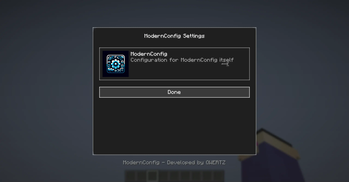
Main Interface
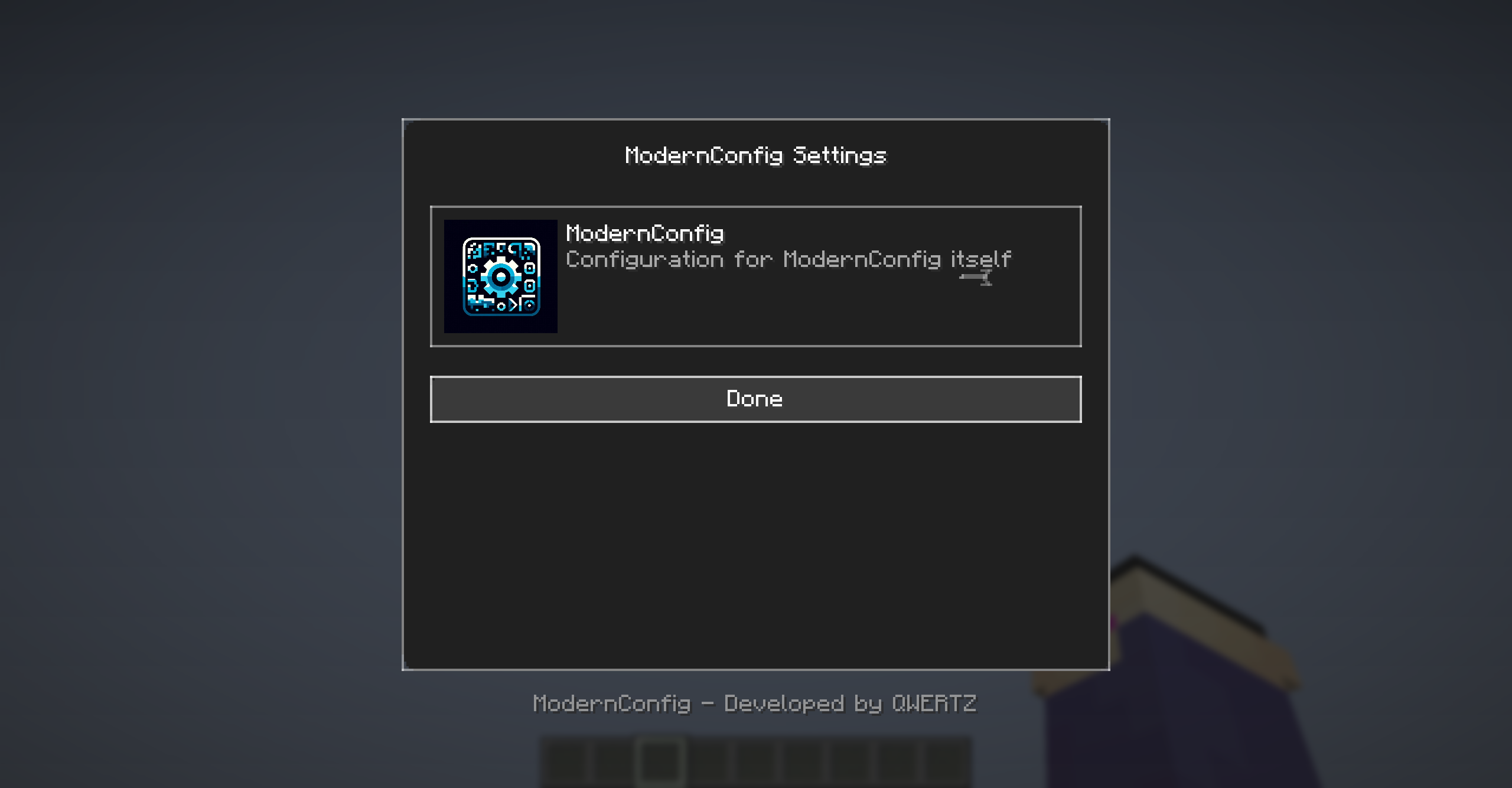
Main interface with animations and modern design
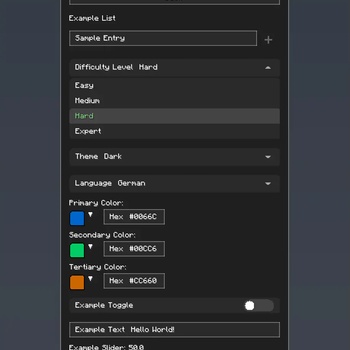
Configuration Options
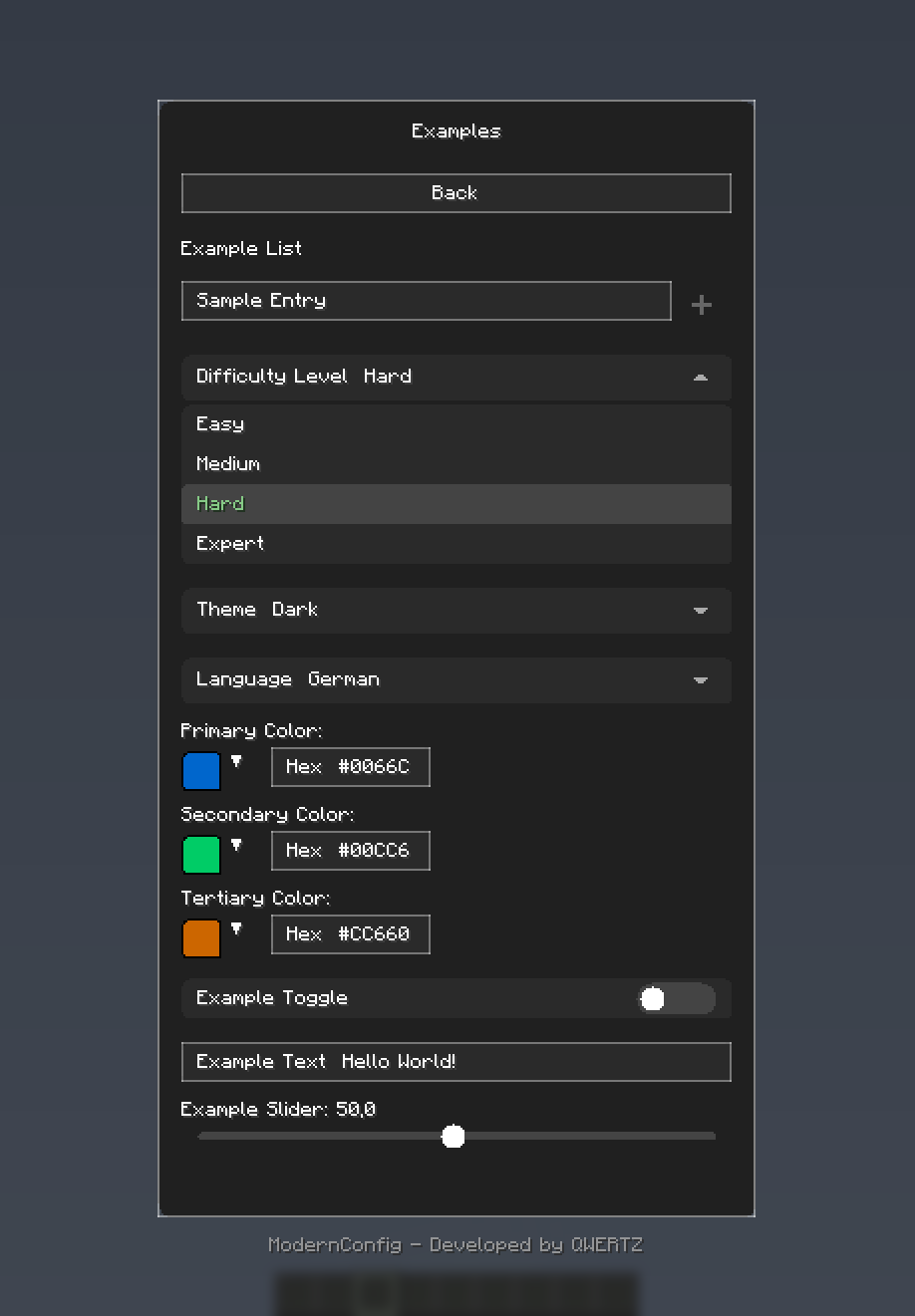
Rich variety of input types: toggles, sliders, text fields, and more
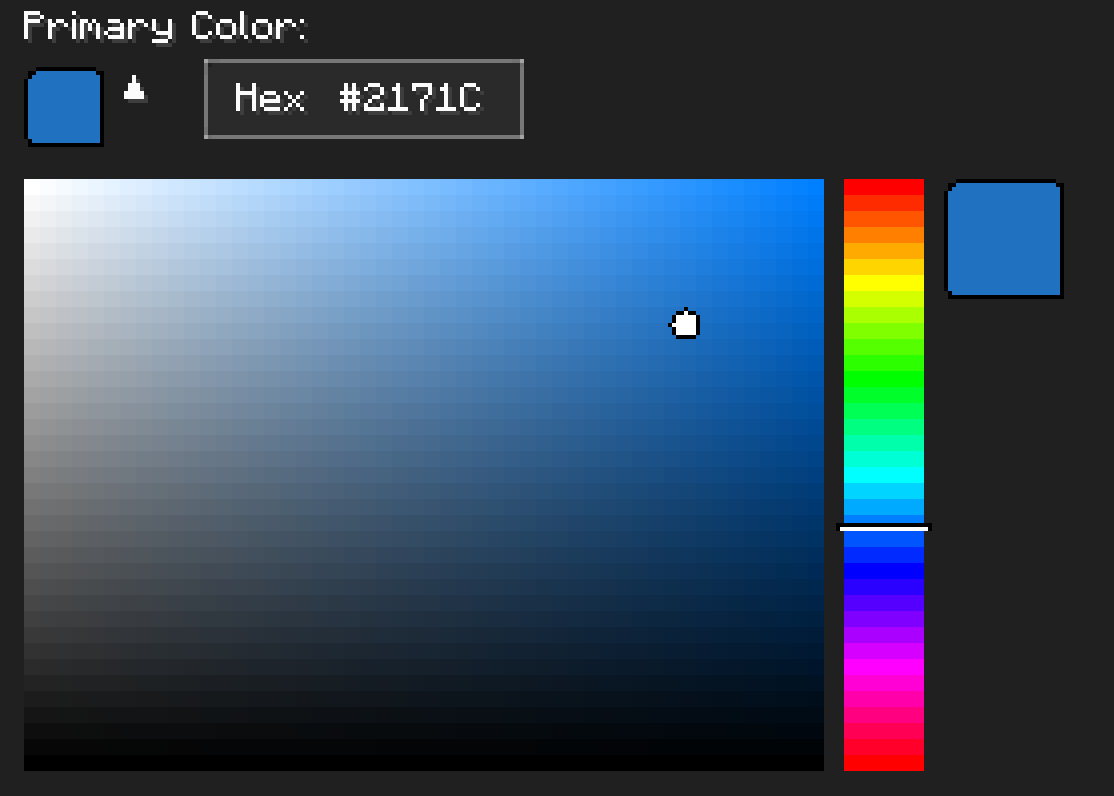
Color Picker
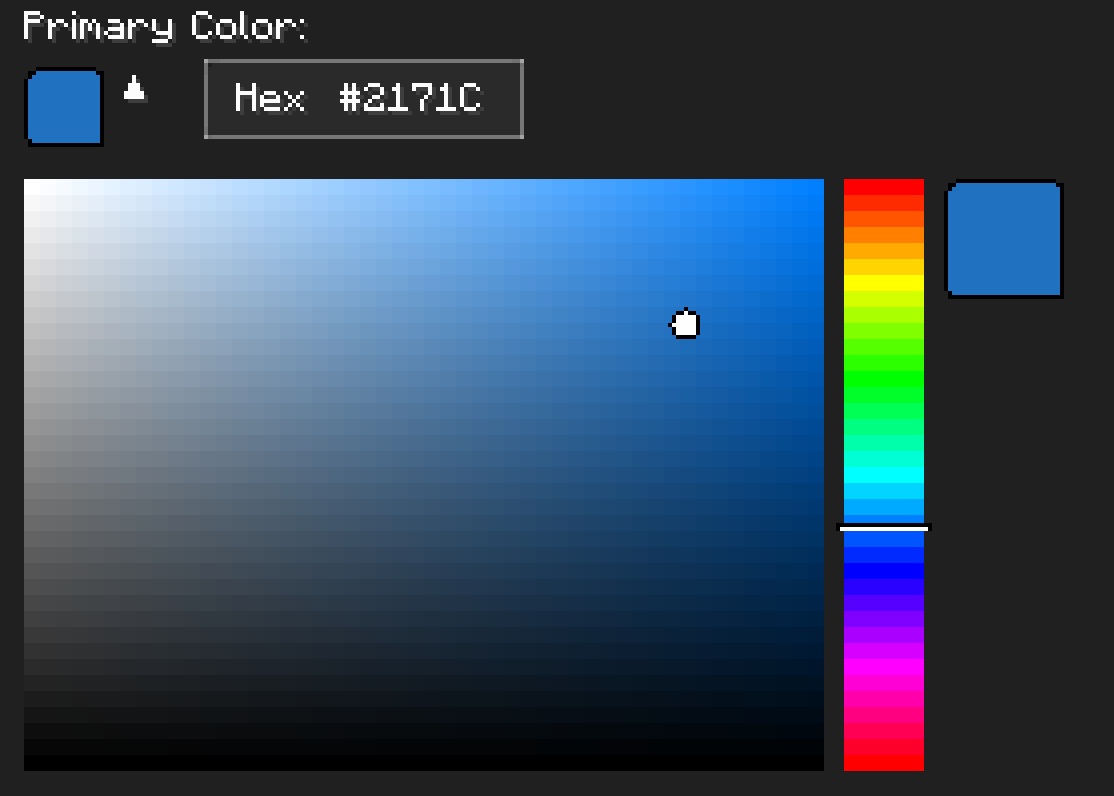
HSV color picker with real-time preview
🚀 Installation
For Players
Download and Install Fabric
- Get Fabric Loader
- Install Fabric API
Download ModernConfig
- Download from Modrinth
Install the Mod
- Place the
.jarfile in yourmodsfolder - Launch Minecraft with the Fabric profile
- Place the
For Developers
Add ModernConfig to your build.gradle:
repositories {
    maven {
        name = 'QWERTZ-Repo'
        url = 'https://repo.qwertz.app/'
    }
}

dependencies {
    modImplementation 'app.qwertz:modernconfig:1.3'
}
🎮 Usage
Opening the Configuration
- In-Game: Press
Right Shift(you can change this keybind)
Navigation
- Main Screen: Shows all mods that use ModernConfig
- Click a Mod: Opens that mod's settings
- Back Button: Goes back to the previous screen
🔧 Developer Guide
Quick Start
Here is how easy it is to set up a config:
public class YourMod implements ClientModInitializer {

    @Override
    public void onInitializeClient() {
        ModernConfig config = ConfigBuilder.create("YourMod", "Your Mod Configuration")
            .toggle("enabled", "Enable Mod", true)
            .slider("power", "Power Level", 50, 0, 100, 1)
            .text("username", "Player Name", "Steve")
            .color("theme_color", "Theme Color", 0x4A90E2)
            .list("whitelist", "Player Whitelist", "Player Name")
            .dropdown("difficulty", "Difficulty", Arrays.asList("Easy", "Normal", "Hard"), "Normal")
            .build();
    }
}
Using Categories
When you have lots of settings, organize them into categories:
ModernConfig config = ConfigBuilder.create("AdvancedMod", "Advanced Mod Settings")
    .category("general", "General Settings", "Main configuration options", category -> category
        .toggle("enabled", "Enable Mod", true)
        .slider("update_interval", "Update Interval", 20, 1, 100, 1)
        .text("server_url", "Server URL", "https://api.example.com")
    )
    .category("ui", "User Interface", "Customize the user interface", category -> category
        .color("primary_color", "Primary Color", 0x4A90E2)
        .color("secondary_color", "Secondary Color", 0x2ECC71)
        .dropdown("theme", "Theme", Arrays.asList("Dark", "Light", "Auto"), "Dark")
        .slider("ui_scale", "UI Scale", 1.0f, 0.5f, 2.0f, 0.1f)
    )
    .category("advanced", "Advanced Settings", "Advanced configuration options", category -> category
        .toggle("debug_mode", "Debug Mode", false)
        .list("blocked_items", "Blocked Items", "Item ID")
        .list("whitelist", "Whitelisted Servers", "IP")
        .text("api_key", "API Key", "")
    )
    .build();
Accessing Configuration Values
// Get configuration options by category path
ConfigOption<?> enabledOption = config.getOption("general", "enabled");
ConfigOption<?> updateOption = config.getOption("general", "update_interval");
ConfigOption<?> whitelistOption = config.getOption("advanced", "whitelist");

// Get the actual values
boolean isEnabled = (Boolean) enabledOption.getValue();
int updateInterval = (Integer) updateOption.getValue();
List<String> whitelist = (List<String>) whitelistOption.getValue();
🎨 Configuration Options
Toggle (Boolean)
.toggle("toggle_id", "Display Name", defaultValue)
- Purpose: On/off switches
- Examples: Feature flags, enable/disable options
Text Field (String)
.text("text_id", "Display Name", "default_value")
.text("text_id", "Display Name", "default_value", maxLength)
- Purpose: Text input fields
- Examples: Player names, server URLs, file paths, API keys
Slider (Numeric)
.slider("slider_id", "Display Name", defaultValue, minValue, maxValue, step)
- Purpose: Numeric input with range constraints
- Examples: Percentages, scales, intervals, counts, delays
Color Picker (Integer)
.color("color_option_id", "Display Name", 0xRRGGBB)
- Purpose: Color selection with color picker
- Examples: Theme colors, highlighting, UI customization
List (String Array)
.list("list_id", "Display Name", "Item Display Name")
- Purpose: Lists of text entries
- Examples: Player whitelists, blocked items, keywords
Dropdown (String Selection)
.dropdown("dropdown_id", "Display Name", Arrays.asList("Option1", "Option2"), "Default")
- Purpose: Pick one option from a list
- Examples: Difficulty levels, themes, render modes, language selection
Categories (Organization)
.category("category_id", "Category Name", "Description", category -> category
    // Add options here
)
- Purpose: Organize related options
- Examples: Group related settings logically
🤝 Contributing
Pull Request Process
- Fork the repository
- Make your changes
- Test it
- Submit a pull request
🙏 Credits
Development Team
- QWERTZ - Lead Developer - @QWERTZexe
📞 Support
- Discord: Join our server
🌟 Star History
Made with ❤️ and many tears 🥲
Available Versions
How to Install ModernConfig on Your Server
Order Server
Order a Minecraft Java server with at least 3 GB RAM (4 GB recommended).
Set fabric Loader
In the panel under "Egg", select the fabric loader and matching Minecraft version (26.1.2).
Install Mod
Open the mod browser in the dashboard and search for "ModernConfig". Click "Install" – done! Alternatively, upload the .jar via SFTP to the /mods folder.
Compatibility
Mod Loaders
Minecraft Versions
26.1.2, 26.1.1, 26.1 (+6 more)
Server-side
✗ UnsupportedRecommended RAM
4 GB(min. 3 GB)Frequently Asked Questions
ModernConfig server crashes on startup – what to do?
Most common cause: wrong fabric version or insufficient RAM. Check the server log (latest.log) for "OutOfMemoryError" or "Mixin" errors. With Mado Hosting: ensure at least 3 GB RAM is allocated and the loader matches the mod version (26.1.2). You can switch loaders with one click in the panel.
Is ModernConfig compatible with fabric?
ModernConfig officially supports fabric for Minecraft 26.1.2, 26.1.1, 26.1. The Mado dashboard automatically detects incompatible loader combinations.
Server lagging with ModernConfig – how to optimize performance?
Recommended RAM: 4 GB (per 8 players). Use /spark profiler to check if ModernConfig consumes the most tick time. Common fixes: reduce server view-distance to 8-10, install "performant" or "starlight" as supplementary mods on Forge. With Mado Hosting, your server runs on NVMe SSDs with dedicated CPU cores for minimal latency.
Similar Mods



Rent Modded Server
Install ModernConfig with just one click on your server.