
modl
Streamline administrative duties with AI, dynamic punishments, and a slick web-interface
Screenshots

About this Mod
modl - support & moderation reimagined
Streamline administrative duties with AI, dynamic punishments, and a slick web-interface.
Description
modl is a modern solution to completely streamline moderation and support for your Minecraft server. The system is fully customizable, free to use, and open-sourced under the AGPL-3.0 license. Stay in control of your server from anywhere with our web-interface at https://modl.gg. Use AI to automatically handle chat reports. Simplify punishments through dynamic punishment types powered by points and severities.
Free forever and completely branded for your server - your players and staff will not see any modl.gg branding (assuming you enable custom domain).
modl can run natively on Spigot, PaperSpigot, Folia, BungeeCord, and Velocity, without feature degradation on any platform.
Fully free & source repositories | Support Discord Server | Locale File | Config File
Features
3rd Iteration Punishment System
Designed to fairly and consistently sanction players whilst maintaining moderator discretion.
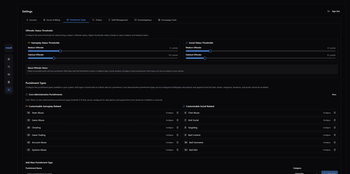
- Fully customizable point system to designate low, medium, and habitual designations for both Gameplay and Social offenses
- Fully customizable punishment durations for each severity (lenient, normal, severe) and each offender status (low, medium, habitual)
- Issue punishments for bad usernames and skins that automatically pardon when a player changes his/her skin/username.
- Ability to make a ban "stat-wiping" that issues a command on the server upon expiration to reset stats (not executed when pardoned or cancelled)
- Full modification system for changing durations and pardoning (remove points)
- Full evidence system for uploading files and linking to other sites (YouTube, Imgur, etc)
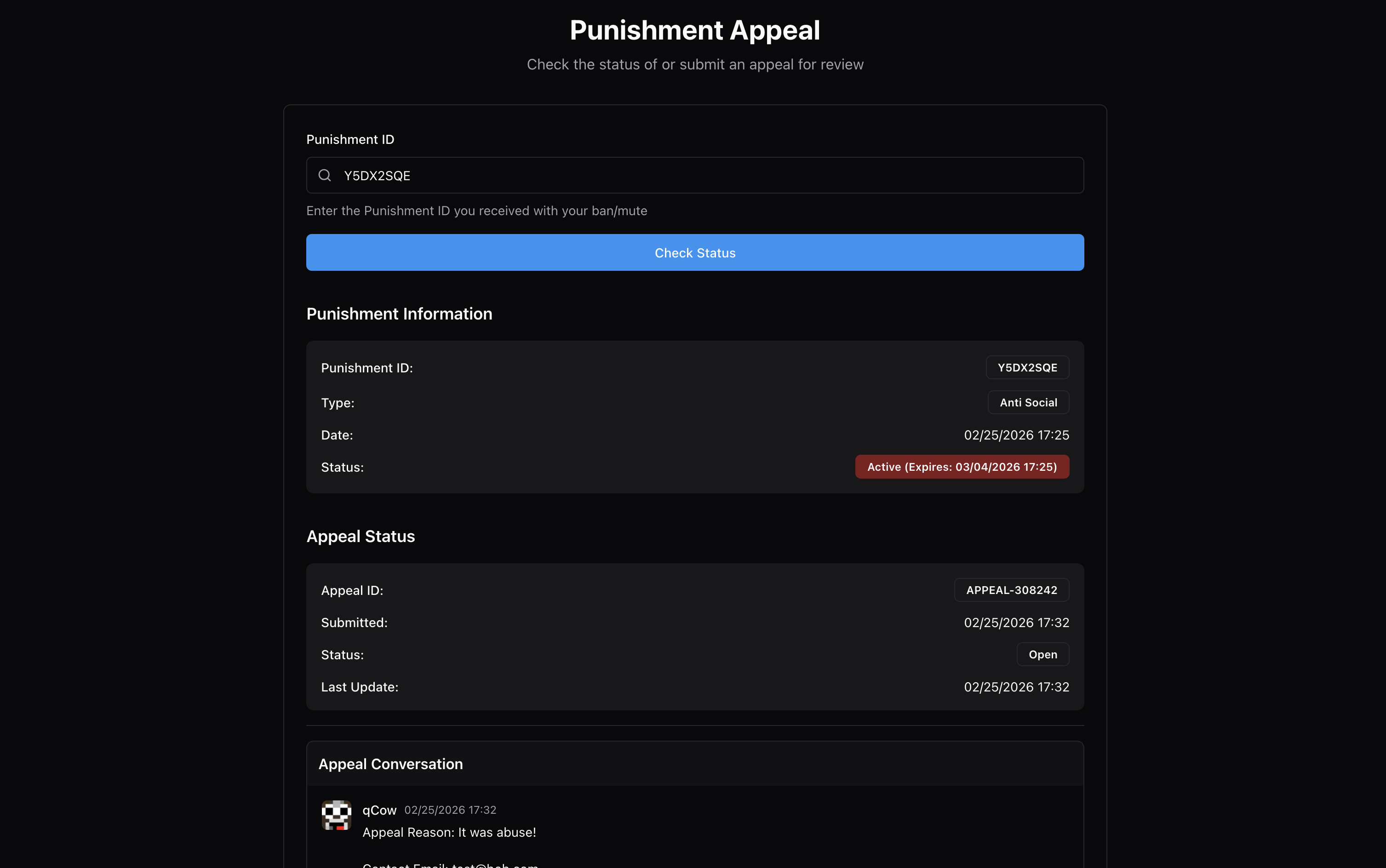
- 8-char alphanumeric ID system for streamlined appeal system, staff see all punishment details and can pardon/change duration without leaving the page. Customize the appeal page for each different punishment type
- Bans on offline players wait until a successful login to start the expiration countdown.
- Stack multiple bans/mute that execute consecutively (one after the other becomes inactive) - start time is when the player attempts to login unimpeded by other bans/mutes.
- Traditional, manual punishments also exist (ban, tempban, mute, tempmute, kick, blacklist)
- Import all bans, mutes, and player data (IPs) from LiteBans seamlessly

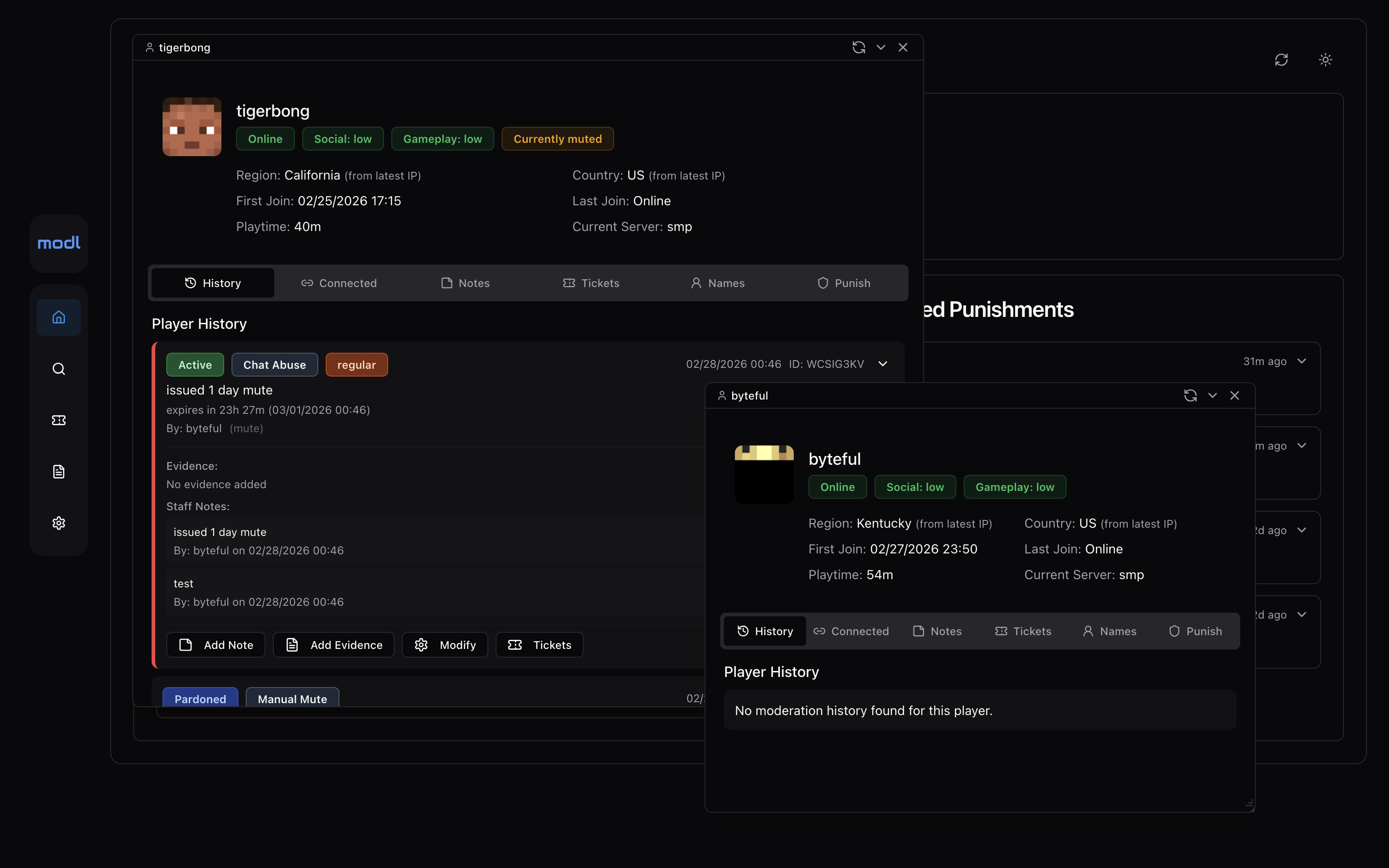
Full Player Profiles and Smart Alt-account Linking
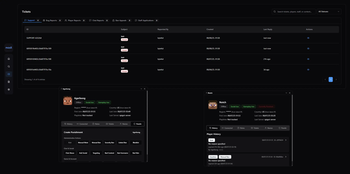
- See player info (playtime, session details, country), notes, history, alts, reports in sleek in-game and web UIs (windows for many open players on web).
- Link accounts that have the same non-proxy IP logins OR have the shared proxy logins within 2 hours of each other. This system tracks logins even if denied by a banned screen, allowing you to link accounts whenever a bad actor screws up and attempts to login on a banned account (to check) before logging into their ban evading account.
- Handle each linked ban independently- was there a mistake? Public internet or sibling? Easily handle the linked ban on a specific account without changing the initial ban.
- Linked bans expire when the original ban expire automatically.

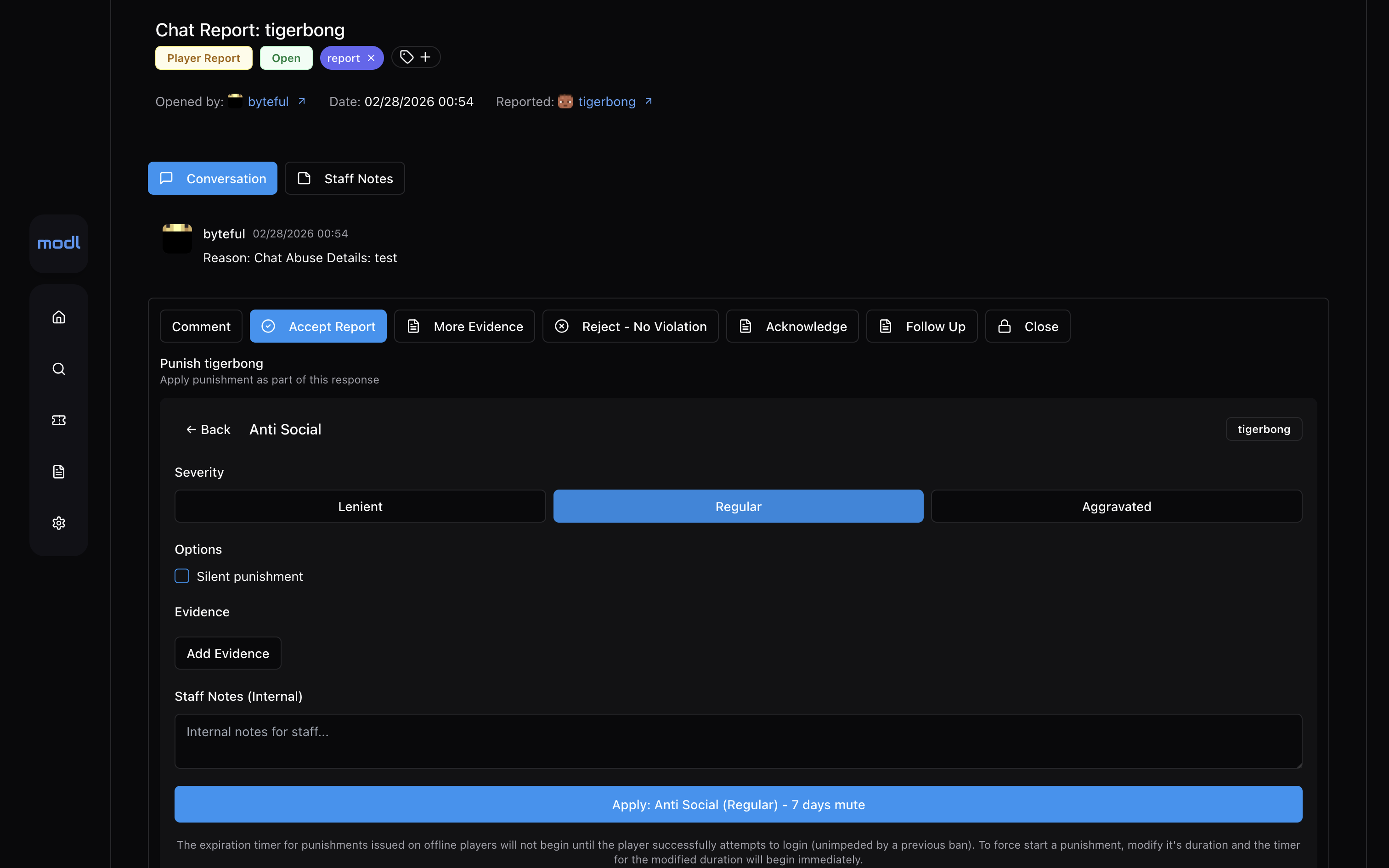
Elegant, Efficient Player Reporting
- Automatically snapshot full context chat-logs when someone is chat-reported.
- Allow players to upload files or link external evidence to all reports.
- Issue punishments from reports without leaving the ticket page.
- Link tickets to punishments that will auto-close the ticket and send a response letting the reporter know the offender was punished. Also can be used as evidence when hooked up to modl-anticheat-bridge (Anti-cheat automatically creates reports based on flags)
- You can sort online players by number of reports to identify potential rule breakers across your network.

Full Audit and Analytics System
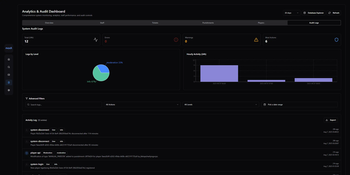
- Audit and rollback any staff punishment actions.
- See statistics on average ticket response times and staff activity (ticket responses, punishments issued, etc)
- See trends for different types of punishments and ticket data.
- Manage all files uploaded (evidence, ticket attachments): easily view, search, filter, delete, and download all files.

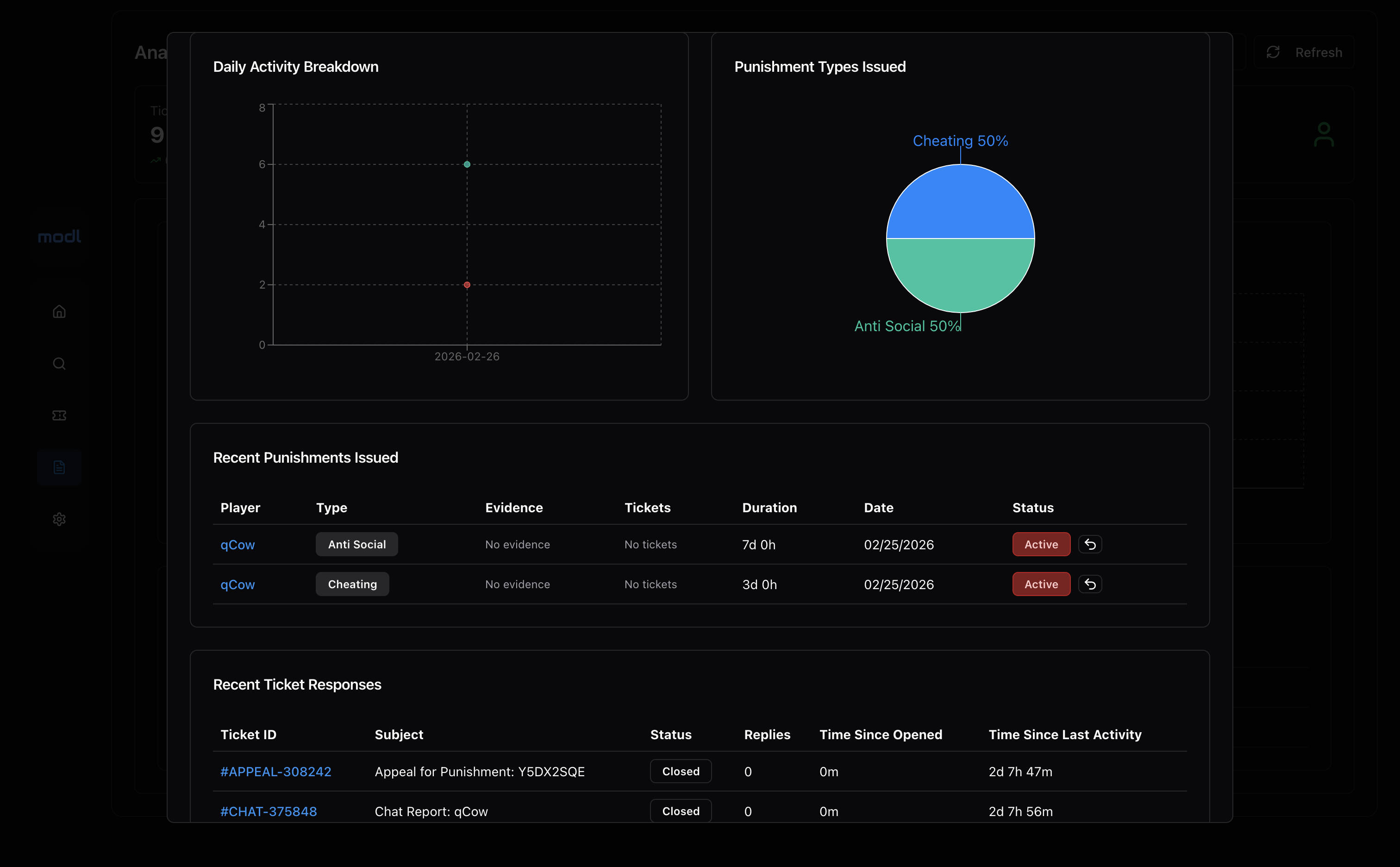
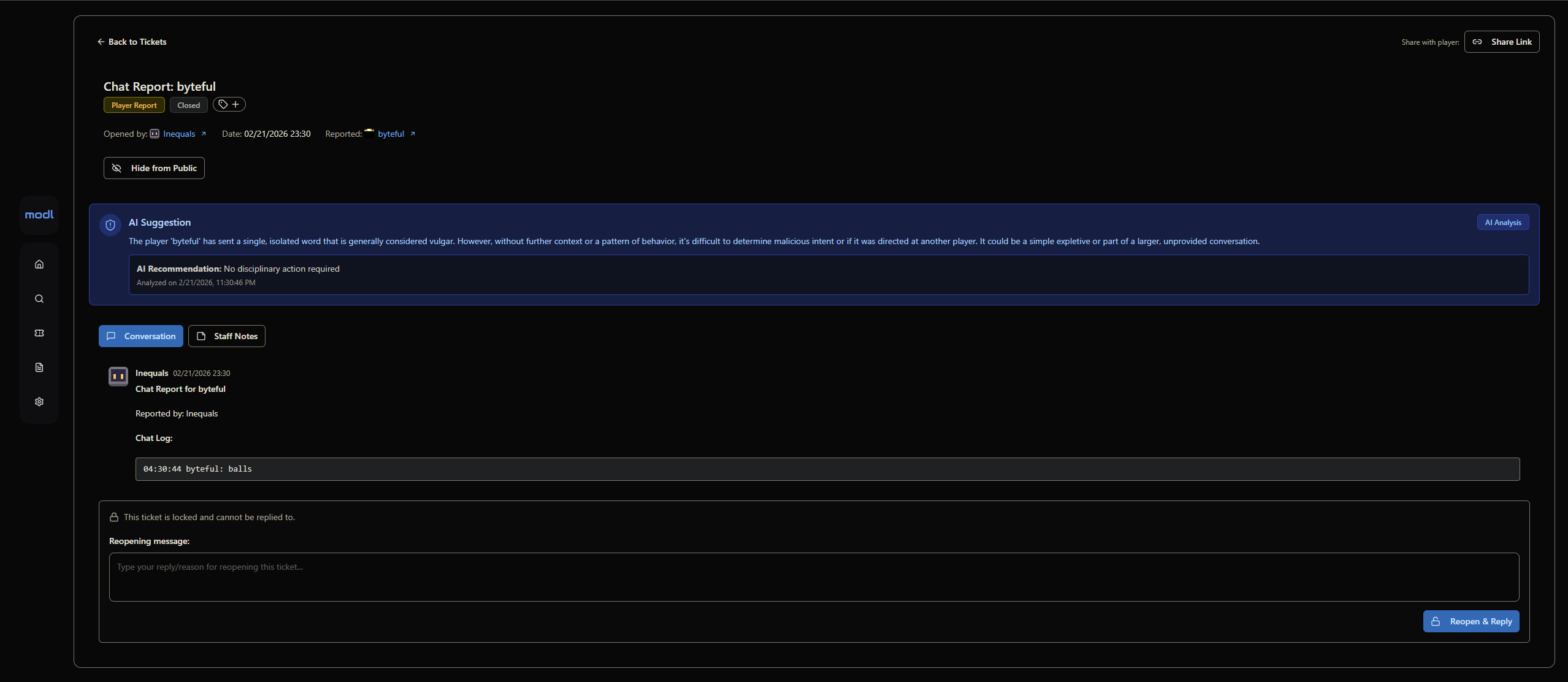
Smart AI Chat Moderation
- To not pester players and use excessive tokens, AI chat moderation only scans messages that are chat-reported. This is the most effective way of moderating chat as current systems that analyse all messages issuing auto-mutes are incredibly annoying for players and expensive.
- Constantly evolving system prompts to improve accuracy of AI auto-mod, is context-aware of Minecraft (e.g: "i'm going to kill you with a fireball" is a game term, not an IRL death threat).
- Configure AI to look for specific things and execute punishments automatically or make suggestions for staff approval.
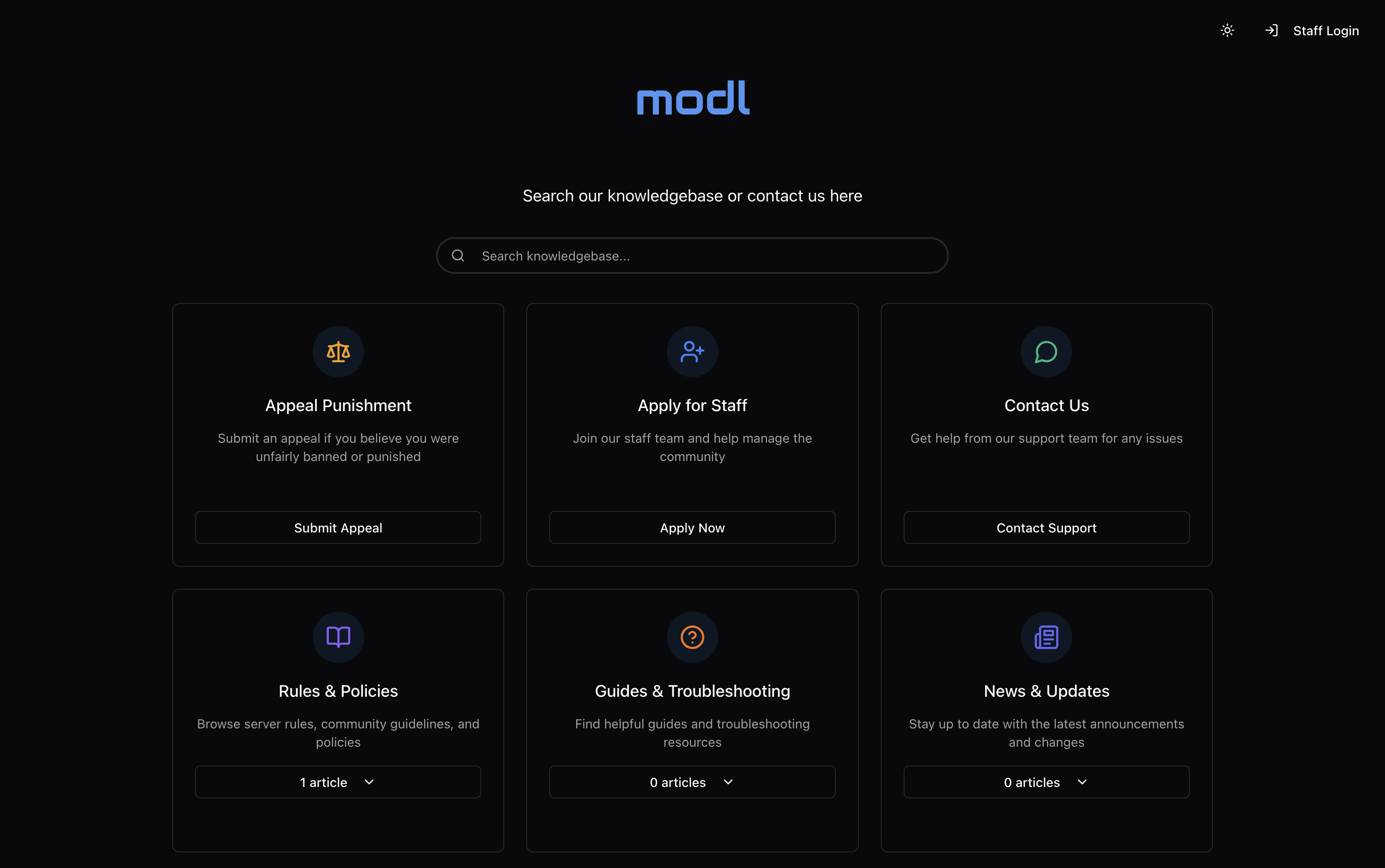
Support One-Stop-Shop: Use your own domain (recommended: support.yourserver.com)
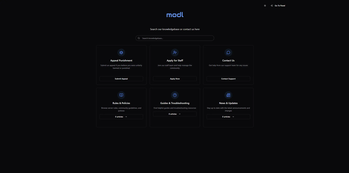
- Fully customizable knowledgebase homepage with logo, external link, and sections
- Searchable markdown article support, write your rules, guidelines, and support articles with ease.
- Create fully custom forms for bug reports, support tickets, and staff applications: reveal hidden sections based on answer to multiple-choice questions.
- Customizable quick-response buttons to significantly streamline efficiency and keep responses consistent.
- Send in-game and email notifications for when staff respond to a player's ticket.
- We use browser cookies to verify that responses in tickets are the same as the initial responder.
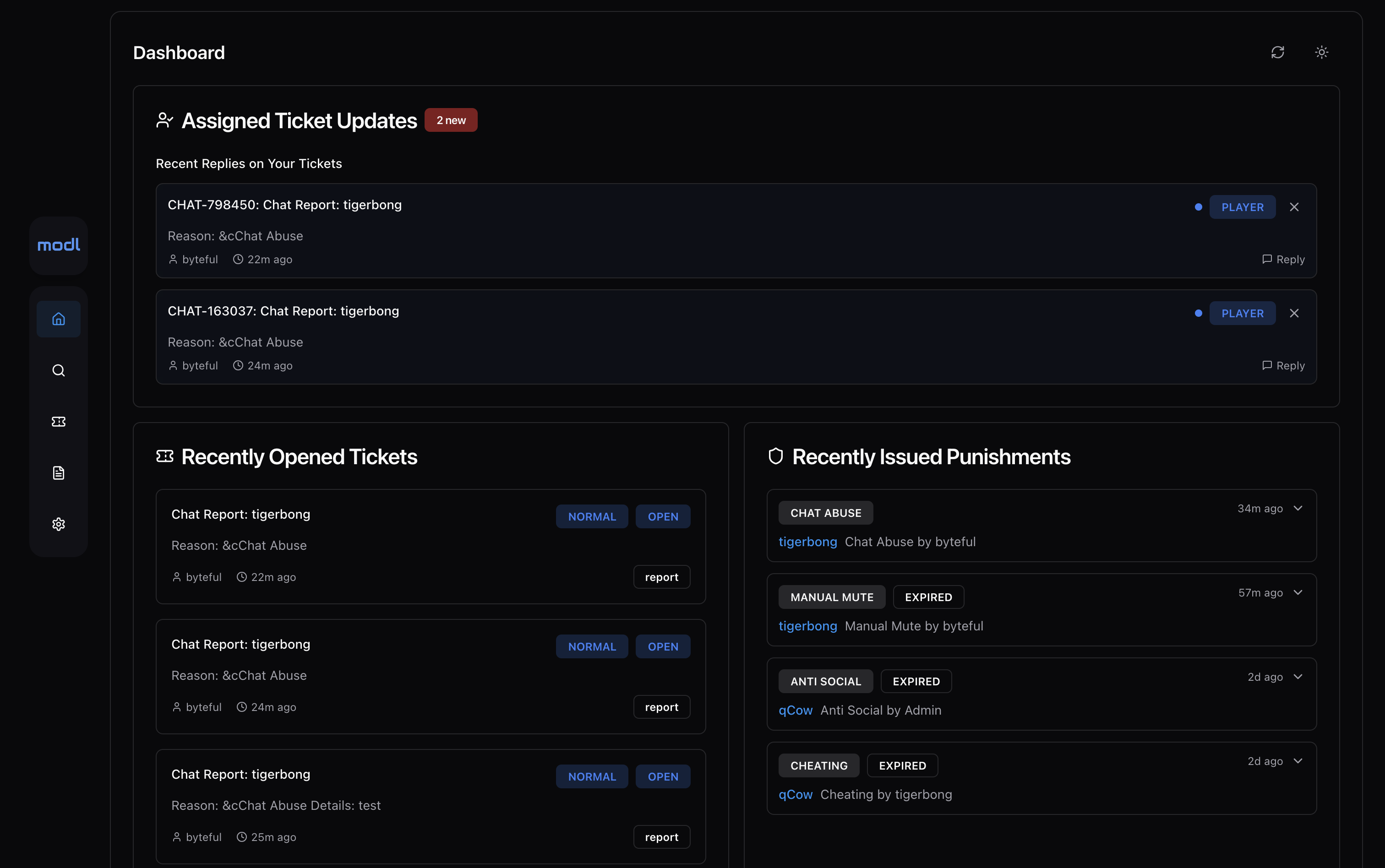
- Staff members are automatically subscribed to tickets they respond in and can easily track updates to those tickets in their home feed.
Professional Interface
- Invite your staff team and fully customize their roles and permissions (permission nodes for each punishment type)
- Set each staff member's Minecraft account so that permissions and punishments are synced between panel and in-game.
- Make modl yours: upload a custom logo, favicon, homepage image, and set your custom domain.
- Everything is fully customizable, from Minecraft plugin locale to ticket forms and punishment types.
Requirements
- Java 8+
- Working internet connection
- Any version Spigot, PaperSpigot, Folia, BungeeCord, or Velocity
Installation
- Register your server at https://modl.gg
- Go to your panel's settings and find your API key under "Server & Billing" > "Server Config".
- Drop modl-(version).jar into your /plugins directory (Install on all Spigot servers and your proxy if you run a network. Run Spigot modl instances in bridge mode if so.)
- Restart your server and wait for /plugins/modl/config.yml to generate, once it does input your API key and panel URL then restart
- Done!
Showcase & Installation Video (outdated - view docs installation guide):
Requirements & Installation Steps:
https://docs.modl.gg/installation
For support, please join our discord server or open an issue on GitHub. If you encounter any issues or bugs, please report them :)
Available Versions
How to Install modl on Your Server
Order Server
Order a Minecraft Java server with at least 3 GB RAM (4 GB recommended).
Set bukkit Loader
In the panel under "Egg", select the bukkit loader and matching Minecraft version (26.1.2).
Install Mod
Open the mod browser in the dashboard and search for "modl". Click "Install" – done! Alternatively, upload the .jar via SFTP to the /mods folder.
Compatibility
Mod Loaders
Minecraft Versions
26.1.2, 26.1.1, 26.1 (+70 more)
Server-side
✗ UnsupportedRecommended RAM
4 GB(min. 3 GB)Frequently Asked Questions
modl server crashes on startup – what to do?
Most common cause: wrong bukkit version or insufficient RAM. Check the server log (latest.log) for "OutOfMemoryError" or "Mixin" errors. With Mado Hosting: ensure at least 3 GB RAM is allocated and the loader matches the mod version (26.1.2). You can switch loaders with one click in the panel.
Is modl compatible with bukkit and bungeecord and fabric and folia and paper and purpur and spigot and velocity and waterfall?
modl officially supports bukkit, bungeecord, fabric, folia, paper, purpur, spigot, velocity, waterfall for Minecraft 26.1.2, 26.1.1, 26.1. The Mado dashboard automatically detects incompatible loader combinations.
Server lagging with modl – how to optimize performance?
Recommended RAM: 4 GB (per 8 players). Use /spark profiler to check if modl consumes the most tick time. Common fixes: reduce server view-distance to 8-10, install "performant" or "starlight" as supplementary mods on Forge. With Mado Hosting, your server runs on NVMe SSDs with dedicated CPU cores for minimal latency.
Similar Mods






Rent Modded Server
Install modl with just one click on your server.