
ModsChecker
Detect mod mismatches before loading your world. Prevent crashes, protect your save. 在 Mod 变动导致存档崩溃前,提示并拦截,避免悲剧发生。
Screenshots
About this Mod
** What is Mods Checker ? **
ModsChecker is a utility mod that detects changes in your mod list before loading a singleplayer world.
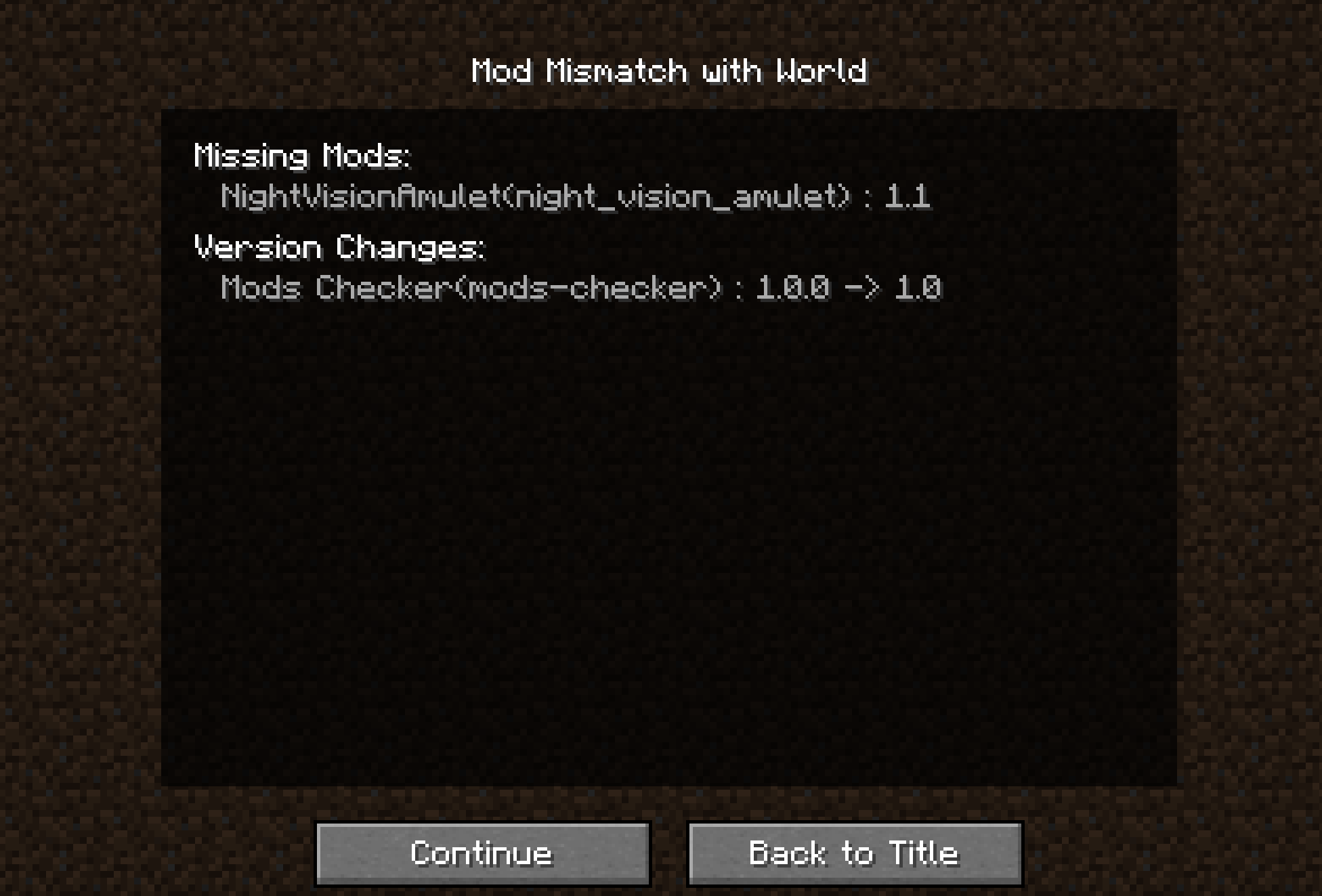
It compares the current mod environment to the one when the world was last loaded, including added, removed, and updated mods.
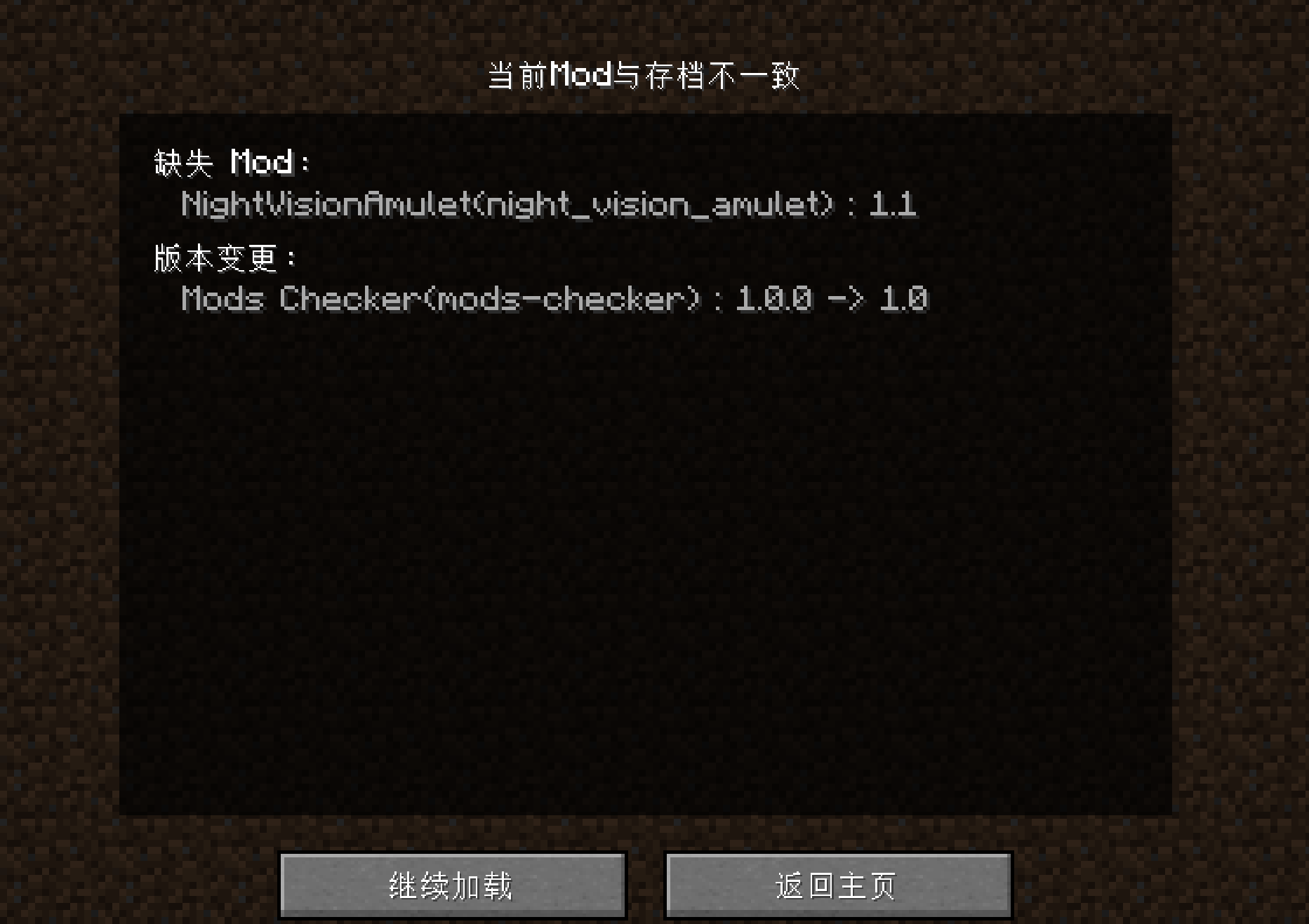
If any differences are found, the world loading process is paused, and a detailed list of changes is displayed.
Players can then choose to continue anyway or return to the title screen.
This helps avoid crashes, lost data, and potential corruption caused by loading worlds with incompatible mods.
A copy of the current mod list is saved after each successful load to use for future comparisons. This mod does not modify any world data and is safe to use.
HEY YOU! This mod is for local singleplayer only and must be installed on the client!
Do you need 1.21 vesion of this mod? What about this : Loaded Mods Chekcer?
** 什么是 ModsChecker ? **
ModsChecker 是一个在加载世界前检查 Mod 列表变动的实用模组。
当检测到 Mod 有新增、缺失或版本变化时,会弹出提示界面。
你可以选择继续加载或返回,以防止因 Mod 不一致而导致世界崩溃或损坏。
当检测到差异时,Mod 会中断加载流程,并展示详细的差异列表。
玩家可以自行选择继续加载,或返回主菜单,从而避免因 Mod 不一致造成的崩溃、数据丢失甚至存档损坏。
每次成功完成加载后,当前 Mod 列表会被记录保存,用于下次比对。该模组不会修改任何存档数据,使用安全可靠。
注意:本模组仅适用于本地单人模式,必须安装在客户端。请勿在服务端环境运行!
想要1.21版本?请查看这个项目 Loaded Mods Chekcer。
Available Versions
How to Install ModsChecker on Your Server
Order Server
Order a Minecraft Java server with at least 3 GB RAM (4 GB recommended).
Set fabric Loader
In the panel under "Egg", select the fabric loader and matching Minecraft version (1.20.1).
Install Mod
Open the mod browser in the dashboard and search for "ModsChecker". Click "Install" – done! Alternatively, upload the .jar via SFTP to the /mods folder.
Compatibility
Mod Loaders
Minecraft Versions
1.20.1, 1.20
Server-side
✗ UnsupportedRecommended RAM
4 GB(min. 3 GB)Frequently Asked Questions
ModsChecker server crashes on startup – what to do?
Most common cause: wrong fabric version or insufficient RAM. Check the server log (latest.log) for "OutOfMemoryError" or "Mixin" errors. With Mado Hosting: ensure at least 3 GB RAM is allocated and the loader matches the mod version (1.20.1). You can switch loaders with one click in the panel.
Is ModsChecker compatible with fabric?
ModsChecker officially supports fabric for Minecraft 1.20.1, 1.20. The Mado dashboard automatically detects incompatible loader combinations.
Server lagging with ModsChecker – how to optimize performance?
Recommended RAM: 4 GB (per 8 players). Use /spark profiler to check if ModsChecker consumes the most tick time. Common fixes: reduce server view-distance to 8-10, install "performant" or "starlight" as supplementary mods on Forge. With Mado Hosting, your server runs on NVMe SSDs with dedicated CPU cores for minimal latency.
Similar Mods






Rent Modded Server
Install ModsChecker with just one click on your server.