
Screenshots
About this Mod
ModularUI
This is the ultimate GUI mod for minecraft.
History
The first time I encountered a form of a ModularUI was in GTCE in version 1.12.2. The concept was great. Much less boiler plate code. No GUI texture sheets. And more. However there were a lot of problems. There were lots of bugs. The code was a mess and compat with other mods such as Inventorytweaks was very difficult.
Then GTCEu was made as a fork of GTCE. The UI code received some improvements, but somehow it got even messier. At that point CleanroomMC already decided to make a reworked, standalone version of ModularUI. So I volunteered to do the job. And I did.
On May 22nd 2022 the first version was released on CF. It was a huge improvement compared to GTCE/GTCEu, but I still was not happy enough. So a few updates and month later i started to rewrite some portions of the mod. However the rewrite became so large that it was almost a full rewrite. Was it worth it? I don't know, but now I'm happy with the result.
Features
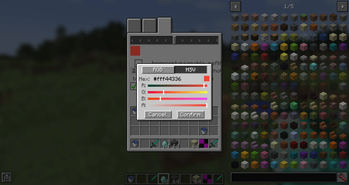
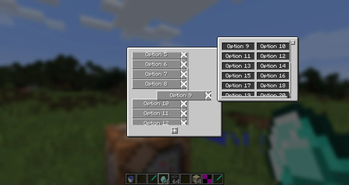
- Panel system similar to windows
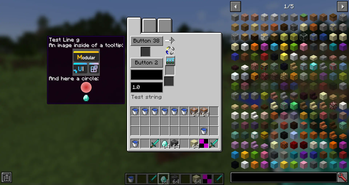
- Widgets like buttons, text fields (custom, not mc garbage) or slider
- layout widgets like rows, columns, grids and lists
- custom implementation of scrolling with smooth animations
- math expression parser for number text fields
- viewport implementation for transformation of certain parts (like a scrollable list)
- easy syncing of any value making the mod usable for things like TileEntities/BlockEntities
- open and close animations of panels
- compat with InventoryBogoSorter
Available Versions
How to Install ModularUI on Your Server
Order Server
Order a Minecraft Java server with at least 3 GB RAM (4 GB recommended).
Set forge Loader
In the panel under "Egg", select the forge loader and matching Minecraft version (1.20.1).
Install Mod
Open the mod browser in the dashboard and search for "ModularUI". Click "Install" – done! Alternatively, upload the .jar via SFTP to the /mods folder.
Compatibility
Mod Loaders
Minecraft Versions
1.20.1, 1.12.2, 1.7.10
Server-side
~ OptionalRecommended RAM
4 GB(min. 3 GB)Frequently Asked Questions
ModularUI server crashes on startup – what to do?
Most common cause: wrong forge version or insufficient RAM. Check the server log (latest.log) for "OutOfMemoryError" or "Mixin" errors. With Mado Hosting: ensure at least 3 GB RAM is allocated and the loader matches the mod version (1.20.1). You can switch loaders with one click in the panel.
Is ModularUI compatible with forge?
ModularUI officially supports forge for Minecraft 1.20.1, 1.12.2, 1.7.10. The Mado dashboard automatically detects incompatible loader combinations.
Server lagging with ModularUI – how to optimize performance?
Recommended RAM: 4 GB (per 8 players). Use /spark profiler to check if ModularUI consumes the most tick time. Common fixes: reduce server view-distance to 8-10, install "performant" or "starlight" as supplementary mods on Forge. With Mado Hosting, your server runs on NVMe SSDs with dedicated CPU cores for minimal latency.
Similar Mods



Rent Modded Server
Install ModularUI with just one click on your server.