
MWF-Ultimate
Guns, Armor, Backpacks, Modification, More parameters for Attachment.
Screenshots
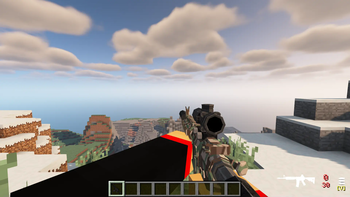
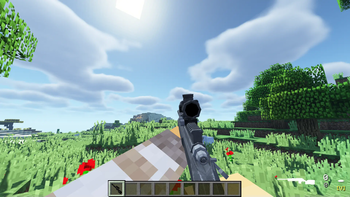
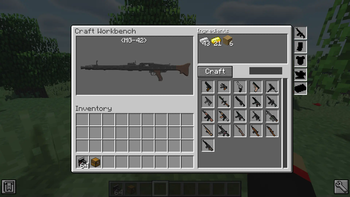
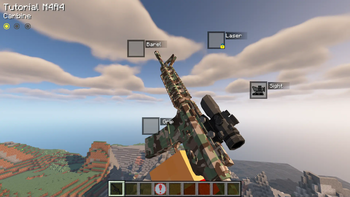
About this Mod
MWF-Ultimate

This is a military armed mod that will allow you, without programming knowledge, to create either simple weapons or weapons with animation and more functionality than simple weapons, and the mod also has many possibilities for various customization of weapons, as well as the ability to create weapons in survival mode.
ModularWarfare-Ultimate is a modified version of the original ModularWarfare, which has some fixes from ModularWarfare-Shining, the main new features and added to ModularWarfare-Ultimate are a crafting system and a new weapon modifier system.
- The author of the original ModularWarfare - Protoxy.
!!ALL IMPORTANT!!
MWF-Ultimate is a fork of the MWF (Modular Warfare) mod. However, as of recently, this mod is no longer affiliated with the original MWF project in any way. I received permission from the original author, Protoxy. From now on, this mod is no longer covered by Protoxy's original mod license, and neither Protoxy nor anyone else has any relation to this mod anymore.
HOWEVER! The mod is still based on the MWF framework, and I will do my best in the future to ensure full compatibility with the original MWF.
If you have any questions regarding the mod, you can contact me directly on Discord — ar2t1ie.
Important for content-pack creators:
- F9 to reload .obj models + render.json files
- F9 + SNEAK to reload the resource-packs (sounds, textures, items)
Links (original ModularWarfare):
- Wiki: https://modularwarfare.com/docs/
- Website/Forum: https://modularwarfare.com
- ModularWarfare Discord: https://discord.gg/TtzsDXwx9M
Available Versions
How to Install MWF-Ultimate on Your Server
Order Server
Order a Minecraft Java server with at least 3 GB RAM (4 GB recommended).
Set forge Loader
In the panel under "Egg", select the forge loader and matching Minecraft version (1.12.2).
Install Mod
Open the mod browser in the dashboard and search for "MWF-Ultimate". Click "Install" – done! Alternatively, upload the .jar via SFTP to the /mods folder.
Compatibility
Mod Loaders
Minecraft Versions
1.12.2
Server-side
✓ RequiredRecommended RAM
4 GB(min. 3 GB)Frequently Asked Questions
MWF-Ultimate server crashes on startup – what to do?
Most common cause: wrong forge version or insufficient RAM. Check the server log (latest.log) for "OutOfMemoryError" or "Mixin" errors. With Mado Hosting: ensure at least 3 GB RAM is allocated and the loader matches the mod version (1.12.2). You can switch loaders with one click in the panel.
Is MWF-Ultimate compatible with forge?
MWF-Ultimate officially supports forge for Minecraft 1.12.2. The Mado dashboard automatically detects incompatible loader combinations.
Server lagging with MWF-Ultimate – how to optimize performance?
Recommended RAM: 4 GB (per 8 players). Use /spark profiler to check if MWF-Ultimate consumes the most tick time. Common fixes: reduce server view-distance to 8-10, install "performant" or "starlight" as supplementary mods on Forge. With Mado Hosting, your server runs on NVMe SSDs with dedicated CPU cores for minimal latency.
Similar Mods




![[TaCZ] Timeless and Classics Zero](https://cdn.modrinth.com/data/SzzJttH8/fd27766d2bb8390d284696b1dbd358f87e081439_96.webp)

Rent Modded Server
Install MWF-Ultimate with just one click on your server.