
ModWhiteList
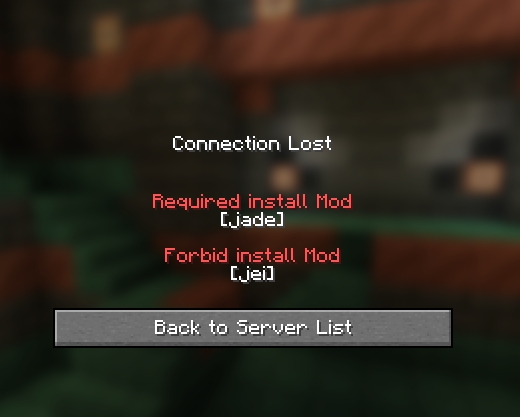
This is a Mod used to verify whether the client has loaded illegal mods
Screenshots
About this Mod
Description
This mod can manage which mods the client can install and which ones are prohibited from being installed.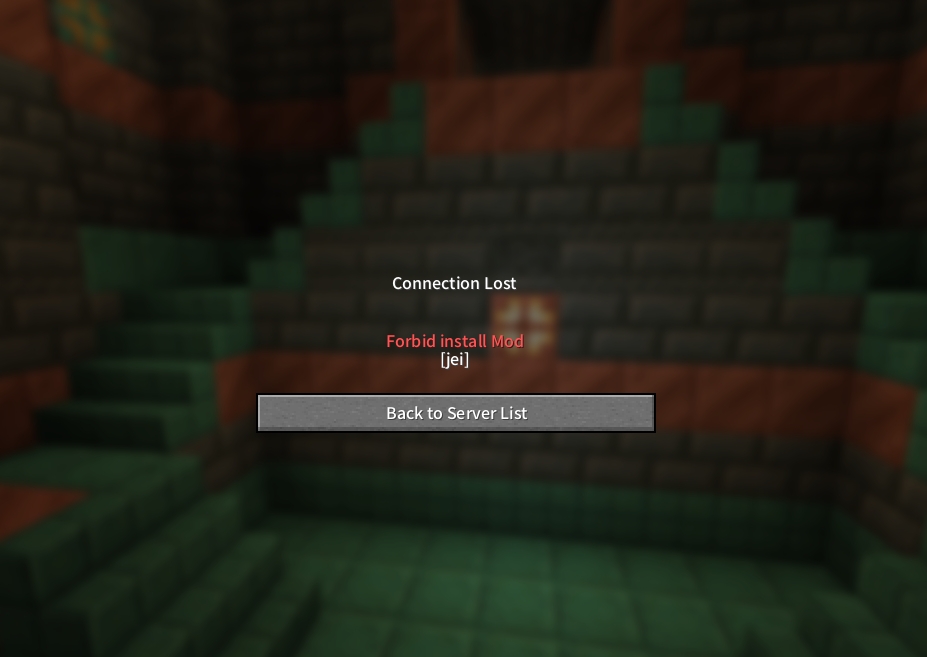
Working Principle
When the client logs in to the server, it will send the mod already loaded by the client to the server. After the server verifies it, it decides whether the client can log in to the server.
Features
- WhiteList:
Clients with mods installed outside the whitelist are prohibited from logging into the server. - BlackList:
Clients that have installed the mods on the blacklist are prohibited from logging into the server. (Priority higher than the whitelist) - Reload Command:
The configuration file can be overloaded using the "/mwl reload" command without restarting the server.
Testing Environment
| ClientMod | WhiteList | Result |
|---|---|---|
| minecraft | empty | ✅ |
| minecraft | minecraft | ✅ |
| minecraft, neoforge | minecraft | ❌ |
| ClientMod | BlackList | Result |
|---|---|---|
| minecraft | empty | ✅ |
| minecraft | neoforge | ✅ |
| minecraft, neoforge | neoforge | ❌ |
Q&A
- Can resourcepackage be prevented?
This mod is only for the mod scope and does not perform any operations on resourcepackage. - Check whether the module ID is valid?
No, it won't check whether the ModId is valid, such as: WhiteList: [" Custom ModId"] or [""]. If this is done, no one can join the server. - Can it be completely eradicated?
It cannot be done because this mod needs to read the mod list after all the mods have been loaded. Therefore, it is impossible to prevent certain mods from modifying the loaded mods. - How to fill in the configuration file?
Just fill in the ID of the mod, separated by commas, such as: ["minecraft", "neoforge", 'jei', 'create'], single or double quotation marks are also acceptable. - Why doesn't it work even after filling in the mod ID?
Please check whether the configuration file format and mod ID are correct, such as quotation marks, commas, and ID case. It is recommended to use an editor with syntax checking for editing. - What should I do if there are too many client mods to fill in?
You can search for "ModList:" in the client's log file to obtain the ids of all the mods loaded by the client (the game needs to be started). - What will happen if the configuration file is filled in wrongly?
If the configuration file format is filled in incorrectly, a backup file will be generated and the default configuration state will be restored. - Does the mod affect the original dual-terminal environment detection?
This mod merely adds a verification step on the original basis and does not affect the dual-terminal environment detection. The dual-terminal mods that should be installed on the client side still need to be installed.
Available Versions
How to Install ModWhiteList on Your Server
Order Server
Order a Minecraft Java server with at least 3 GB RAM (4 GB recommended).
Set neoforge Loader
In the panel under "Egg", select the neoforge loader and matching Minecraft version (1.21.5).
Install Mod
Open the mod browser in the dashboard and search for "ModWhiteList". Click "Install" – done! Alternatively, upload the .jar via SFTP to the /mods folder.
Compatibility
Mod Loaders
Minecraft Versions
1.21.5, 1.21.4, 1.21.3 (+3 more)
Server-side
✓ RequiredRecommended RAM
4 GB(min. 3 GB)Frequently Asked Questions
ModWhiteList server crashes on startup – what to do?
Most common cause: wrong neoforge version or insufficient RAM. Check the server log (latest.log) for "OutOfMemoryError" or "Mixin" errors. With Mado Hosting: ensure at least 3 GB RAM is allocated and the loader matches the mod version (1.21.5). You can switch loaders with one click in the panel.
Is ModWhiteList compatible with neoforge?
ModWhiteList officially supports neoforge for Minecraft 1.21.5, 1.21.4, 1.21.3. The Mado dashboard automatically detects incompatible loader combinations.
Server lagging with ModWhiteList – how to optimize performance?
Recommended RAM: 4 GB (per 8 players). Use /spark profiler to check if ModWhiteList consumes the most tick time. Common fixes: reduce server view-distance to 8-10, install "performant" or "starlight" as supplementary mods on Forge. With Mado Hosting, your server runs on NVMe SSDs with dedicated CPU cores for minimal latency.
Similar Mods






Rent Modded Server
Install ModWhiteList with just one click on your server.