
MogDop's Chromakey Mod
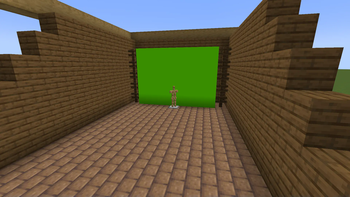
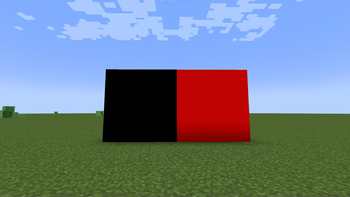
The mod adds a chromakey directly to your game!
Screenshots
About this Mod
MogDop's Chromakey Mod
A lightweight and survival-friendly Fabric mod designed specifically for content creators, animators, and VFX artists who want to build high-quality green, blue, or red screens inside Minecraft.
Key Features
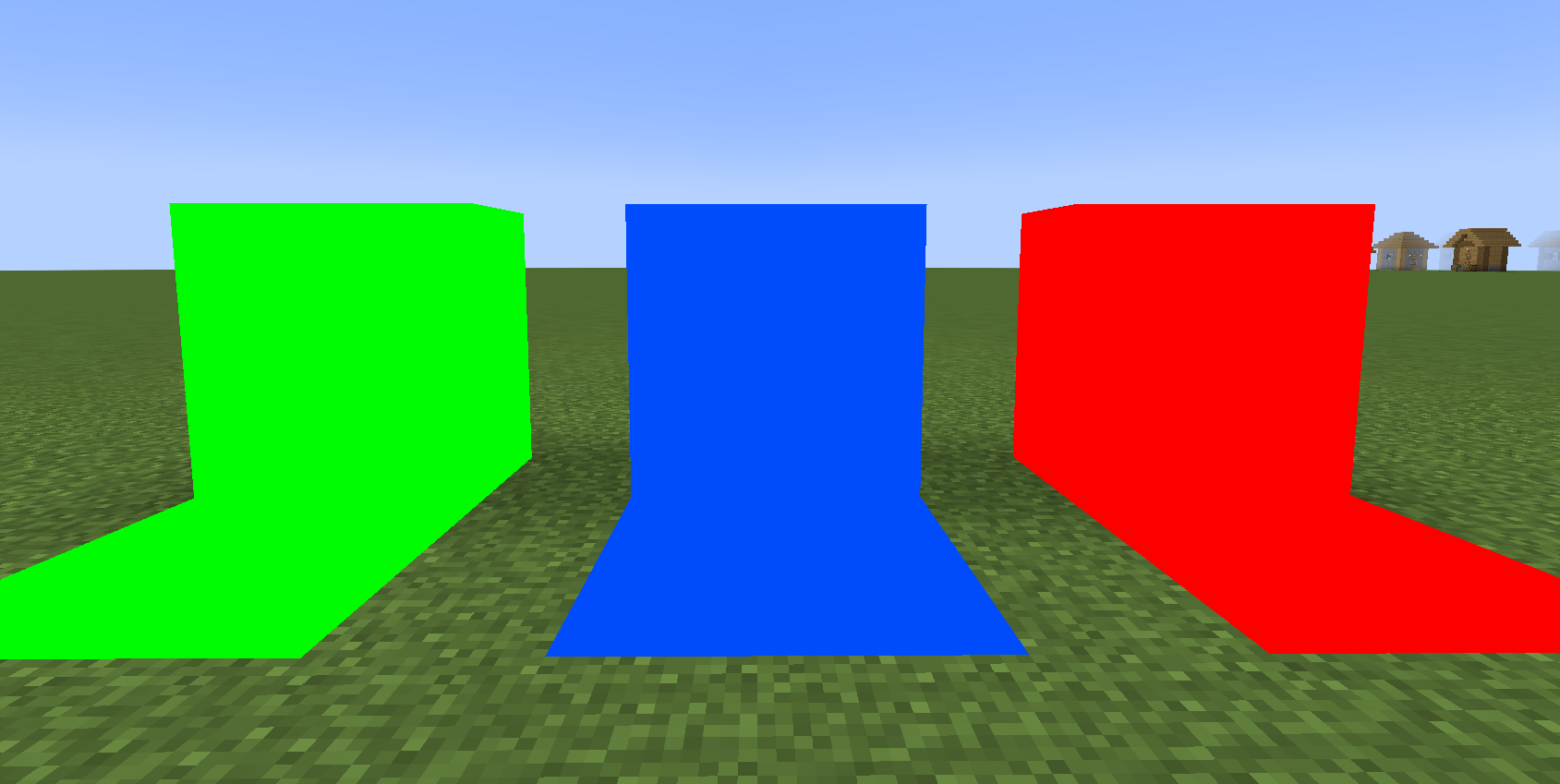
- Flat & Uniform Rendering: Chromakey blocks have directional shading disabled. This ensures a flat, uniform color surface under almost any lighting conditions—crucial for clean keying in video editing software.
- Luminous Toggle: Right-click the block with an empty hand to turn on self-illumination. The block will render at full brightness even in complete darkness, making it highly versatile for indoor studio setups.
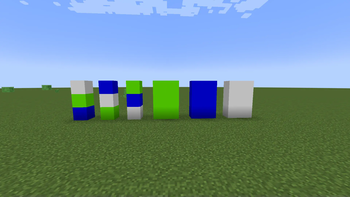
- Three Colors in One: Easily cycle through Green, Blue, and Red screens depending on your post-production needs.
- Smart Connected Propagation: No need to configure blocks individually. Toggling or recoloring a block automatically propagates the change to all adjacent, touching chromakey blocks. You can control massive screens with a single click!
- Chromakey Controller: A dedicated tool used to cycle colors across connected screens.
- Creative Tab: All blocks and items are neatly organized in a custom creative inventory tab for easy access.
Crafting Recipes
Both the block and the controller are fully craftable in Survival mode, allowing you to build screens in any game mode.
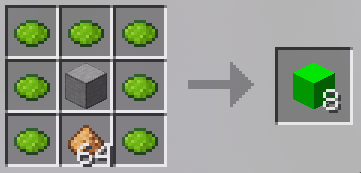
1. Chromakey Block (Yields 8 Blocks)
Crafted by surrounding a piece of Smooth Stone and Glowstone Dust with Lime Dye.
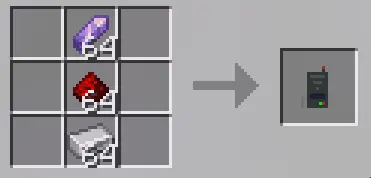
2. Chromakey Controller
A vertical assembly of an Amethyst Shard, Redstone Dust, and an Iron Ingot inside a crafting table.
Requirements
- Mod Loader: Fabric Loader [3]
- Required Library: Fabric API [1]
- Supported Versions: 1.20.X & 1.21.X
Available Versions
How to Install MogDop's Chromakey Mod on Your Server
Order Server
Order a Minecraft Java server with at least 3 GB RAM (4 GB recommended).
Set fabric Loader
In the panel under "Egg", select the fabric loader and matching Minecraft version (1.21.11).
Install Mod
Open the mod browser in the dashboard and search for "MogDop's Chromakey Mod". Click "Install" – done! Alternatively, upload the .jar via SFTP to the /mods folder.
Compatibility
Mod Loaders
Minecraft Versions
1.21.11, 1.21.10, 1.21.9 (+14 more)
Server-side
✓ RequiredRecommended RAM
4 GB(min. 3 GB)Frequently Asked Questions
MogDop's Chromakey Mod server crashes on startup – what to do?
Most common cause: wrong fabric version or insufficient RAM. Check the server log (latest.log) for "OutOfMemoryError" or "Mixin" errors. With Mado Hosting: ensure at least 3 GB RAM is allocated and the loader matches the mod version (1.21.11). You can switch loaders with one click in the panel.
Is MogDop's Chromakey Mod compatible with fabric and forge?
MogDop's Chromakey Mod officially supports fabric, forge for Minecraft 1.21.11, 1.21.10, 1.21.9. Note: Forge and Fabric mods are NOT cross-compatible – pick one loader and stick with it. The Mado dashboard automatically detects incompatible loader combinations.
Server lagging with MogDop's Chromakey Mod – how to optimize performance?
Recommended RAM: 4 GB (per 8 players). Use /spark profiler to check if MogDop's Chromakey Mod consumes the most tick time. Common fixes: reduce server view-distance to 8-10, install "performant" or "starlight" as supplementary mods on Forge. With Mado Hosting, your server runs on NVMe SSDs with dedicated CPU cores for minimal latency.
Similar Mods




Rent Modded Server
Install MogDop's Chromakey Mod with just one click on your server.