
Create: Molten Vents Fabric Port
[FABRIC] Adds a renewable source of the orestones found in the Create mod, and by extension, many resources.
Screenshots
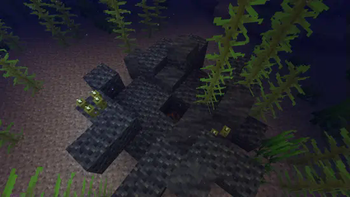
About this Mod
This is a Fabric 1.20.1 port of the mod Create: Molten Vents. The original mod was developed by Apothicon02, and this port is made with permission from the original author.
Molten Vents is a mod which adds a renewable source of the orestones found in the Create mod, and by extension the many resources that can be processed from them.
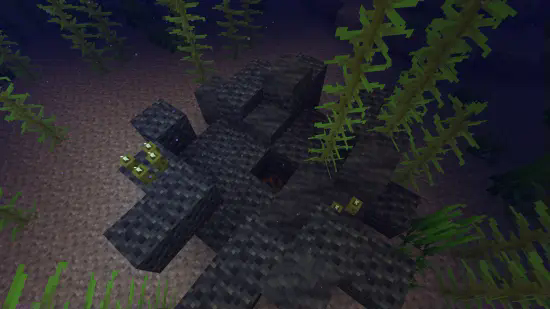
How to use:
- Locate a vent; Vents are found anywhere on the surface, but are more easily found underwater. (Configurable)
- Dig out the blocks inside of the vent until you find a block that looks like the orestones the vent is made of except with magma on it, that is the dormant orestone.
- Explode the dormant orestone by any means.
- Notice that the dormant molten vent is now an active molten vent by seeing the magma in it become brighter.
- Dump lava (preferrably via an automated method) on the active molten vent and watch as the lava turns into the corresponding orestone.
- Process the orestones into resources, or use them for building.
Default Vents:
- Veridium Vent
- Asurine Vent
- Crimsite Vent
- Ochrum Vent
- Scorchia Vent
- Scoria Vent
How to add a custom molten block
Just add the name of the block to this list (a .json file that generates in the config folder)
{"values":["asurine","veridium","crimsite","ochrum","scorchia","scoria","exampleblock"]}
Then make a datapack that adds these two jsons: data/molten_vents/molten_vents/blocks/conductive/exampleblock.json (You can add whatever blocks you want here but definitely include these three)
{
  "replace": false,
  "values": [
    "examplemodthataddsblock:exampleblock",
    "molten_vents:dormant_molten_exampleblock",
    "molten_vents:active_molten_exampleblock"
  ]
}
data/molten_vents/molten_vents/blocks/convertible/exampleblock.json (The lava can be changed to any other block and other blocks can be additionally added)
{
  "replace": false,
  "values": [
    "minecraft:lava"
  ]
}
Example datapack can be found in the #datapacks channel in the discord (https://discord.gg/HHqKa8vTAN)
Then make a resourcepack that adds the blockstates, models, and textures for "molten_vents.active_molten_exampleblock.json" and "molten_vents.dormant_molten_exampleblock.json" (optional)
How to make a custom molten vent feature
Just recreate your own copy of the placed and configured feature jsons available in the base mod in the respective directories within your own datapack: data/worldgen/configured_feature/examplevent.json data/worldgen/placed_feature/examplevent.json Then add your placed feature to the forge biome modifiers: data/yourdatapackname/forge/biome_modifier/add_vents.json
Examples are here: https://github.com/Apothicon02/Create-Molten-Vents/tree/main/src/main/resources/data/molten_vents
Discord: https://discord.gg/HHqKa8vTAN
This mod may be used in any modpack.
The original mod is licensed under the MIT License.
Available Versions
How to Install Create: Molten Vents Fabric Port on Your Server
Order Server
Order a Minecraft Java server with at least 4 GB RAM (6 GB recommended).
Set fabric Loader
In the panel under "Egg", select the fabric loader and matching Minecraft version (1.20.1).
Install Mod
Open the mod browser in the dashboard and search for "Create: Molten Vents Fabric Port". Click "Install" – done! Alternatively, upload the .jar via SFTP to the /mods folder.
Compatibility
Mod Loaders
Minecraft Versions
1.20.1
Server-side
✓ RequiredRecommended RAM
6 GB(min. 4 GB)Frequently Asked Questions
Create: Molten Vents Fabric Port server crashes on startup – what to do?
Most common cause: wrong fabric version or insufficient RAM. Check the server log (latest.log) for "OutOfMemoryError" or "Mixin" errors. With Mado Hosting: ensure at least 4 GB RAM is allocated and the loader matches the mod version (1.20.1). You can switch loaders with one click in the panel.
Is Create: Molten Vents Fabric Port compatible with fabric?
Create: Molten Vents Fabric Port officially supports fabric for Minecraft 1.20.1. The Mado dashboard automatically detects incompatible loader combinations.
Server lagging with Create: Molten Vents Fabric Port – how to optimize performance?
Recommended RAM: 6 GB (per 5 players). Use /spark profiler to check if Create: Molten Vents Fabric Port consumes the most tick time. Common fixes: reduce server view-distance to 8-10, install "performant" or "starlight" as supplementary mods on Forge. With Mado Hosting, your server runs on NVMe SSDs with dedicated CPU cores for minimal latency.
Similar Mods






Rent Modded Server
Install Create: Molten Vents Fabric Port with just one click on your server.