
More Swords For Minecraft
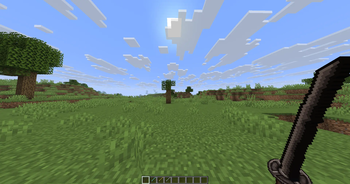
This mod adds custom melee and magical weapons with distinct combat identities.
Screenshots
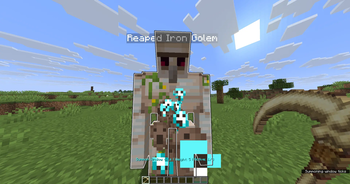
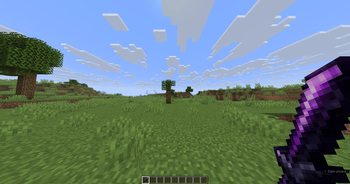
About this Mod

More Swords Mod
More Swords Mod adds new melee and magical weapons with unique combat mechanics, progression materials, custom recipes,
and distinct playstyles.
Features
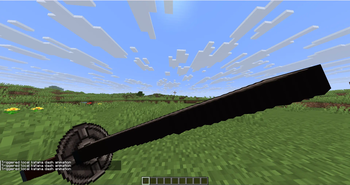
- Katanas built around timed
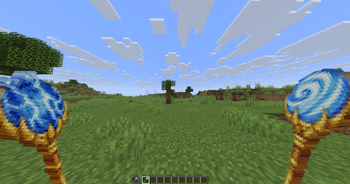
Sheath Strikeburst attacks, mobility, shield pressure, and aerial follow-ups. - Wind Staff movement and control tools, including wind leaps, active gliding, and mounted gust boosts.
- Lightning Staff
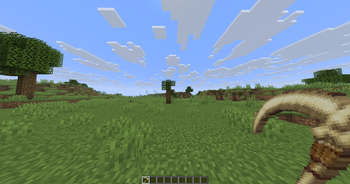
Stormcallcasting with direct lightning strikes, cooldowns, durability cost, and mob transformations. - Bone Scythe soul harvesting, stored soul imprints, summon windows, recall, and garrison control.
- Obsidian Greatsword heavy combat with armor-breaking pressure and a charged ground slam.
- Custom crafting components, including katana hilts, guards, blades, Arcane Rods, Zephyr Gems, and soul materials.
- Custom recipes, loot drops, models, textures, tooltips, flavor text, sounds, and subtitles.
Supported Versions
- Minecraft:
26.1.2 - Fabric Loader:
0.18.4or newer - Fabric API:
0.146.0+26.1.2 - Java:
25
Installation
- Install Fabric Loader for the supported Minecraft version.
- Install Fabric API.
- Download More Swords Mod from Modrinth.
- Put the downloaded
.jarfile in your Minecraftmodsfolder. - Launch the game with your Fabric profile.
Media
Screenshots and short gameplay clips will be added as the mod's visuals and feature set settle.
Building From Source
Build the mod with the included Gradle wrapper.
On Windows:
.\gradlew.bat build --console=plain
On Linux or macOS:
./gradlew build --console=plain
The built jar will be generated under build/libs/.
Links
Contributing
Please read CONTRIBUTING.md before opening an issue or pull request.
License
This project is source-available under the PolyForm Shield License 1.0.0.
Available Versions
How to Install More Swords For Minecraft on Your Server
Order Server
Order a Minecraft Java server with at least 3 GB RAM (4 GB recommended).
Set fabric Loader
In the panel under "Egg", select the fabric loader and matching Minecraft version (26.1.2).
Install Mod
Open the mod browser in the dashboard and search for "More Swords For Minecraft". Click "Install" – done! Alternatively, upload the .jar via SFTP to the /mods folder.
Compatibility
Mod Loaders
Minecraft Versions
26.1.2, 26.1.1, 26.1 (+3 more)
Server-side
✓ RequiredRecommended RAM
4 GB(min. 3 GB)Frequently Asked Questions
More Swords For Minecraft server crashes on startup – what to do?
Most common cause: wrong fabric version or insufficient RAM. Check the server log (latest.log) for "OutOfMemoryError" or "Mixin" errors. With Mado Hosting: ensure at least 3 GB RAM is allocated and the loader matches the mod version (26.1.2). You can switch loaders with one click in the panel.
Is More Swords For Minecraft compatible with fabric?
More Swords For Minecraft officially supports fabric for Minecraft 26.1.2, 26.1.1, 26.1. The Mado dashboard automatically detects incompatible loader combinations.
Server lagging with More Swords For Minecraft – how to optimize performance?
Recommended RAM: 4 GB (per 8 players). Use /spark profiler to check if More Swords For Minecraft consumes the most tick time. Common fixes: reduce server view-distance to 8-10, install "performant" or "starlight" as supplementary mods on Forge. With Mado Hosting, your server runs on NVMe SSDs with dedicated CPU cores for minimal latency.
Similar Mods




Rent Modded Server
Install More Swords For Minecraft with just one click on your server.