MoreFarming
A mod was maked looked like Stardew Valley
Screenshots
About this Mod
Overview
This mod adds the watering system of Xinglu Valley and agricultural planting content to the game.
Module Characteristics
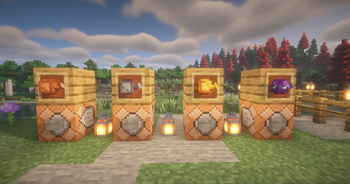
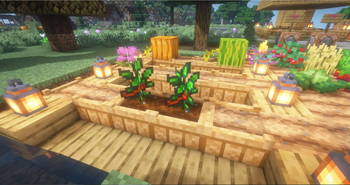
Four types of spray pots have been added for watering, and the planting pots are divided into two states: wet and dry.
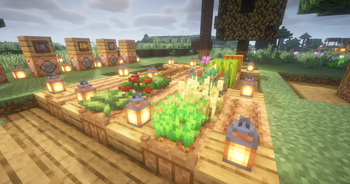
In a dry state, watering can be done using a watering can to switch to a moist state. Both states can be used to plant original or modular crops, but for the crops in this module, only a moist planting pot can be used to plant and grow crops normally.
If the planting pot dries up during the growth period, the MoreFarming crops planted on it will stop growing.
New crop
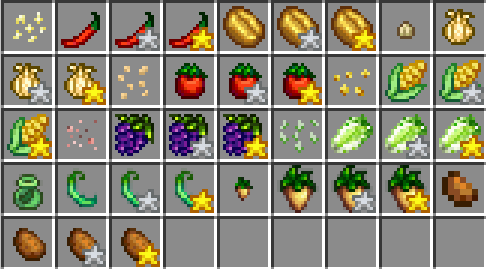
At present, there is no way to obtain seeds, suitable for mod plugin servers like Arclight to play
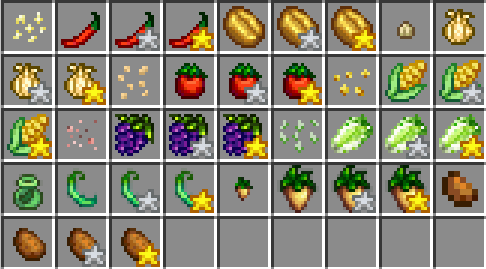
The crops currently added to the module
Tools and props
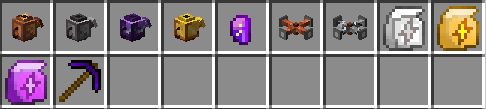
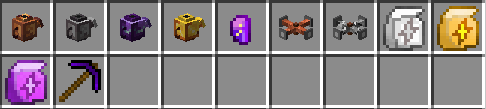
Tools currently added to the module:
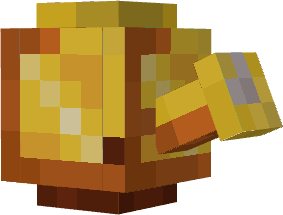
Kettle: can be used for watering
Iridium ingot: synthetic iridium pickaxe
Sprinkler: Automatic and Manual Sprinkler
Growth rate fertilizer: accelerates crop growth
Iridium pickaxe: Excavating ore and dropping raw ore
Functional block
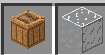
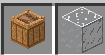
Planting pots: Planting MFI crops
Greenhouse glass: allowing crops to grow across seasons
separate seasonal system

Change every 6 hours per season, with a reminder before the change;
The corresponding season will be displayed in the upper left corner. Currently, the module season system is separate and not affected by other season modules
The seeds will have a description of the suitable season for planting;
Instructions added:

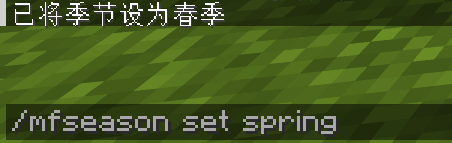
Available Versions
How to Install MoreFarming on Your Server
Order Server
Order a Minecraft Java server with at least 3 GB RAM (4 GB recommended).
Set forge Loader
In the panel under "Egg", select the forge loader and matching Minecraft version (1.20.6).
Install Mod
Open the mod browser in the dashboard and search for "MoreFarming". Click "Install" – done! Alternatively, upload the .jar via SFTP to the /mods folder.
Compatibility
Mod Loaders
Minecraft Versions
1.20.6, 1.20.1
Server-side
✓ RequiredRecommended RAM
4 GB(min. 3 GB)Frequently Asked Questions
MoreFarming server crashes on startup – what to do?
Most common cause: wrong forge version or insufficient RAM. Check the server log (latest.log) for "OutOfMemoryError" or "Mixin" errors. With Mado Hosting: ensure at least 3 GB RAM is allocated and the loader matches the mod version (1.20.6). You can switch loaders with one click in the panel.
Is MoreFarming compatible with forge and neoforge?
MoreFarming officially supports forge, neoforge for Minecraft 1.20.6, 1.20.1. The Mado dashboard automatically detects incompatible loader combinations.
Server lagging with MoreFarming – how to optimize performance?
Recommended RAM: 4 GB (per 8 players). Use /spark profiler to check if MoreFarming consumes the most tick time. Common fixes: reduce server view-distance to 8-10, install "performant" or "starlight" as supplementary mods on Forge. With Mado Hosting, your server runs on NVMe SSDs with dedicated CPU cores for minimal latency.
Similar Mods



Rent Modded Server
Install MoreFarming with just one click on your server.