
MoreUpgradeTemplate|更多锻造模板
More variations of armor and weapons have been added, as well as beef with special materials that are durable and enchanting, serving as a unique food tool.Bringing more upgrade templates to the game.
Screenshots
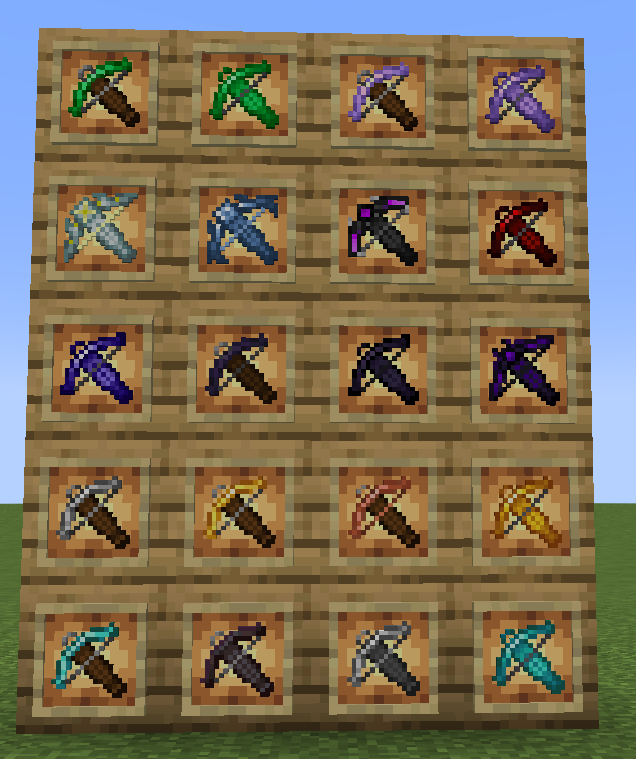


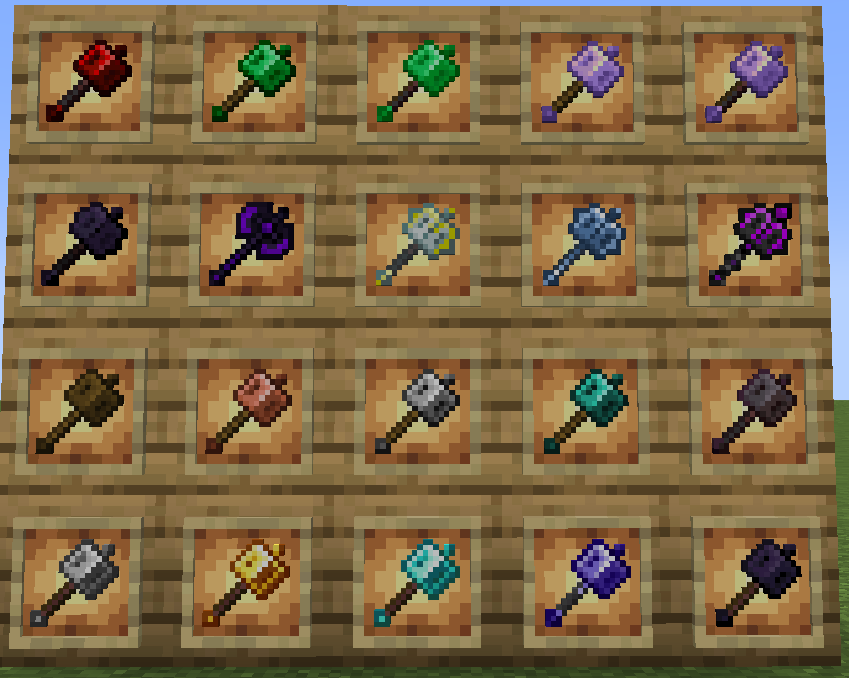
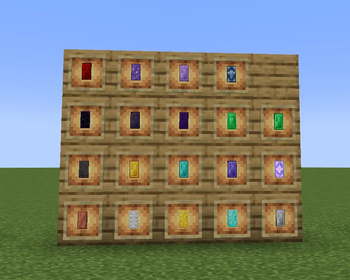

About this Mod
Are you tired of the limited selection of armor in vanilla Minecraft? Iron, Gold, Diamond, Netherite — this upgrade path has been walked by countless players. More Upgrade Template (MUT) completely rewrites the game's equipment system, bringing you a truly layered, content-rich, large-scale armor upgrade tree.
Core Features:
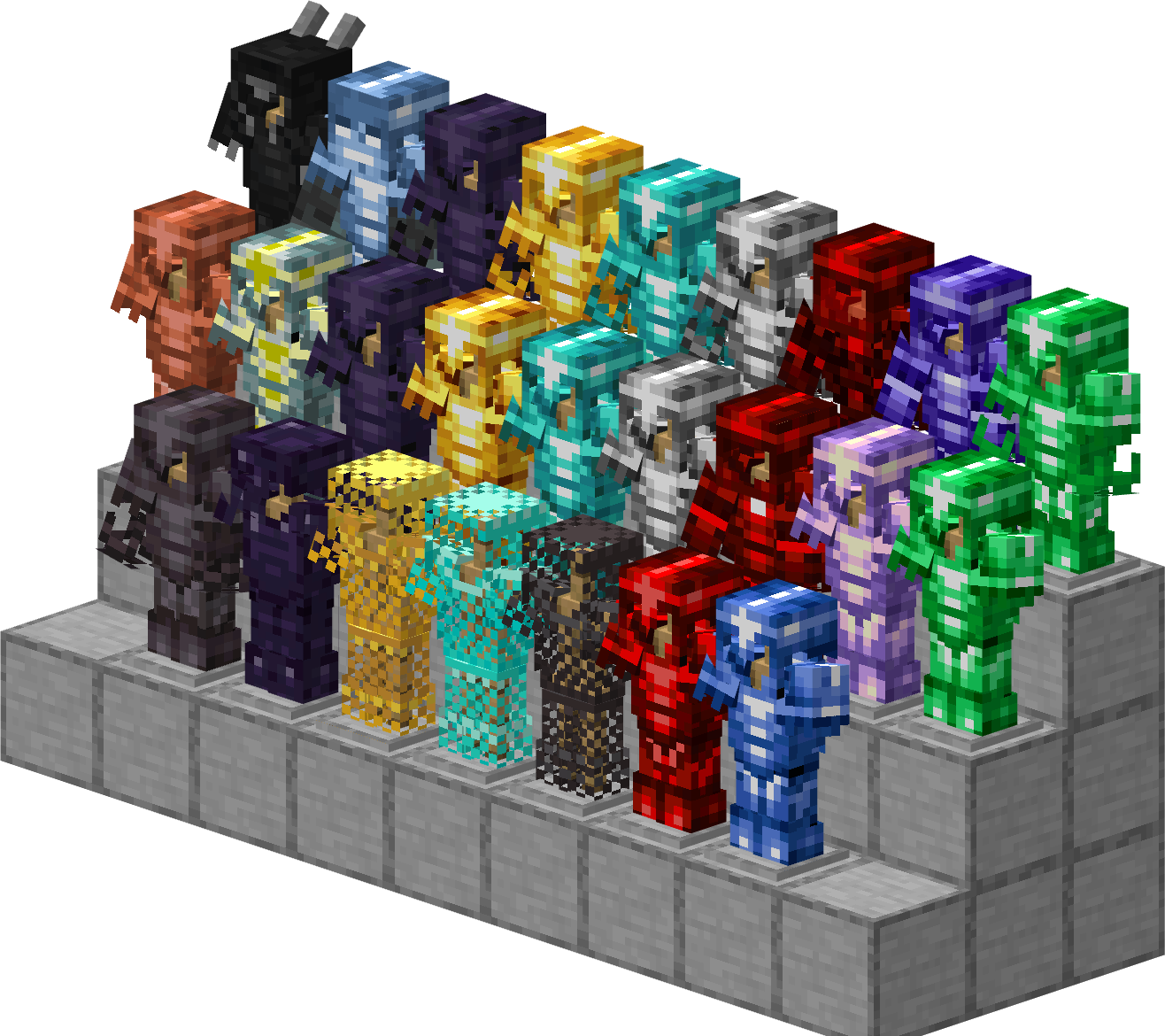
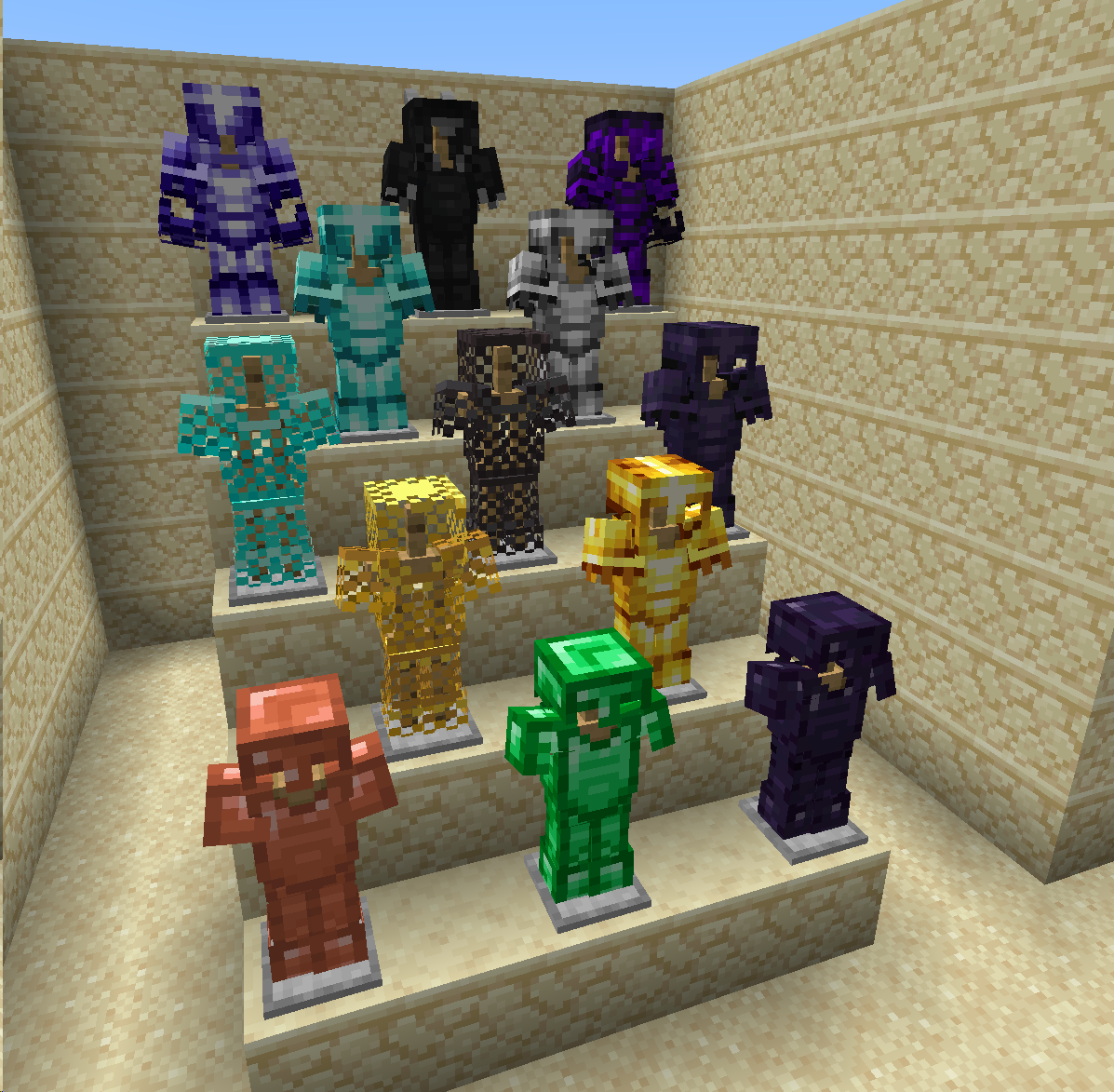
Vast Material System: From Copper, Steel, Advanced Steel, to Obsidian, Blue Diamond, Gilding, Crying Obsidian, and the ultimate Dragon Scale Armor — over 15 brand-new armor materials await your discovery.
Progressive Upgrade Path: Each new material requires upgrading through the Smithing Table using specific upgrade templates and corresponding materials, step by step. Iron → Steel → Advanced Steel, Diamond → Obsidian → Netherite Obsidian → Crying Obsidian… every step brings a sense of achievement.
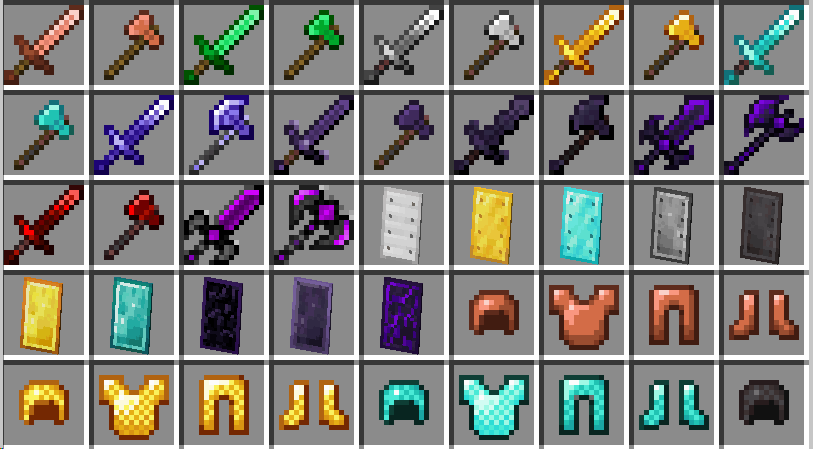
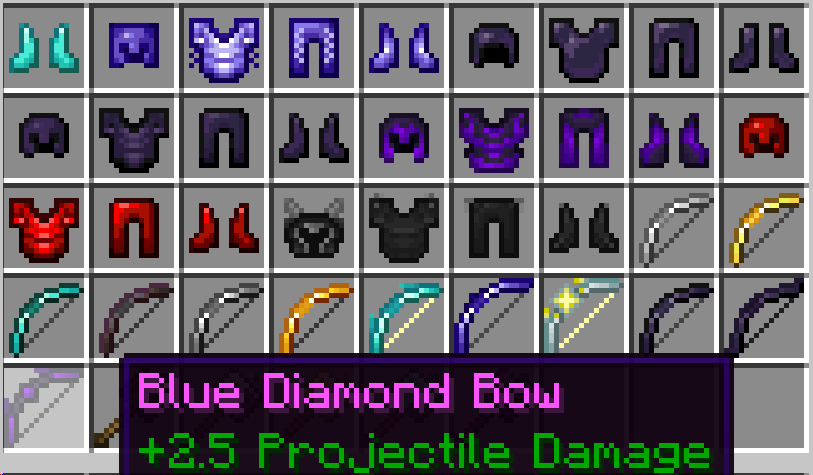
Rich Equipment Variety: In addition to standard swords, pickaxes, axes, hoes, and shovels, new shields, bows, and chainmail armor variants are also included. Every material has a complete set of tools and weapons.
Brand-New Elytra System: Adds standalone elytra items for four base materials (Iron, Gold, Diamond, Netherite) — no more relying on just the vanilla elytra.
Exploration & Mining Joy: New ores and minerals are scattered throughout the Overworld and Nether, waiting to be unearthed.
MUT is not just a simple addition of a few new gear pieces — it is a complete, replayable RPG-style equipment progression system. Paired with its add-on mod MUT: ATS, you can even fuse chestplates with elytra and unlock a brand-new aerial combat experience!
tips: version 1.20.1 is only for Chinese language ,version 1.21.1 is for both English and Chinese.
all the armors for 1.20.1-forge-1.2.6:
About 1.21.1-neoforge:
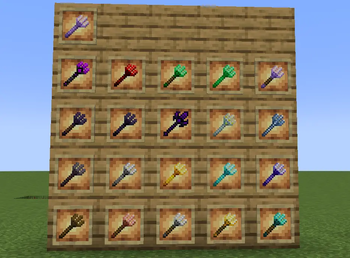
more tools and weapons
new village vender that can trade some new smithing template
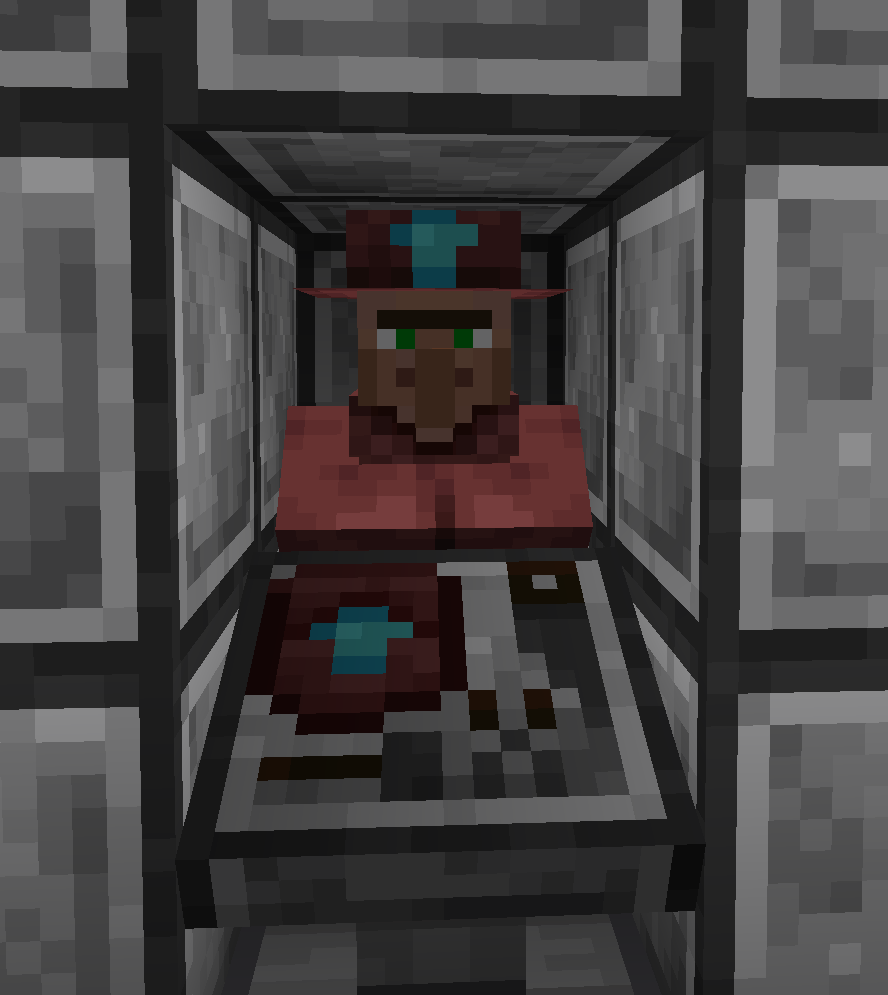
new smithing templates: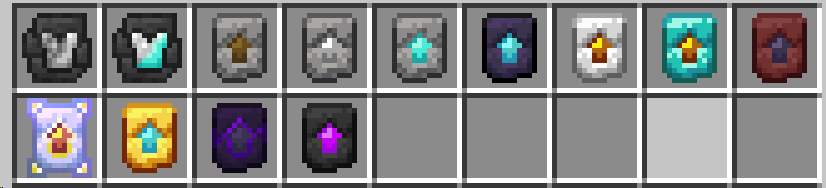
Available Versions
How to Install MoreUpgradeTemplate|更多锻造模板 on Your Server
Order Server
Order a Minecraft Java server with at least 3 GB RAM (4 GB recommended).
Set forge Loader
In the panel under "Egg", select the forge loader and matching Minecraft version (1.21.1).
Install Mod
Open the mod browser in the dashboard and search for "MoreUpgradeTemplate|更多锻造模板". Click "Install" – done! Alternatively, upload the .jar via SFTP to the /mods folder.
Compatibility
Mod Loaders
Minecraft Versions
1.21.1, 1.20.1
Server-side
✓ RequiredRecommended RAM
4 GB(min. 3 GB)Frequently Asked Questions
MoreUpgradeTemplate|更多锻造模板 server crashes on startup – what to do?
Most common cause: wrong forge version or insufficient RAM. Check the server log (latest.log) for "OutOfMemoryError" or "Mixin" errors. With Mado Hosting: ensure at least 3 GB RAM is allocated and the loader matches the mod version (1.21.1). You can switch loaders with one click in the panel.
Is MoreUpgradeTemplate|更多锻造模板 compatible with forge and neoforge?
MoreUpgradeTemplate|更多锻造模板 officially supports forge, neoforge for Minecraft 1.21.1, 1.20.1. The Mado dashboard automatically detects incompatible loader combinations.
Server lagging with MoreUpgradeTemplate|更多锻造模板 – how to optimize performance?
Recommended RAM: 4 GB (per 8 players). Use /spark profiler to check if MoreUpgradeTemplate|更多锻造模板 consumes the most tick time. Common fixes: reduce server view-distance to 8-10, install "performant" or "starlight" as supplementary mods on Forge. With Mado Hosting, your server runs on NVMe SSDs with dedicated CPU cores for minimal latency.
Similar Mods




![[TaCZ] Timeless and Classics Zero](https://cdn.modrinth.com/data/SzzJttH8/fd27766d2bb8390d284696b1dbd358f87e081439_96.webp)

Rent Modded Server
Install MoreUpgradeTemplate|更多锻造模板 with just one click on your server.