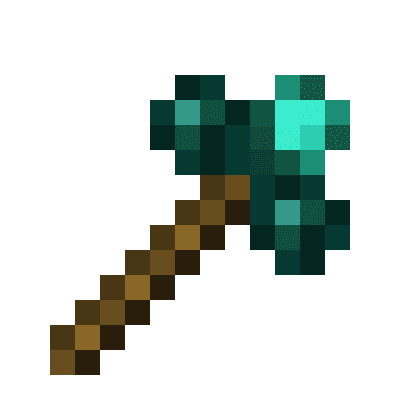
Morphing Multi-Tool
A tool that morphs into the right tool to break the block you are looking at, given the right tool is inside the Morphing Mult-Tool
About this Mod
A tool that morphs into the right tool to break the block you are looking at, given the right tool is inside the Morphing Mult-Tool
Things to bear in mind:
- It only morphs to a tool if it's the correct harvest tool for the block your looking at. It DOES NOT morph for right clicking tools for a block i.e wrenches. Please use Morph-O-Tool for that
- Picking up the Morphing Multi-Tool while it's morphed as another tool, will change it back. Same with dropping it
- You can only have 1 of each tool class, i.e you can't have two pickaxes, or two spades ect
- Mod tools with the same tool class as other tools, such as hammers (tool class: pickaxe), and excavators (tool class: shovel) from Thermal Expansion will take up the tool class
- Mod tools with their own tool class e.g. a Sickel from Thermal Exansion will be work like normal tools
- Mod tools without a tool class e.g. a Hoe. Will not be able to be added to the Morphing Multi-Tool
Adding a tool: Same way as a bundle. Pickup the Morphing Mult-Tool in your inventory and right click on the tool you wish to add. The order you add your tools in will be the order they will be checked when finding out what tool to morph to. So if you have two tools for leaves, say a sickel and shears. The tool it will morph into will be whichever was added first. Press shift on the Morphing Multi-Tool to see this order
Removing a tool: Pickup the Morphing Mult-Tool in your inventory and right click on an empty slot. The order in which the tools are removed is the inverse of the order you added them. e.g. if you added a pickaxe, shovel, and shears. The order they'd be removed in would be shears, shovel, pickaxe
Known issues:
Swapping to axe when looking at grass(not grass block), tall grass, flowers. Is a bug with the Axe's destroy speed for them blocks. It's 0.2, instead of 0.1
Available Versions
How to Install Morphing Multi-Tool on Your Server
Order Server
Order a Minecraft Java server with at least 3 GB RAM (4 GB recommended).
Set forge Loader
In the panel under "Egg", select the forge loader and matching Minecraft version (1.12.2).
Install Mod
Open the mod browser in the dashboard and search for "Morphing Multi-Tool". Click "Install" – done! Alternatively, upload the .jar via SFTP to the /mods folder.
Compatibility
Mod Loaders
Minecraft Versions
1.12.2
Server-side
✓ RequiredRecommended RAM
4 GB(min. 3 GB)Frequently Asked Questions
Morphing Multi-Tool server crashes on startup – what to do?
Most common cause: wrong forge version or insufficient RAM. Check the server log (latest.log) for "OutOfMemoryError" or "Mixin" errors. With Mado Hosting: ensure at least 3 GB RAM is allocated and the loader matches the mod version (1.12.2). You can switch loaders with one click in the panel.
Is Morphing Multi-Tool compatible with forge?
Morphing Multi-Tool officially supports forge for Minecraft 1.12.2. The Mado dashboard automatically detects incompatible loader combinations.
Server lagging with Morphing Multi-Tool – how to optimize performance?
Recommended RAM: 4 GB (per 8 players). Use /spark profiler to check if Morphing Multi-Tool consumes the most tick time. Common fixes: reduce server view-distance to 8-10, install "performant" or "starlight" as supplementary mods on Forge. With Mado Hosting, your server runs on NVMe SSDs with dedicated CPU cores for minimal latency.
Similar Mods




![[TaCZ] Timeless and Classics Zero](https://cdn.modrinth.com/data/SzzJttH8/fd27766d2bb8390d284696b1dbd358f87e081439_96.webp)

Rent Modded Server
Install Morphing Multi-Tool with just one click on your server.
Details
- License
- Creative Commons Attribution Non Commercial Share Alike 4.0 International
- Server-side
- Required