
Motobox Vehicle Mod
Minecraft Transport and Vehicle Mod
Screenshots

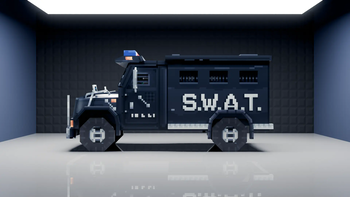

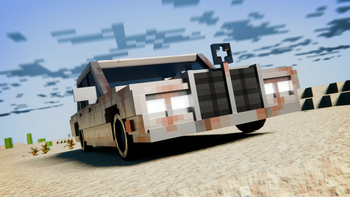
About this Mod




📘 Description
Experience a driving simulator where you can fully customize your vehicles, including powered options and a useful trailer, with a range of wheels and engines for practical use. Explore, transport, and race with these vehicles, each modifiable to enhance speed and adaptability to various terrains. This mod also supports controllers via MidnightControls, allowing you to drive with ease using a controller.
Note: This is a fork of Automobility with our own spin on things, we had permission to do it.

📚 FAQ
Q: Can I use this mod in my modpack?
A: Yes, feel free to use this mod in your modpack.
Q: I have an inquiry about something. Can you help?
A: Ask away in the comments or on the Discord server, and we will try our best to respond.
🛠 Contributing
If anyone would like to add the remaining features to the game, feel free to check out the Trello board: Mod Trello Board. Just make sure to contact me through my discord server for any help.
🙎♂️ Additional Credits
- Foundationgames: Former Author
- Athinea: Artist
- ChumasY: Artist
- SJKZ1-2565: Contributor
Available Versions
How to Install Motobox Vehicle Mod on Your Server
Order Server
Order a Minecraft Java server with at least 3 GB RAM (4 GB recommended).
Set fabric Loader
In the panel under "Egg", select the fabric loader and matching Minecraft version (1.19.3).
Install Mod
Open the mod browser in the dashboard and search for "Motobox Vehicle Mod". Click "Install" – done! Alternatively, upload the .jar via SFTP to the /mods folder.
Compatibility
Mod Loaders
Minecraft Versions
1.19.3
Server-side
✓ RequiredRecommended RAM
4 GB(min. 3 GB)Frequently Asked Questions
Motobox Vehicle Mod server crashes on startup – what to do?
Most common cause: wrong fabric version or insufficient RAM. Check the server log (latest.log) for "OutOfMemoryError" or "Mixin" errors. With Mado Hosting: ensure at least 3 GB RAM is allocated and the loader matches the mod version (1.19.3). You can switch loaders with one click in the panel.
Is Motobox Vehicle Mod compatible with fabric?
Motobox Vehicle Mod officially supports fabric for Minecraft 1.19.3. The Mado dashboard automatically detects incompatible loader combinations.
Server lagging with Motobox Vehicle Mod – how to optimize performance?
Recommended RAM: 4 GB (per 8 players). Use /spark profiler to check if Motobox Vehicle Mod consumes the most tick time. Common fixes: reduce server view-distance to 8-10, install "performant" or "starlight" as supplementary mods on Forge. With Mado Hosting, your server runs on NVMe SSDs with dedicated CPU cores for minimal latency.
Similar Mods


Rent Modded Server
Install Motobox Vehicle Mod with just one click on your server.