
Mr_ChibisMMO Mobs
What is Mr_Chibi'sMMO Mobs? It's a creation tool to allow [users] to create the own type of custom mob! Also custom varient mobs spawn into world and spawns them naturally based off RNG.
Screenshots
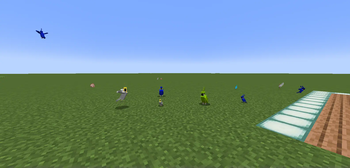
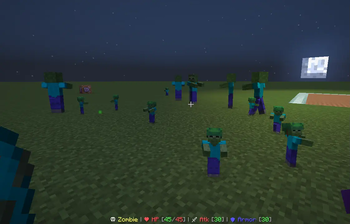
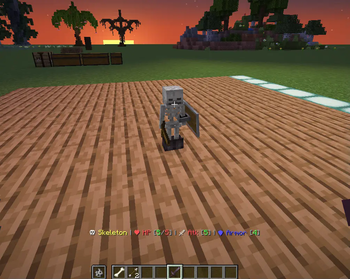
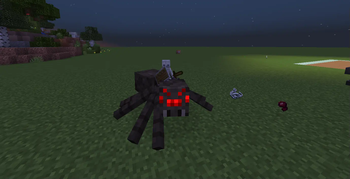
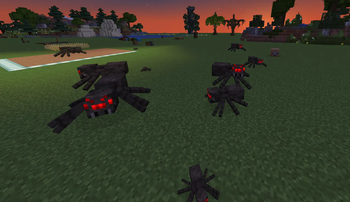
About this Mod
Mr_Chibi'sMMO Custom Mobs (ADDON):
What is Mr_Chibi'sMMO Mobs? It's a creation tool to allow [users] to create the own type of custom mob!
Also custom varient mobs spawn into world and spawns them naturally based off RNG.
Does this pack have requirements?
- Yes, pack has requirements you'll need Mr_Chibi'sMMO Datapack Installed for it to work.
- If you're using Vanilla use /reload command once all data is installed. If you're using paper /minecraft:reload
Need Visual Video Tutorial?
Don't worry I've got you covered Custom Mobs Tutorial
Need Help Creating a custom mob?
Check out these following links to create your first mob:
- First, check out the [commands]
- Next, view list of [mobs] see what you customize!
What's unique about this pack?
Pack has a list of tools [users] can take advantage of such as customizations of,
- Attack Damage,
- Custom Health,
- Scaling,
- Custom ArmorItems,
- Custom HandItems,
- Customizable Drop Chances for [Armor] & [HandItems]
- Reset Command to reset attributes for [HandItems, Boots, Leggings, Chestplate, Helmet, Skulls or Heads] when holding selected Item in hand and toggling command for the specific slot.
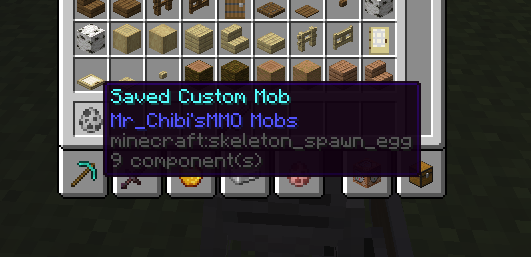
- Saving Command (to save mob you created into a spawn egg! For later use and editing!) or saving custom already spawned mobs in world to get the data.
- Inserting data into storage allowing custom mobs to spawn into the world for vanilla survival gameplay!
How do I know mobs have spawned?
- When the pack is installed by default programmed mobs I've included if you get near them you'll notice difference in mobs appearance.
- Custom mobs I've programmed can be removed! View the [commands] for more information.
Available Versions
How to Install Mr_ChibisMMO Mobs on Your Server
Order Server
Order a Minecraft Java server with at least 3 GB RAM (4 GB recommended).
Set datapack Loader
In the panel under "Egg", select the datapack loader and matching Minecraft version (26.1.2).
Install Mod
Open the mod browser in the dashboard and search for "Mr_ChibisMMO Mobs". Click "Install" – done! Alternatively, upload the .jar via SFTP to the /mods folder.
Compatibility
Mod Loaders
Minecraft Versions
26.1.2, 26.1.1, 26.1 (+8 more)
Server-side
✓ RequiredRecommended RAM
4 GB(min. 3 GB)Frequently Asked Questions
Mr_ChibisMMO Mobs server crashes on startup – what to do?
Most common cause: wrong datapack version or insufficient RAM. Check the server log (latest.log) for "OutOfMemoryError" or "Mixin" errors. With Mado Hosting: ensure at least 3 GB RAM is allocated and the loader matches the mod version (26.1.2). You can switch loaders with one click in the panel.
Is Mr_ChibisMMO Mobs compatible with datapack and fabric and forge and neoforge and quilt?
Mr_ChibisMMO Mobs officially supports datapack, fabric, forge, neoforge, quilt for Minecraft 26.1.2, 26.1.1, 26.1. Note: Forge and Fabric mods are NOT cross-compatible – pick one loader and stick with it. The Mado dashboard automatically detects incompatible loader combinations.
Server lagging with Mr_ChibisMMO Mobs – how to optimize performance?
Recommended RAM: 4 GB (per 8 players). Use /spark profiler to check if Mr_ChibisMMO Mobs consumes the most tick time. Common fixes: reduce server view-distance to 8-10, install "performant" or "starlight" as supplementary mods on Forge. With Mado Hosting, your server runs on NVMe SSDs with dedicated CPU cores for minimal latency.
Rent Modded Server
Install Mr_ChibisMMO Mobs with just one click on your server.