
MrChair1's Skin Changer
Simply change your skins in-game!
Screenshots
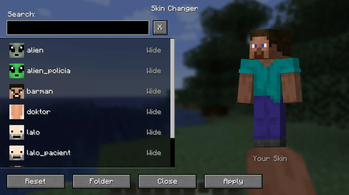
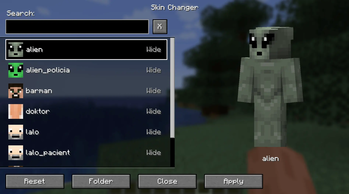
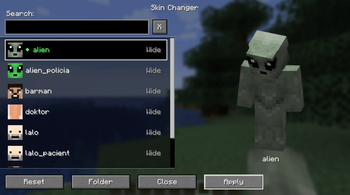
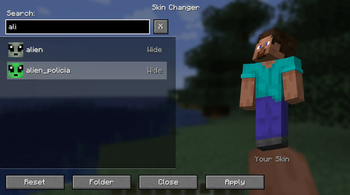
![[OLD] Skin Changer Menu (1.5.0)](https://cdn.modrinth.com/data/jE8JQMdz/images/7fd633f1e458e46facd9dfb82bd8ba39a388a0a6_350.webp)
![[OLD] Selected Skin (1.5.0)](https://cdn.modrinth.com/data/jE8JQMdz/images/fd095bcf67c89496befc5511b509066bacafad25_350.webp)
About this Mod
🎨 MrChair1's Skin Changer
⚠ IMPORTANT: For people who used older versions (1.6.0 and older):
In the newer version of the mod (1.6.1) the skins/ folder is moved to the .minecraft/MrChair1sSkinChangerMod/ directory, to not clutter your .minecraft/ directory and to make the mod more organized.
✨ Features
- Instant Updates: Change your skin in real-time without restarting the game.
- Multiplayer Sync: Play with friends! If they have the mod, they will see your custom skin, and you will see theirs.
- Dual Model Support: Full support for both Wide (Steve) and Slim (Alex) models.
- HD Skin Support: Supports standard 64x64 skins and high-definition 128x128 skins.
- Safety First: Includes checks to prevent loading massive files that could crash the game.
- Simple GUI:
- 🔍 Search Bar: Quickly find skins by name.
- 🟢 Active Indicator: Clearly see which skin is currently equipped with a green diamond (◆).
- 👕 Live Preview: See a preview of the skin before you apply it.
🚀 How to Use
- Open the Menu: Press K in-game to open the Skin Changer menu.
(Note: You can change this keybind in your Control settings, or access the menu via the Config button if you use the Mod Menu mod.) - Add Your Skins:
- Click the "Open Skins Folder" button inside the menu.
- This opens the skins folder (located in your
.minecraft/MrChair1sSkinChangerMod/directory).- Drop your Classic (Wide) skins directly into this folder.
- Drop your Slim (Alex) skins into the
slim/subfolder.
- Select & Apply & Enjoy: click your desired skin from the list and apply it!
📦 Compatibility
- Minecraft Version: 1.21.1
- Loader: Fabric
- Multiplayer: ✅
(Note: For other players to see your skin, the server must have the mod installed to relay the data, and other players need the mod installed to receive it.)
🔴🧾Feel free to leave feedback in the comments!
Available Versions
How to Install MrChair1's Skin Changer on Your Server
Order Server
Order a Minecraft Java server with at least 3 GB RAM (4 GB recommended).
Set fabric Loader
In the panel under "Egg", select the fabric loader and matching Minecraft version (1.21.1).
Install Mod
Open the mod browser in the dashboard and search for "MrChair1's Skin Changer". Click "Install" – done! Alternatively, upload the .jar via SFTP to the /mods folder.
Compatibility
Mod Loaders
Minecraft Versions
1.21.1
Server-side
~ OptionalRecommended RAM
4 GB(min. 3 GB)Frequently Asked Questions
MrChair1's Skin Changer server crashes on startup – what to do?
Most common cause: wrong fabric version or insufficient RAM. Check the server log (latest.log) for "OutOfMemoryError" or "Mixin" errors. With Mado Hosting: ensure at least 3 GB RAM is allocated and the loader matches the mod version (1.21.1). You can switch loaders with one click in the panel.
Is MrChair1's Skin Changer compatible with fabric?
MrChair1's Skin Changer officially supports fabric for Minecraft 1.21.1. The Mado dashboard automatically detects incompatible loader combinations.
Server lagging with MrChair1's Skin Changer – how to optimize performance?
Recommended RAM: 4 GB (per 8 players). Use /spark profiler to check if MrChair1's Skin Changer consumes the most tick time. Common fixes: reduce server view-distance to 8-10, install "performant" or "starlight" as supplementary mods on Forge. With Mado Hosting, your server runs on NVMe SSDs with dedicated CPU cores for minimal latency.
Similar Mods






Rent Modded Server
Install MrChair1's Skin Changer with just one click on your server.