
Multiblock Tab
Provides a multiblock tab which can be seen in Always More Items and used by mod developers to display their multiblocks
Screenshots
About this Mod
This mod has been improved and merged into Always More Items. This page will continue existing to redirect people who previously used this version to move to the new standard.
Feature overview
Note: This mod is a library and will therefore not impact the game on its own.
Block rendering
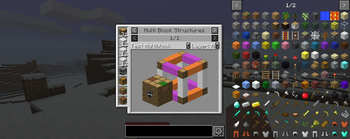
The majority of the tab is used to display a complete model of the multiblock which can be rotated (by holding left mouse button) and zoomed in and out of (by holding right mouse button).
Block list
Shows a list of required blocks at the left side, making it easier to figure out which blocks are needed.
Layer mode
Default is A (all) which shows the whole multiblock. The arrow buttons next to the text can be used to cycle between individual layers.
Description window
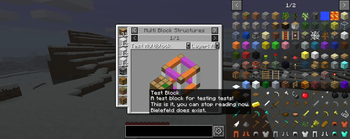
A text box containing a description for the multiblock can be opened by holding the shift key. Allows mod creators to precisely specify line breaks.
Future plans
Block entity rendering support
A current technical limitation is the fact multiblocks only have a BlockView for rendering and not a full World object. This means block entities with unique rendering logic will still show as regular blocks. Once an elegant solution is found, this will be resolved.
Layer specific block list
The block list currently always shows the block requirement of the whole multiblock. The plan is to have the block list adapt to the currently displayed layer(s) to make it easier for players to count the required blocks for each layer during construction.
Available Versions
How to Install Multiblock Tab on Your Server
Order Server
Order a Minecraft Java server with at least 3 GB RAM (4 GB recommended).
Set fabric Loader
In the panel under "Egg", select the fabric loader and matching Minecraft version (b1.7.3).
Install Mod
Open the mod browser in the dashboard and search for "Multiblock Tab". Click "Install" – done! Alternatively, upload the .jar via SFTP to the /mods folder.
Compatibility
Mod Loaders
Minecraft Versions
b1.7.3
Server-side
✓ RequiredRecommended RAM
4 GB(min. 3 GB)Frequently Asked Questions
Multiblock Tab server crashes on startup – what to do?
Most common cause: wrong fabric version or insufficient RAM. Check the server log (latest.log) for "OutOfMemoryError" or "Mixin" errors. With Mado Hosting: ensure at least 3 GB RAM is allocated and the loader matches the mod version (b1.7.3). You can switch loaders with one click in the panel.
Is Multiblock Tab compatible with fabric?
Multiblock Tab officially supports fabric for Minecraft b1.7.3. The Mado dashboard automatically detects incompatible loader combinations.
Server lagging with Multiblock Tab – how to optimize performance?
Recommended RAM: 4 GB (per 8 players). Use /spark profiler to check if Multiblock Tab consumes the most tick time. Common fixes: reduce server view-distance to 8-10, install "performant" or "starlight" as supplementary mods on Forge. With Mado Hosting, your server runs on NVMe SSDs with dedicated CPU cores for minimal latency.
Similar Mods



Rent Modded Server
Install Multiblock Tab with just one click on your server.