
Into the Multiverse
Explore the multiverse and discover many worlds beyond our own.
Screenshots
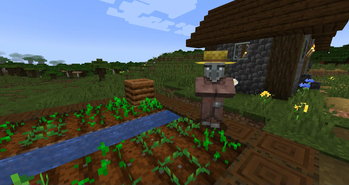
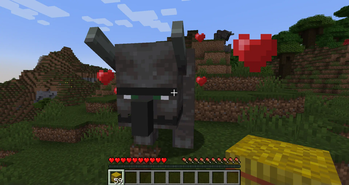
About this Mod
If you want to commision a mod, message @u1timatej7 on Discord.
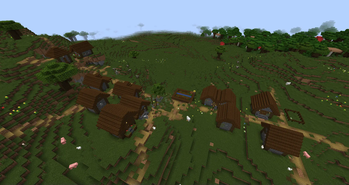
 This mod adds several new dimensions into Minecraft. Some of them are very similar to the Overworld, while other are completely different. By using amethyst as fuel, you can travel between dimensions and explore worlds beyond your own.
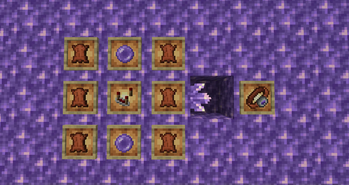
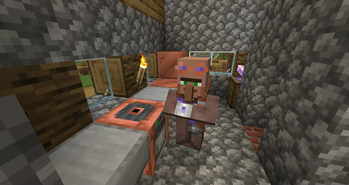
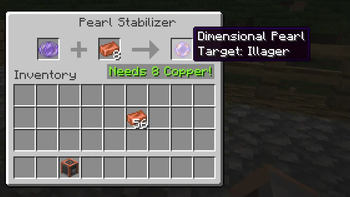
 Traverse into the multiverse and discover an assortment of unique dimensions. Craft new mutiversal gear such as the world hopper or dimensional pearls Discover both new and old mobs, like the Moobloom, the Glare or the Shroomers. Build new golems to help with various tasks. Examples include the mud golem who collects dropped items or the plank golem that shoots arrows.
 To begin your journey, you will need to find an amethyst geode. Amethyst shards are an essential resource for multiversal travel, so you will want to stock up on it. Next you need to craft a dimensional pearl, using an ender pearl and a block of amethyst. But these pearls are incredibly unstable, as they will transport you to a random dimension when thrown. For a safer and less-random trip, you will need to craft the world hopper. The world hopper is a wrist-worn and amethyst powered device that allows players to travel to any dimensions they have discovered. Unfortunately, the only way to discover new dimensions is with the dimensional pearl; no one said multiversal travel would be easy.
 To learn more about the mod and its future updates, check out our official discord server for the mod! Join with this link: https://discord.gg/rpGTkJ5R4t.
If you are playing on any version greater than or including 1.19.3, enable the experimental data pack to preview blocks and mobs for the Blazing Dimension.
Sound Credits:
- zapsplat.com,
- "Exotic Creature Song, 01.wav" by Inspector
Available Versions
How to Install Into the Multiverse on Your Server
Order Server
Order a Minecraft Java server with at least 4 GB RAM (6 GB recommended).
Set fabric Loader
In the panel under "Egg", select the fabric loader and matching Minecraft version (1.20.4).
Install Mod
Open the mod browser in the dashboard and search for "Into the Multiverse". Click "Install" – done! Alternatively, upload the .jar via SFTP to the /mods folder.
Compatibility
Mod Loaders
Minecraft Versions
1.20.4, 1.20.1, 1.20 (+5 more)
Server-side
✓ RequiredRecommended RAM
6 GB(min. 4 GB)Frequently Asked Questions
Into the Multiverse server crashes on startup – what to do?
Most common cause: wrong fabric version or insufficient RAM. Check the server log (latest.log) for "OutOfMemoryError" or "Mixin" errors. With Mado Hosting: ensure at least 4 GB RAM is allocated and the loader matches the mod version (1.20.4). You can switch loaders with one click in the panel.
Is Into the Multiverse compatible with fabric and forge and neoforge?
Into the Multiverse officially supports fabric, forge, neoforge for Minecraft 1.20.4, 1.20.1, 1.20. Note: Forge and Fabric mods are NOT cross-compatible – pick one loader and stick with it. The Mado dashboard automatically detects incompatible loader combinations.
Server lagging with Into the Multiverse – how to optimize performance?
Recommended RAM: 6 GB (per 5 players). Use /spark profiler to check if Into the Multiverse consumes the most tick time. Common fixes: reduce server view-distance to 8-10, install "performant" or "starlight" as supplementary mods on Forge. With Mado Hosting, your server runs on NVMe SSDs with dedicated CPU cores for minimal latency.
Similar Mods




Rent Modded Server
Install Into the Multiverse with just one click on your server.