
Music Disk DJ
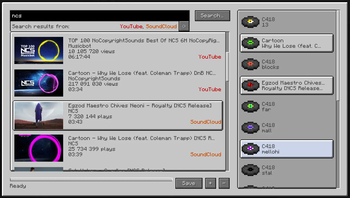
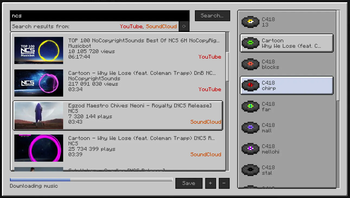
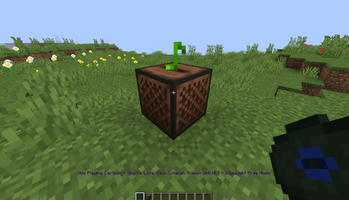
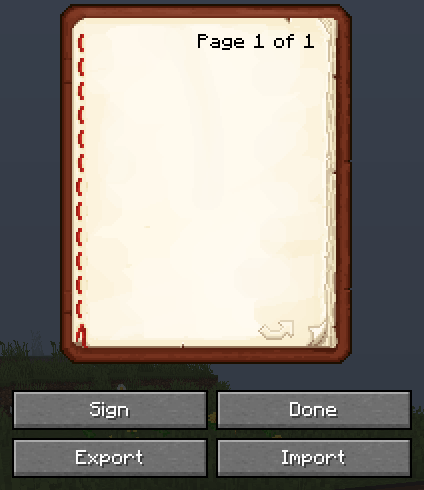
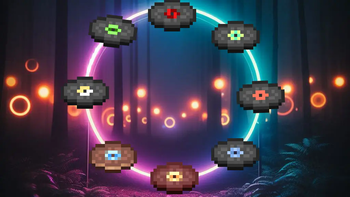
This mod enables in-game music search from YouTube and Soundcloud, letting you replace default music discs with your preferred songs. Share playlists via books. Fully client-side design.
Screenshots
About this Mod

Music Disk DJ
This mod allows you to seamlessly search music from YouTube and Soundcloud within the game and provides the functionality to replace vanilla music discs with your favorite songs. Also share your playlists with other players via books (beta 0.8.0, YT only for now). The mod is designed to be fully client-side.
Download
You can access a pre-compiled version of this mod on the GitHub releases page or find it here on Modrinth.
Additional Info
Sorry to interrupt you, but I've just found out that the mod works reasonably well on Quilt, although I haven't tested it extensively.
This marks my inaugural venture into mod creation, and I extend my preemptive apologies should any unexpected issues arise. A version "1.0.0" signifies not flawless perfection, but rather that the mod is in a state where it should not prompt immediate deletion by its users.
This mod requires fabric-api to work.
The Mod includes a yt-dlp executable. That means the mod won't work anywhere except Windows for now. Also, if you have concerns about this file, you have the option to substitute it with your own version (this entails downloading yt-dlp independently and replacing it within the jar file).
When you initially create a resource pack, it won't activate automatically. You'll need to enable it manually, but this is a one-time occurrence. In the future, it will work as intended.
Press 'J' to open the GUI or change key binding in settings.
Feel free to report any issues if things aren't working as expected.
Available Versions
How to Install Music Disk DJ on Your Server
Order Server
Order a Minecraft Java server with at least 3 GB RAM (4 GB recommended).
Set fabric Loader
In the panel under "Egg", select the fabric loader and matching Minecraft version (1.20.2).
Install Mod
Open the mod browser in the dashboard and search for "Music Disk DJ". Click "Install" – done! Alternatively, upload the .jar via SFTP to the /mods folder.
Compatibility
Mod Loaders
Minecraft Versions
1.20.2, 1.20.1
Server-side
✗ UnsupportedRecommended RAM
4 GB(min. 3 GB)Frequently Asked Questions
Music Disk DJ server crashes on startup – what to do?
Most common cause: wrong fabric version or insufficient RAM. Check the server log (latest.log) for "OutOfMemoryError" or "Mixin" errors. With Mado Hosting: ensure at least 3 GB RAM is allocated and the loader matches the mod version (1.20.2). You can switch loaders with one click in the panel.
Is Music Disk DJ compatible with fabric and quilt?
Music Disk DJ officially supports fabric, quilt for Minecraft 1.20.2, 1.20.1. The Mado dashboard automatically detects incompatible loader combinations.
Server lagging with Music Disk DJ – how to optimize performance?
Recommended RAM: 4 GB (per 8 players). Use /spark profiler to check if Music Disk DJ consumes the most tick time. Common fixes: reduce server view-distance to 8-10, install "performant" or "starlight" as supplementary mods on Forge. With Mado Hosting, your server runs on NVMe SSDs with dedicated CPU cores for minimal latency.
Similar Mods






Rent Modded Server
Install Music Disk DJ with just one click on your server.