
MusicXCST
This project adds writable custom music discs with a CD Writer, local audio uploads, custom disc names/colors, and jukebox playback.
Screenshots
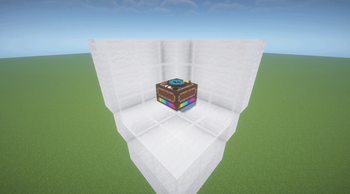
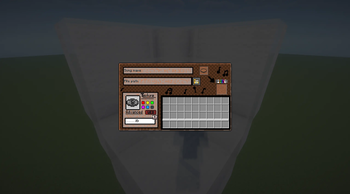
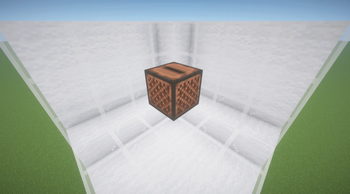
About this Mod
MusicXCST is a Fabric mod that adds writable custom music discs to Minecraft.
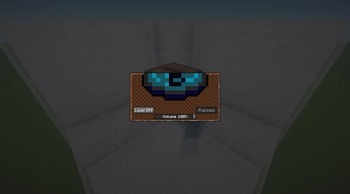
Use the CD Writer block to turn local audio files into playable Blueprint CDs. Give each disc a custom name, color, and pixel-art disc design, then play it in a jukebox. MusicXCST works for singleplayer worlds, LAN worlds, multiplayer servers, and modpacks.
Features
- Writable Blueprint CDs
- CD Writer block and GUI
- Local audio upload and conversion workflow
- Custom disc names, colors, and disc designs
- Working advanced disc texture editor for custom Blueprint CD artwork
- Jukebox playback through MusicXCST's custom audio engine
- Server-side audio storage and ownership metadata
- Client audio cache with checksum validation
- Configurable file size, duration, storage quota, and per-player limits
- Admin commands for music library management
- FFmpeg setup options for audio conversion
Supported input formats include mp3, mp4, wav, ogg, flac, m4a, aac, webm, and avi. FFmpeg may be required for converting non-OGG files. If FFmpeg is missing, MusicXCST can guide the player through setup or allow OGG-only usage.
MusicXCST is useful for players who want personal music discs, server owners who want controlled custom audio, modpack creators, and developers building around custom music workflows.
Requirements
- Minecraft 26.1.2
- Fabric Loader 0.19.2 or newer
- Fabric API
- GeckoLib 5.5.1 or newer
The mod should be installed on both client and server for multiplayer use.
Audio Rights
MusicXCST does not include copyrighted music. Users and server owners are responsible for making sure they have the rights to any audio they upload, distribute, or play.
Available Versions
How to Install MusicXCST on Your Server
Order Server
Order a Minecraft Java server with at least 3 GB RAM (4 GB recommended).
Set fabric Loader
In the panel under "Egg", select the fabric loader and matching Minecraft version (26.1.2).
Install Mod
Open the mod browser in the dashboard and search for "MusicXCST". Click "Install" – done! Alternatively, upload the .jar via SFTP to the /mods folder.
Compatibility
Mod Loaders
Minecraft Versions
26.1.2
Server-side
✓ RequiredRecommended RAM
4 GB(min. 3 GB)Frequently Asked Questions
MusicXCST server crashes on startup – what to do?
Most common cause: wrong fabric version or insufficient RAM. Check the server log (latest.log) for "OutOfMemoryError" or "Mixin" errors. With Mado Hosting: ensure at least 3 GB RAM is allocated and the loader matches the mod version (26.1.2). You can switch loaders with one click in the panel.
Is MusicXCST compatible with fabric?
MusicXCST officially supports fabric for Minecraft 26.1.2. The Mado dashboard automatically detects incompatible loader combinations.
Server lagging with MusicXCST – how to optimize performance?
Recommended RAM: 4 GB (per 8 players). Use /spark profiler to check if MusicXCST consumes the most tick time. Common fixes: reduce server view-distance to 8-10, install "performant" or "starlight" as supplementary mods on Forge. With Mado Hosting, your server runs on NVMe SSDs with dedicated CPU cores for minimal latency.
Similar Mods





Rent Modded Server
Install MusicXCST with just one click on your server.