
Mutationcraft
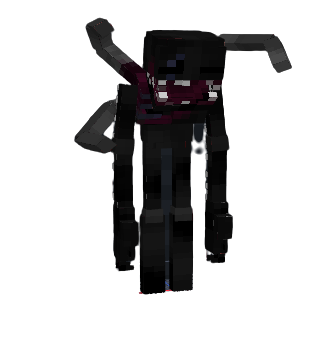
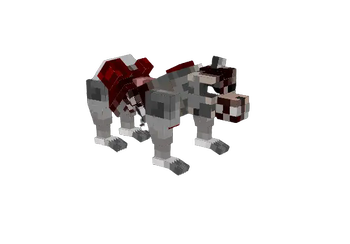
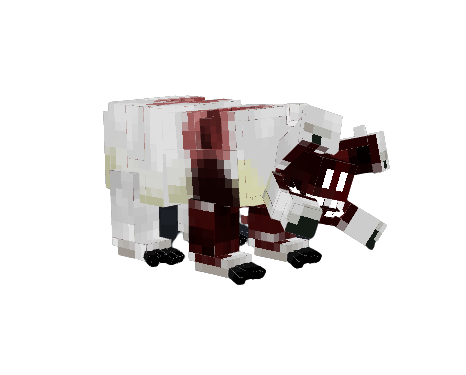
This mod adds new parasite mutant creatures into the game
Screenshots
About this Mod
Note: Some of the assets are from the last days resource pack and the Some Items resource pack
Embark on an extraordinary journey through the world of Minecraft with the Mutationcraft mod. This immersive modification injects the game with a thrilling assortment of mutants and a collection of powerful weapons. Brace yourself for a fresh and exhilarating survival experience as you confront these extraordinary beings and wield an array of deadly tools to shape your destiny!
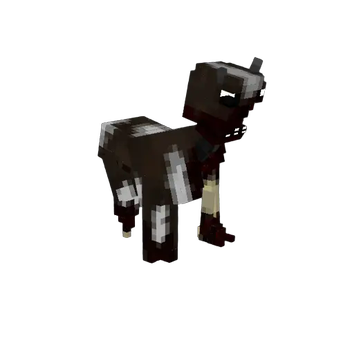
The necroptor mob can be very dangerous as he will infect other friendly mobs and also go for the non-friendly mobs such as zombies,spiders and more. So just don't let him get close to any farm...
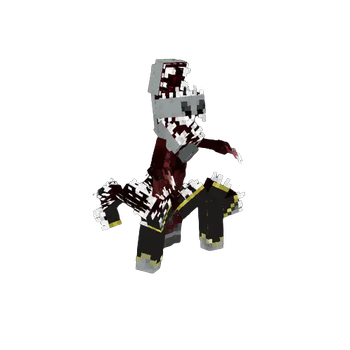
Also, the mod is split into classes, each represent their level of power. Some of the mobs actually have special abilities such as invisibility,morphing creatures and more!
The mod has weapons and armors to defeat these powerful enemies.They even have weaknesses, the ones we are aware of are that they are weaker when exposed to fire and also they have a low durability against the impaling enchantment on the trident.
Note: The mod is not finished yet and we have a lot more to come for the future such as more evolving species and phases and more powerful enemies and mechanisms!
To play this mod, you'll need the forge installer for the specific version you're playing and the geckolib mod for that same version.
I also recommend installing Just Enough Items, Better Combat and Sound Physics Remastered for a more enjoyable experience!
Available Versions
How to Install Mutationcraft on Your Server
Order Server
Order a Minecraft Java server with at least 3 GB RAM (4 GB recommended).
Set forge Loader
In the panel under "Egg", select the forge loader and matching Minecraft version (1.19.4).
Install Mod
Open the mod browser in the dashboard and search for "Mutationcraft". Click "Install" – done! Alternatively, upload the .jar via SFTP to the /mods folder.
Compatibility
Mod Loaders
Minecraft Versions
1.19.4, 1.19.2, 1.18.2
Server-side
✓ RequiredRecommended RAM
4 GB(min. 3 GB)Frequently Asked Questions
Mutationcraft server crashes on startup – what to do?
Most common cause: wrong forge version or insufficient RAM. Check the server log (latest.log) for "OutOfMemoryError" or "Mixin" errors. With Mado Hosting: ensure at least 3 GB RAM is allocated and the loader matches the mod version (1.19.4). You can switch loaders with one click in the panel.
Is Mutationcraft compatible with forge?
Mutationcraft officially supports forge for Minecraft 1.19.4, 1.19.2, 1.18.2. The Mado dashboard automatically detects incompatible loader combinations.
Server lagging with Mutationcraft – how to optimize performance?
Recommended RAM: 4 GB (per 8 players). Use /spark profiler to check if Mutationcraft consumes the most tick time. Common fixes: reduce server view-distance to 8-10, install "performant" or "starlight" as supplementary mods on Forge. With Mado Hosting, your server runs on NVMe SSDs with dedicated CPU cores for minimal latency.
Similar Mods





Rent Modded Server
Install Mutationcraft with just one click on your server.