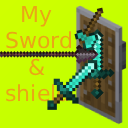
My Sword and Shield
Make Your Sword Can Be Block Like Shield!
About this Mod
English-US
Hello everyone, this is a mod that marks a milestone in my life. To be honest, I'm really excited to be sharing it with you all on Modrinth. Without further ado, let me introduce what this mod is all about!
Purpose:
This mod adds a crafting recipe that allows swords and shields to be upgraded at the Smithing Table into a single sword that can block. The inspiration comes from the combat mechanics of older versions of Minecraft.
Crafting:
In the Smithing Table, combine a Shield + Sword + Air to craft a sword that retains its original name.
Mechanics:
Right-click to block. While blocking, you can defend against incoming damage (obviously).
Regardless of the damage type (except for void damage and the /kill command), each blocked hit consumes one durability point.
Whether you enchant the item first and then upgrade it, or upgrade it first and then enchant it, the enchantments will be preserved. No need to worry about losing your enchants.
There is no cooldown.
Closing:
It's a fairly simple mod, but I still appreciate you giving it a try.
Credits:
Ming – for helping test the mod and providing feedback.
简体中文-中国大陆
大家好,这是我人生中的一个mod。说实话,我非常激动能在Modrinth上与大家见面。话不多说,让我介绍一下mod的内容吧!
用途:
加入了合成配方,使剑和盾可以在锻造台升级成一把可以格挡的剑。灵感来源与旧版Minecraft的战斗机制。
合成:
在锻造台中,用盾+剑+空气合成一把名字不变的剑。
机制:
右键可以格挡。在格挡时,可以防御伤害(屁话)
无论什么伤害(除了虚空和kill),抵挡时消耗一点耐久。
在锻造台中,无论是先附魔再升级,还是先升级在附魔,都可以保留附魔。不用担心附魔丢失。
无冷却时长。
结语:
虽然比较简陋,但还是感谢大家的尝试。
鸣谢:
Ming(参与了mod的测试,并给出了建议)
Available Versions
How to Install My Sword and Shield on Your Server
Order Server
Order a Minecraft Java server with at least 3 GB RAM (4 GB recommended).
Set fabric Loader
In the panel under "Egg", select the fabric loader and matching Minecraft version (26.1.2).
Install Mod
Open the mod browser in the dashboard and search for "My Sword and Shield". Click "Install" – done! Alternatively, upload the .jar via SFTP to the /mods folder.
Compatibility
Mod Loaders
Minecraft Versions
26.1.2, 26.1.1, 26.1
Server-side
✓ RequiredRecommended RAM
4 GB(min. 3 GB)Frequently Asked Questions
My Sword and Shield server crashes on startup – what to do?
Most common cause: wrong fabric version or insufficient RAM. Check the server log (latest.log) for "OutOfMemoryError" or "Mixin" errors. With Mado Hosting: ensure at least 3 GB RAM is allocated and the loader matches the mod version (26.1.2). You can switch loaders with one click in the panel.
Is My Sword and Shield compatible with fabric?
My Sword and Shield officially supports fabric for Minecraft 26.1.2, 26.1.1, 26.1. The Mado dashboard automatically detects incompatible loader combinations.
Server lagging with My Sword and Shield – how to optimize performance?
Recommended RAM: 4 GB (per 8 players). Use /spark profiler to check if My Sword and Shield consumes the most tick time. Common fixes: reduce server view-distance to 8-10, install "performant" or "starlight" as supplementary mods on Forge. With Mado Hosting, your server runs on NVMe SSDs with dedicated CPU cores for minimal latency.
Rent Modded Server
Install My Sword and Shield with just one click on your server.