
Mystical Augments Everywhere
Mystical Agriculture Addon to allow augments on all tools and armor
Screenshots
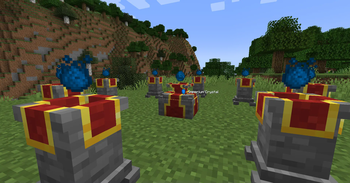
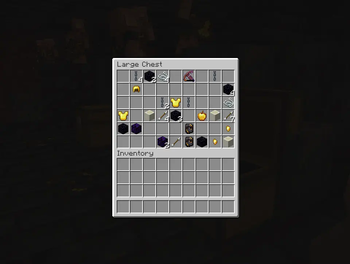
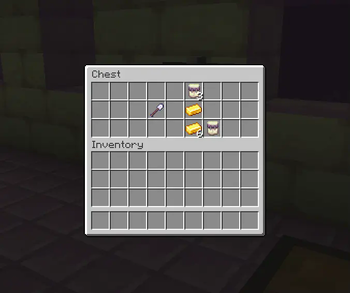
About this Mod
Mystical Agriculture Augment Expansion
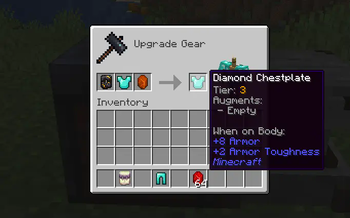
An addon for the Mystical Agriculture mod that expands the functionality of augments, allowing them to be attached to any armor and tools—not just the Essence tools!
Check out the gallery for a quick introduction for the default mod mechanics!
✨ Features


 Configurable Augment Compatibility → Use datapacks to customize which equipment can have augments applied.


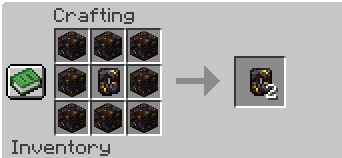
 Socket System & Smithing Templates → Engrave one or two socket slots onto gear using smithing templates, with different essence tiers determining the number and strength of augments. For example, two socket slots can be limited to tier 1 augments.
📦 Dependencies
- 🚨(Required) Mystical Agriculture
- 💡(Compatible) Mystical Agradditions
🛠️ Modpack Developers
This mod was specifically designed to be used in modpacks. Its inspiration is ATM 10!
For more information, check out the following topics:
- Enabling Augments for Equipment with Datapacks → A detailed guide on how to enable augments for different types of equipment using datapacks.
- Compatibility API to Add Icons to Smithing Recipes → Learn how to integrate custom icons into the smithing recipes using the provided API.
💬 Support & Feedback
If you encounter any issues or have suggestions, feel free to report them on the GitHub or leave a comment!
Available Versions
How to Install Mystical Augments Everywhere on Your Server
Order Server
Order a Minecraft Java server with at least 3 GB RAM (4 GB recommended).
Set neoforge Loader
In the panel under "Egg", select the neoforge loader and matching Minecraft version (1.21.4).
Install Mod
Open the mod browser in the dashboard and search for "Mystical Augments Everywhere". Click "Install" – done! Alternatively, upload the .jar via SFTP to the /mods folder.
Compatibility
Mod Loaders
Minecraft Versions
1.21.4, 1.21.3, 1.21.2 (+1 more)
Server-side
✓ RequiredRecommended RAM
4 GB(min. 3 GB)Frequently Asked Questions
Mystical Augments Everywhere server crashes on startup – what to do?
Most common cause: wrong neoforge version or insufficient RAM. Check the server log (latest.log) for "OutOfMemoryError" or "Mixin" errors. With Mado Hosting: ensure at least 3 GB RAM is allocated and the loader matches the mod version (1.21.4). You can switch loaders with one click in the panel.
Is Mystical Augments Everywhere compatible with neoforge?
Mystical Augments Everywhere officially supports neoforge for Minecraft 1.21.4, 1.21.3, 1.21.2. The Mado dashboard automatically detects incompatible loader combinations.
Server lagging with Mystical Augments Everywhere – how to optimize performance?
Recommended RAM: 4 GB (per 8 players). Use /spark profiler to check if Mystical Augments Everywhere consumes the most tick time. Common fixes: reduce server view-distance to 8-10, install "performant" or "starlight" as supplementary mods on Forge. With Mado Hosting, your server runs on NVMe SSDs with dedicated CPU cores for minimal latency.
Similar Mods




![[TaCZ] Timeless and Classics Zero](https://cdn.modrinth.com/data/SzzJttH8/fd27766d2bb8390d284696b1dbd358f87e081439_96.webp)

Rent Modded Server
Install Mystical Augments Everywhere with just one click on your server.