
MysticRealm - Pinokio
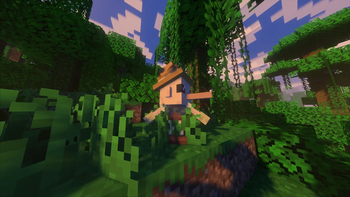
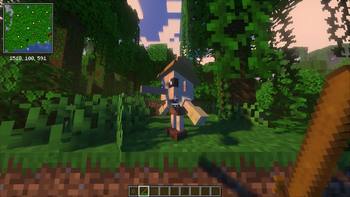
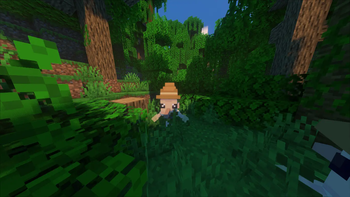
🎭 Meet Pinocchio in the forests! Befriend him with music, or face his pack if provoked. Harvest his nose to craft a legendary sword that instantly turns any mob into wood! 🌲✨
Screenshots
About this Mod

🎭 MysticRealm: Pinocchio by Anoosh 🎭
Bring the classic fairy tale to life with a magical, lore-friendly twist! MysticRealm: Pinocchio introduces a unique wooden companion to your Minecraft forests. While he seems small and innocent, his nose holds an ancient, shifting magic that can completely transform your survival combat strategy!
✨ Features
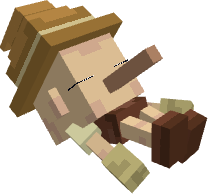
- 🌲 Forest Wanderer: Pinocchio naturally spawns across three distinct forest biomes: Standard Forests, Bamboo Jungles, and Spruce Forests.

- 🤝 Peaceful But Pack-Minded: He is completely passive and won't bother you. However, do not be fooled by his size! If you dare to attack a Pinocchio, they will protect each other and swarm you as a group!
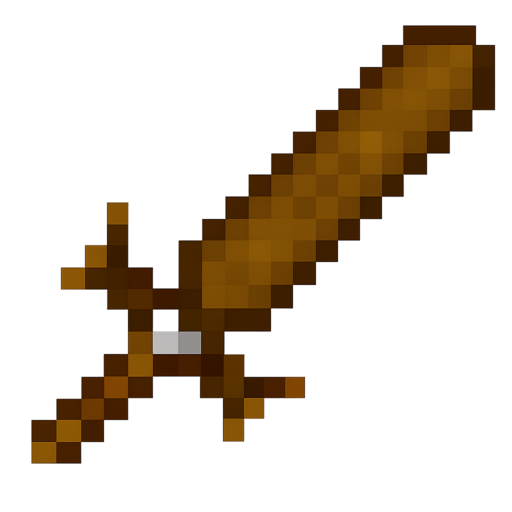
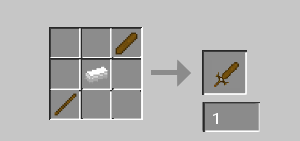
- 👃 Early-Game Loot: Defeating him drops his iconic Nose. You can craft this into a solid, reliable sword that is perfect for starting out your early-game survival.
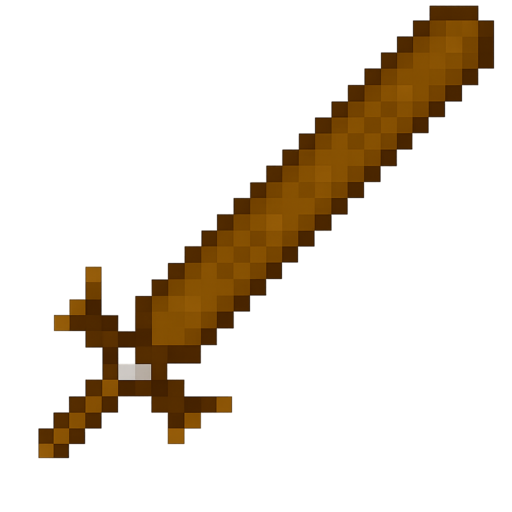
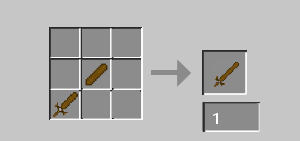
- 🪄 The Alchemy of Wood (Special Ability): Upgrade your Pinocchio sword by combining it with another nose to forge the legendary Long Sword. Striking any mob with this magical weapon will instantly turn them into Wood!

- 💃 Groovy Puppet: Pinocchio loves a good tune! Play a nearby Music Disc, and watch him break out into a cheerful, custom dancing animation.
🛠️ Installation & Support
- Download and install the required library mod (see below).
- Download the correct version of MysticRealm: Pinocchio for your Mod Loader (Forge/Fabric/NeoForge).
- Drop both
.jarfiles into your Minecraftmodsfolder. - Head into the nearest woods, bring some music, and start hunting for fairy tale magic!
⛔ Requirements (🚨 REQUIRED DEPENDENCY 🚨)
To ensure Pinocchio's growing nose, custom models, and dancing animations render perfectly without any crashes, you MUST install the following dependency:
Note: Please ensure you download the version of GeckoLib that exactly matches your game version and mod loader!
Available Versions
How to Install MysticRealm - Pinokio on Your Server
Order Server
Order a Minecraft Java server with at least 4 GB RAM (6 GB recommended).
Set forge Loader
In the panel under "Egg", select the forge loader and matching Minecraft version (1.21.1).
Install Mod
Open the mod browser in the dashboard and search for "MysticRealm - Pinokio". Click "Install" – done! Alternatively, upload the .jar via SFTP to the /mods folder.
Compatibility
Mod Loaders
Minecraft Versions
1.21.1, 1.20.1
Server-side
✓ RequiredRecommended RAM
6 GB(min. 4 GB)Frequently Asked Questions
MysticRealm - Pinokio server crashes on startup – what to do?
Most common cause: wrong forge version or insufficient RAM. Check the server log (latest.log) for "OutOfMemoryError" or "Mixin" errors. With Mado Hosting: ensure at least 4 GB RAM is allocated and the loader matches the mod version (1.21.1). You can switch loaders with one click in the panel.
Is MysticRealm - Pinokio compatible with forge and neoforge?
MysticRealm - Pinokio officially supports forge, neoforge for Minecraft 1.21.1, 1.20.1. The Mado dashboard automatically detects incompatible loader combinations.
Server lagging with MysticRealm - Pinokio – how to optimize performance?
Recommended RAM: 6 GB (per 5 players). Use /spark profiler to check if MysticRealm - Pinokio consumes the most tick time. Common fixes: reduce server view-distance to 8-10, install "performant" or "starlight" as supplementary mods on Forge. With Mado Hosting, your server runs on NVMe SSDs with dedicated CPU cores for minimal latency.
Rent Modded Server
Install MysticRealm - Pinokio with just one click on your server.