
Nature's Compass: Explorer's Edition
Allows you to locate biomes anywhere in the world—a more immersive version of a more immersive version of the original Nature's Compass.
Screenshots
About this Mod
Nature's Compass is an item that allows you to search for a biome's location anywhere in the world. Nature's Compass: Explorer's Edition is a modified version of a modified version of Chaosyr's original mod: Instead of choosing the biome in a GUI or in the cartography table, you have to calibrate the compass using items from the biome you want the compass to point to.
Note that this deviates from other versions of this mod in that you generally first have to find a biome yourself. You can then use the compass to find the same biome elsewhere or share a calibrated compass with your friends to help them out!
Features
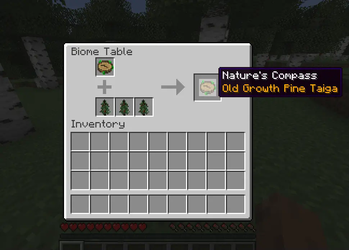
Right-clicking a cartography table with the Nature's Compass opens the Biome Table, which allows you to calibrate the compass to a biome of your choice.
- Pre-calibrated compasses can be found in dungeons to help you find rarer biomes. (Can be disabled in the config).
- The compass always points to the current closest occurrence of a biome, not just to the closest biome at time of calibration.
- When the compass is not pointing at a biome, it will point at the world spawn.
- Support for modded biomes can also be added through the config: Simply define what items calibrate the compass to each new biome!
- Includes integrations for JEI and EMI.
Gallery
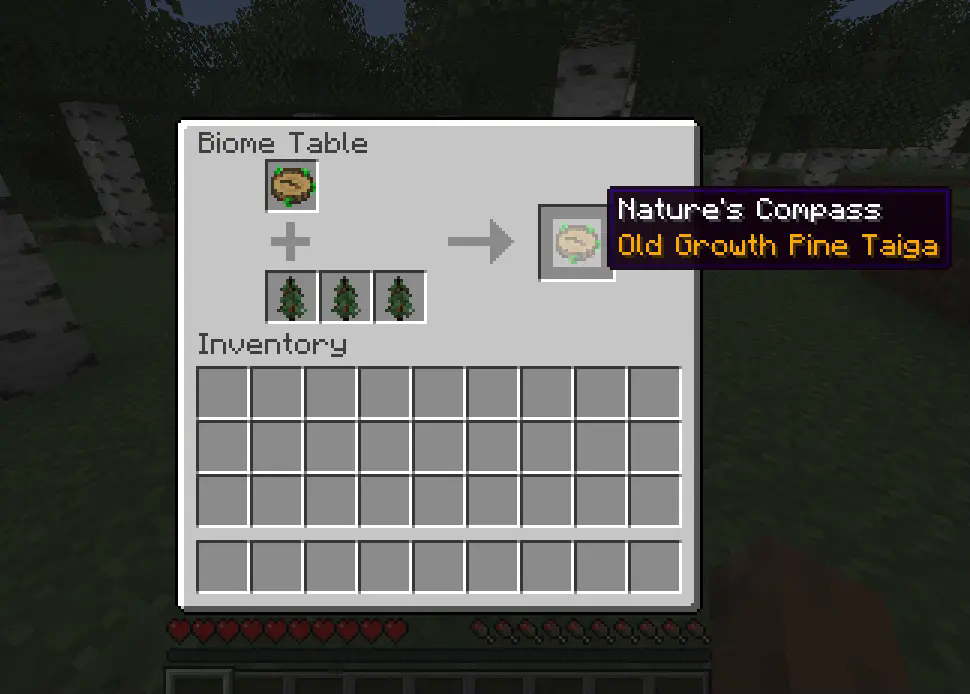
Calibrating the compass using biome-specific items.
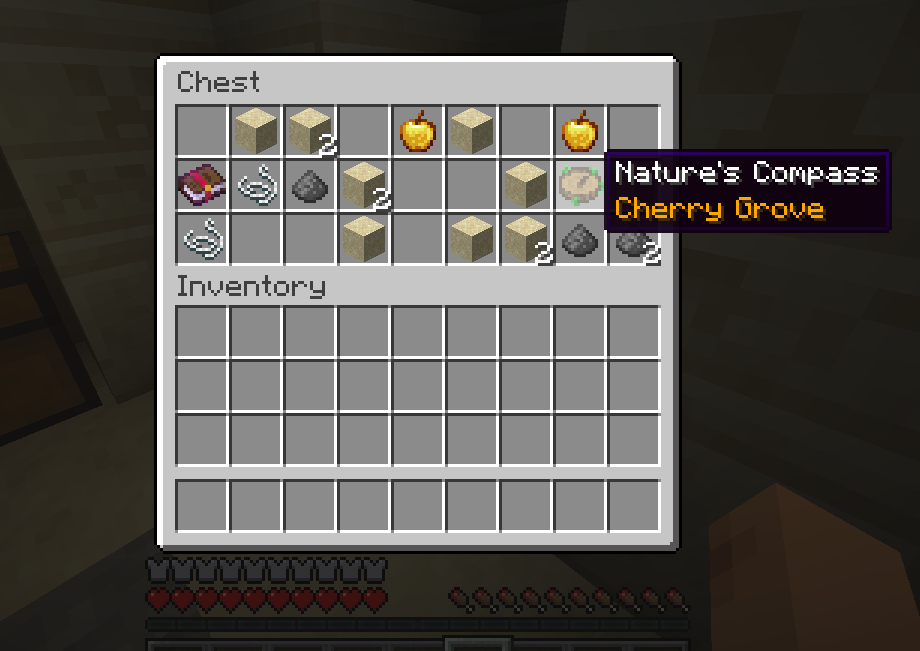
A precalibrated compass in a desert temple.
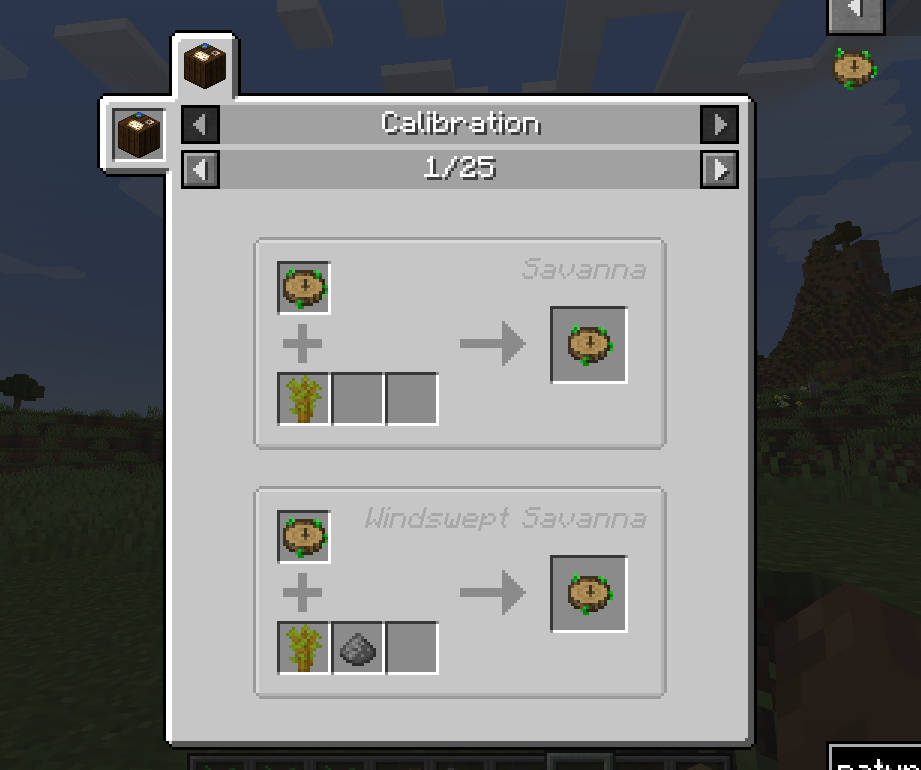
Calibration recipes are shown in JEI.
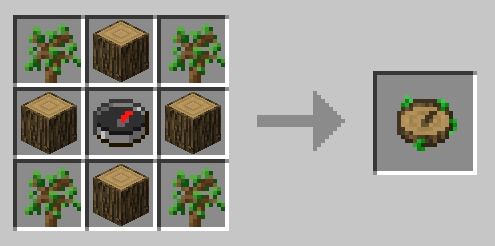
The crafting recipe.
Modpacks
Yes, you can use this mod in your modpack.
Credits
Based on Chaosyr's original Nature's Compass. Check it out!
Available Versions
How to Install Nature's Compass: Explorer's Edition on Your Server
Order Server
Order a Minecraft Java server with at least 3 GB RAM (4 GB recommended).
Set fabric Loader
In the panel under "Egg", select the fabric loader and matching Minecraft version (1.20.1).
Install Mod
Open the mod browser in the dashboard and search for "Nature's Compass: Explorer's Edition". Click "Install" – done! Alternatively, upload the .jar via SFTP to the /mods folder.
Compatibility
Mod Loaders
Minecraft Versions
1.20.1
Server-side
✓ RequiredRecommended RAM
4 GB(min. 3 GB)Frequently Asked Questions
Nature's Compass: Explorer's Edition server crashes on startup – what to do?
Most common cause: wrong fabric version or insufficient RAM. Check the server log (latest.log) for "OutOfMemoryError" or "Mixin" errors. With Mado Hosting: ensure at least 3 GB RAM is allocated and the loader matches the mod version (1.20.1). You can switch loaders with one click in the panel.
Is Nature's Compass: Explorer's Edition compatible with fabric?
Nature's Compass: Explorer's Edition officially supports fabric for Minecraft 1.20.1. The Mado dashboard automatically detects incompatible loader combinations.
Server lagging with Nature's Compass: Explorer's Edition – how to optimize performance?
Recommended RAM: 4 GB (per 8 players). Use /spark profiler to check if Nature's Compass: Explorer's Edition consumes the most tick time. Common fixes: reduce server view-distance to 8-10, install "performant" or "starlight" as supplementary mods on Forge. With Mado Hosting, your server runs on NVMe SSDs with dedicated CPU cores for minimal latency.
Similar Mods




Rent Modded Server
Install Nature's Compass: Explorer's Edition with just one click on your server.
Details
- License
- Creative Commons Attribution Non Commercial Share Alike 4.0 International
- Server-side
- Required