
Nearby Crafting
Allows crafting to access nearby chests or other containers, because that's how it should be!
About this Mod
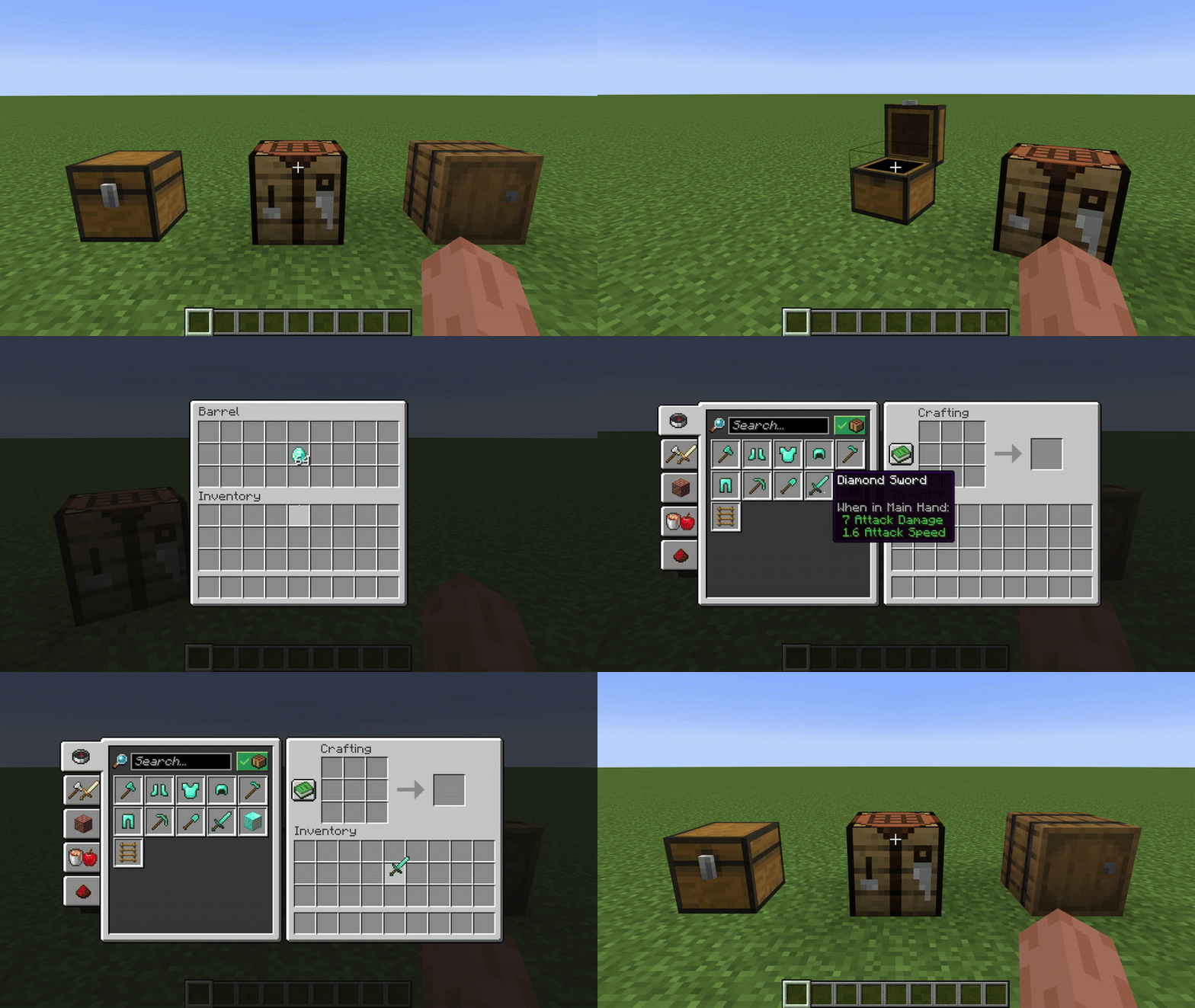
Nearby crafting is a simple mod for Fabric which enables crafting from nearby container blocks, such as barrels and chests.
A massive timesaver, and absolute essential for your survival world or server modpacks.
Features
Crafting from nearby containers
This works for both crafting tables, and crafting within the player's inventory
Completley Customisable
Nearby crafting supports customising the reach radius, or toggling the reach functionality altogether.
This can be done seperatley for different crafting scenarios (i.e. Crafting Tables and Player Inventory Crafting)
By default, the reach functionality is enabled and the radius is 8 blocks for all crafting scenarios.
These can be changed using modmenu, or commands.
If you are playing on a server, you must use commands to change the config, the modmenu config page will only affect the clients settings for singleplayer.
FAQs
Q: I think I found an issue...
A: Feel free to create an issue on Github or reach out directly on discord @joontyQ: Will you release support for x ?
A: I plan to release support for older versions soon, I don't currently plan to release support outside of Fabric. If you would like to make a verion for another loader (Forge, NeoForge, etc) feel free to reach out on discord! @joonty
Commands Guide
Use the /nearbycrafting command to customize server-wide behavior for Nearby Crafting. You must be a server operator to change the server's Nearby Crafting configuration.
The command follows a simple, modular format:
/nearbycrafting <target> <action> [value]
Command Structure
<target>
This defines which crafting scenario you're configuring:
craftingtable– Affects vanilla crafting tables.playerinventorycrafting– Affects the player's inventory crafting (2x2 crafting grid).
<action>
Defines the type of action you want to perform:
enable– Turns the functionality ON.disable– Turns the functionality OFF.setReach <number>– Sets the radius (in blocks) from which inventories are accessible.getReach– Displays the current reach radius.
Examples
Enable crafting table inventory access:
/nearbycrafting craftingtable enable
Disable player inventory crafting access:
/nearbycrafting playerinventorycrafting disable
Set reach radius to 10 blocks for crafting tables:
/nearbycrafting craftingtable setReach 10
Check current reach radius for player inventory crafting:
/nearbycrafting playerinventorycrafting getReach
Note: These commands require operator permissions on the server.
Available Versions
How to Install Nearby Crafting on Your Server
Order Server
Order a Minecraft Java server with at least 3 GB RAM (4 GB recommended).
Set fabric Loader
In the panel under "Egg", select the fabric loader and matching Minecraft version (1.21.5).
Install Mod
Open the mod browser in the dashboard and search for "Nearby Crafting". Click "Install" – done! Alternatively, upload the .jar via SFTP to the /mods folder.
Compatibility
Mod Loaders
Minecraft Versions
1.21.5, 1.21.4, 1.21.3 (+4 more)
Server-side
✓ RequiredRecommended RAM
4 GB(min. 3 GB)Frequently Asked Questions
Nearby Crafting server crashes on startup – what to do?
Most common cause: wrong fabric version or insufficient RAM. Check the server log (latest.log) for "OutOfMemoryError" or "Mixin" errors. With Mado Hosting: ensure at least 3 GB RAM is allocated and the loader matches the mod version (1.21.5). You can switch loaders with one click in the panel.
Is Nearby Crafting compatible with fabric?
Nearby Crafting officially supports fabric for Minecraft 1.21.5, 1.21.4, 1.21.3. The Mado dashboard automatically detects incompatible loader combinations.
Server lagging with Nearby Crafting – how to optimize performance?
Recommended RAM: 4 GB (per 8 players). Use /spark profiler to check if Nearby Crafting consumes the most tick time. Common fixes: reduce server view-distance to 8-10, install "performant" or "starlight" as supplementary mods on Forge. With Mado Hosting, your server runs on NVMe SSDs with dedicated CPU cores for minimal latency.
Similar Mods






Rent Modded Server
Install Nearby Crafting with just one click on your server.