
Necropolis - Ancient City Overhaul
Uses new features, building revamps, and concept art inspiration to enhance and enlarge ancient cities.
Screenshots
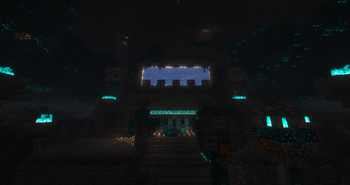
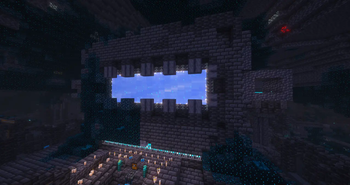
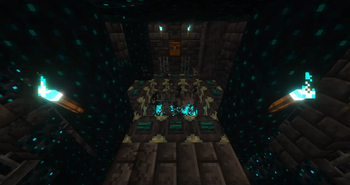
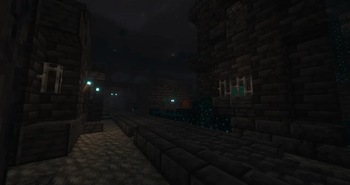
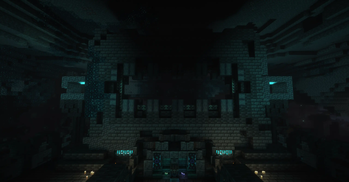
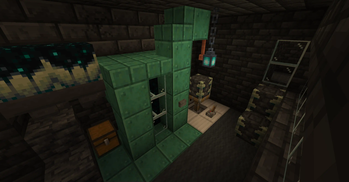
About this Mod
I decided to create this pack to make ancient cities more like a proper city and utilizing new features added since their introduction. It features plenty of new buildings and changes to old ones with inspiration from official mood and concept art!
HOW DO I ACTIVATE THE PORTAL?
Get yourself some echo shards and beat the dragon! The portal takes you to the end but you need to find a stronghold first. There are advancements for both the portal activation item and key item for the vaults and they appear in the crafting book once the correct items have been obtained.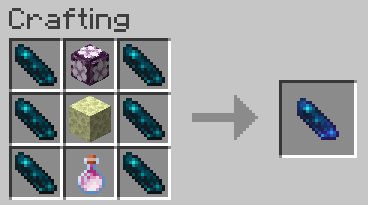
Once you have the item, simply look into the maw of the portal and right-click while holding it. Then watch the magic happen.
Aside from a visual and spacial makeover it features:
- PORTAL ACTIVATION! It leads to the End but you need to go there first.
- Increased size! They're denser like real cities and larger than the vanilla cities.
- Advancements!
- Vaults with their own keys!
- Pots with loot!
- Archaeology!
- Banners!
- Beware certain buildings and mind your digging. You may be less alone down there than you thought.
Loot: Pots, vaults, and suspicious gravel have their own unique loot tables. Chest loot has been tweaked, which includes but is not limited to more pieces of iron armor than leggings and removing 13 and Cat.
Notes
- Trial chambers will spawn a little shallower to avoid being cut into by the new cities
- Lava and waterfalls are more present due to the larger size
Available Versions
How to Install Necropolis - Ancient City Overhaul on Your Server
Order Server
Order a Minecraft Java server with at least 4 GB RAM (6 GB recommended).
Set datapack Loader
In the panel under "Egg", select the datapack loader and matching Minecraft version (1.21.11).
Install Mod
Open the mod browser in the dashboard and search for "Necropolis - Ancient City Overhaul". Click "Install" – done! Alternatively, upload the .jar via SFTP to the /mods folder.
Compatibility
Mod Loaders
Minecraft Versions
1.21.11, 1.21.10, 1.21.9 (+3 more)
Server-side
✓ RequiredRecommended RAM
6 GB(min. 4 GB)Frequently Asked Questions
Necropolis - Ancient City Overhaul server crashes on startup – what to do?
Most common cause: wrong datapack version or insufficient RAM. Check the server log (latest.log) for "OutOfMemoryError" or "Mixin" errors. With Mado Hosting: ensure at least 4 GB RAM is allocated and the loader matches the mod version (1.21.11). You can switch loaders with one click in the panel.
Is Necropolis - Ancient City Overhaul compatible with datapack and fabric and forge and neoforge and quilt?
Necropolis - Ancient City Overhaul officially supports datapack, fabric, forge, neoforge, quilt for Minecraft 1.21.11, 1.21.10, 1.21.9. Note: Forge and Fabric mods are NOT cross-compatible – pick one loader and stick with it. The Mado dashboard automatically detects incompatible loader combinations.
Server lagging with Necropolis - Ancient City Overhaul – how to optimize performance?
Recommended RAM: 6 GB (per 5 players). Use /spark profiler to check if Necropolis - Ancient City Overhaul consumes the most tick time. Common fixes: reduce server view-distance to 8-10, install "performant" or "starlight" as supplementary mods on Forge. With Mado Hosting, your server runs on NVMe SSDs with dedicated CPU cores for minimal latency.
Similar Mods




Rent Modded Server
Install Necropolis - Ancient City Overhaul with just one click on your server.