
NeoSync
Inspired by the original Sync mod, NeoSync lets you clone yourself into shells each with its own inventory, XP, and gamemode and swap minds between them across time and space.
Screenshots


About this Mod

NeoSync
One mind. Many bodies.
NeoSync brings the legendary Sync experience to NeoForge 1.21.1.
Grow extra bodies, or shells, each with its own inventory, experience level, and gamemode. Swap your consciousness between them at will. Die in a shell? You wake up in another.
Leave one parked in the Nether while you mine the Overworld. Keep a spare set of enchanted gear loaded in a shell halfway across the server. The possibilities are yours.
How it works
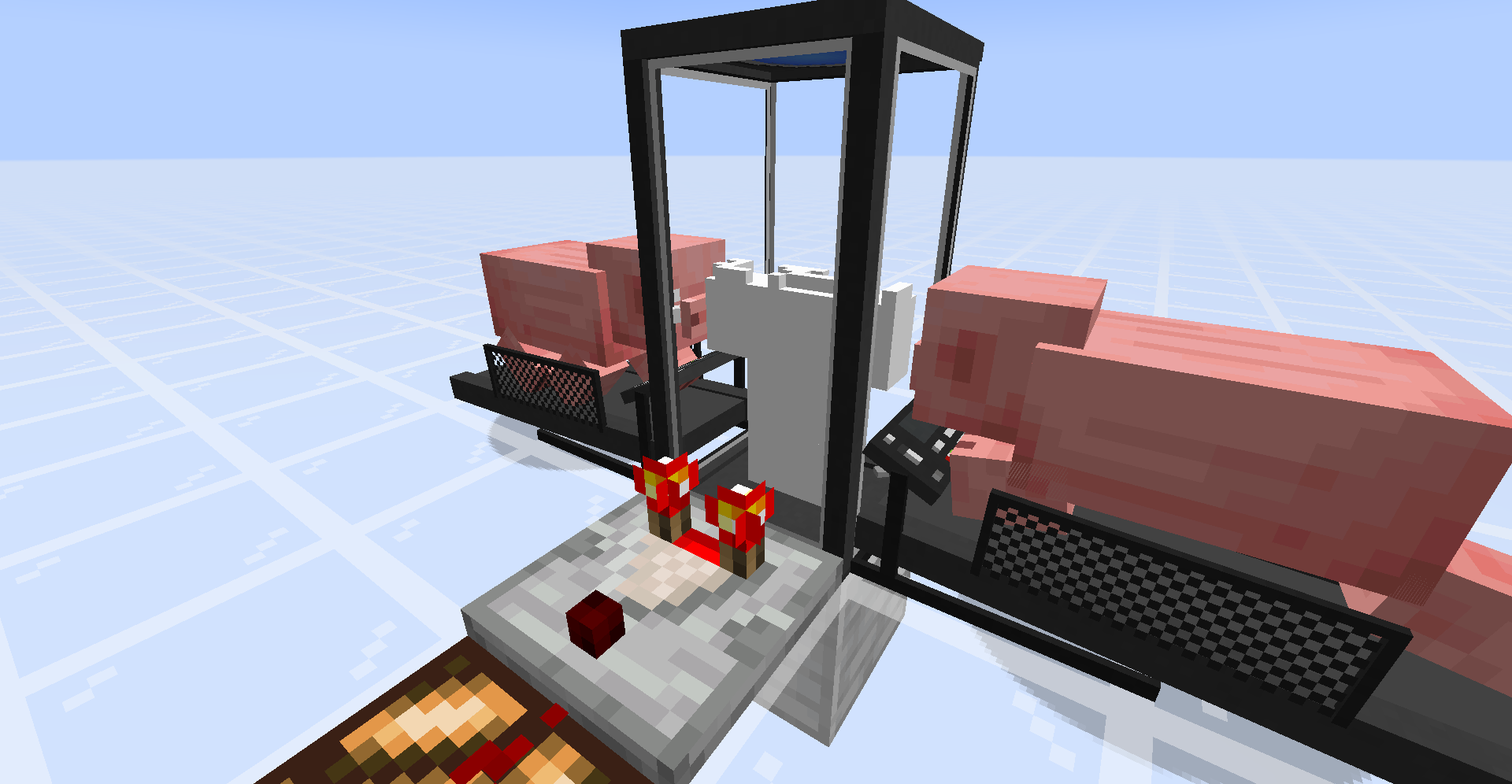
- Craft a Shell Constructor and place it down.
- Provide a genetic sample — right-click with an empty hand.
⚠️ With default config this costs 20 HP (40 in hardcore). Hold a totem, eat a golden apple, or flip
warnPlayerInsteadOfKillingin the config if you'd rather not die
for science. - Power the Constructor. Place a Treadmill next to it, lure a pig or wolf onto the front block, and piggawatts flow. Or hook it up to any Forge Energy source from your
favourite tech mod. - Craft a Shell Storage, place it, and feed it redstone or FE.
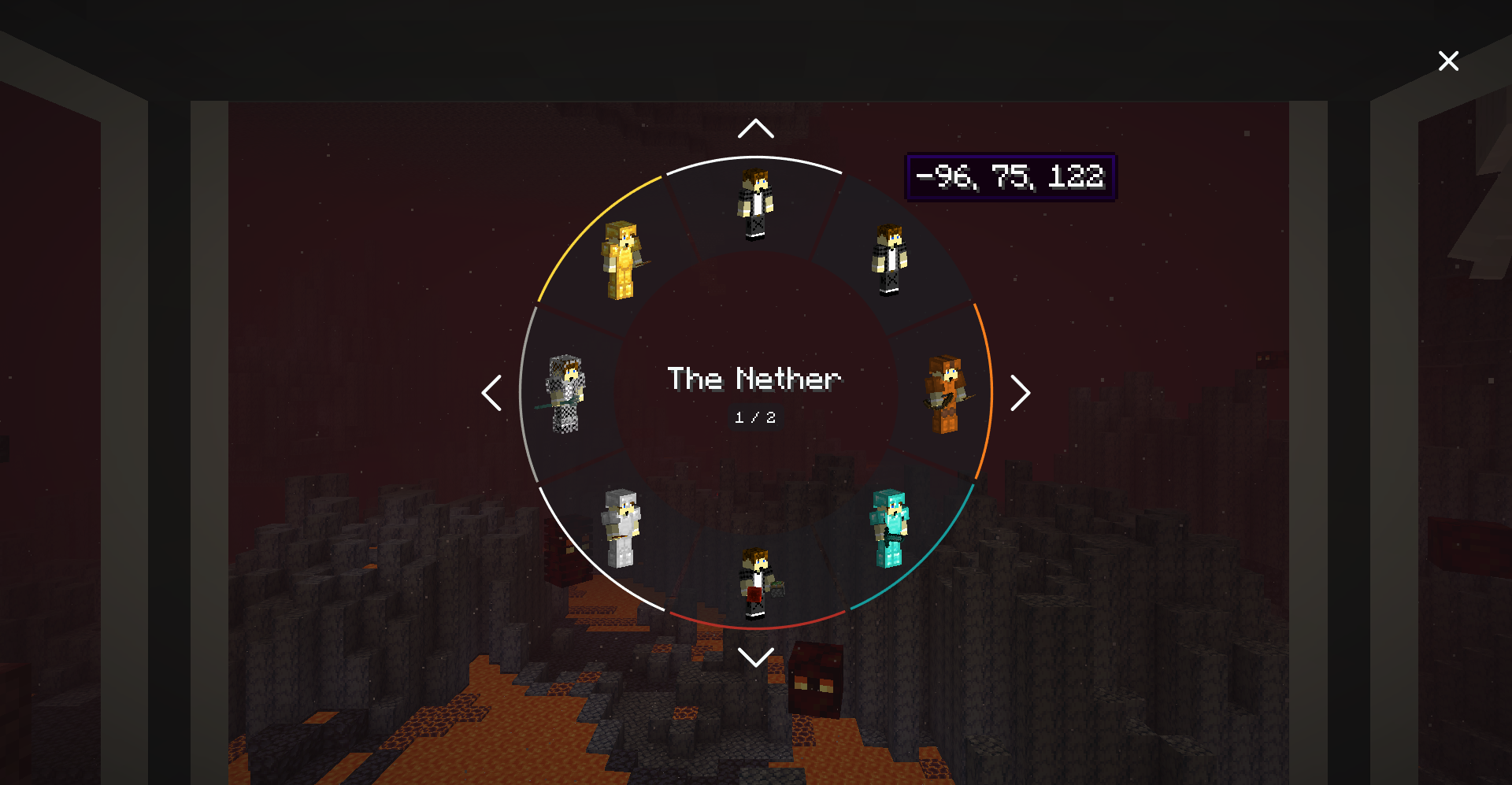
- Walk into an open Shell Storage and a radial shell menu appears — pick your destination body and sync.
Features
- Cross-dimensional syncing. Park shells in the Overworld, Nether, End, or any modded dimension and sync between them instantly.
- Per-shell inventory, XP, and gamemode. Each shell is a fully independent body with its own loadout and progression.
- Death handoff. If a shell dies, you auto-sync back to your original body or to a random remaining shell if the original is gone. Shell deaths don't count toward your
death counter. - Automation support. Pipe armor and tools into a Shell Storage to equip the parked shell, or pull gear back out.
- Dye your storages. Right-click a Shell Storage with dye to color-code it makes spotting "the mining shell" across a dozen containers easier.
- Configurable sync priority. On death, auto-sync to the
NATURAL,NEAREST, or dye-color-matched shell of your choice. - Flexible power. Shell Storages accept raw redstone signal and/or FE. Treadmills output FE to any energy-accepting block.
- Comparator output. Containers emit signal based on either build progress or inventory fullness — right-click with a wrench (stick by default) to toggle.
Blocks & Items
| Block / Item | Purpose |
|---|---|
| Shell Constructor | Consumes FE to grow a new shell from your genetic sample. |
| Shell Storage | Houses a shell; walking in opens the radial selector. Needs power to keep the shell alive. |
| Treadmill | Two-block structure. Lure an animal on; it walks; FE flows. |
| Sync Core | Key crafting ingredient — combine with gray concrete to make either shell container. |
Mod Integration
- JEI — in-depth info panels on every sync block explaining the workflow, plus a Treadmill Energy Sources category
listing every supported entity and its FE/tick output. - Jade — crosshair tooltips for Shell Constructors, Storages, and Treadmills showing owner, build progress, color,
powered state, and energy.
Both are optional. NeoSync runs fine without them.
Configuration
Everything is tunable in config/neosync-common.toml. A taste of the knobs:
| Key | Default | Effect |
|---|---|---|
enableInstantShellConstruction |
false |
Instant shell builds in creative. |
warnPlayerInsteadOfKilling |
false |
Don't kill low-HP players on fingerstick. |
fingerstickDamage / hardcoreFingerstickDamage |
20 / 40 |
HP consumed per shell sample. |
shellConstructorCapacity |
256000 |
FE needed to finish a shell. |
shellStorageCapacity / shellStorageConsumption |
320 / 16 |
FE buffer + per-tick drain to keep a shell alive. |
shellStorageAcceptsRedstone |
true |
Accept raw redstone signal as power. |
shellStorageMaxUnpoweredLifespan |
20 |
Ticks a storage holds a shell without power. |
energyMap |
chicken=2, pig=16, player=20, wolf=22, villager=25, creeper=80, enderman=160 | FE/tick each entity generates on a treadmill. |
syncPriority |
NATURAL |
On-death auto-sync target: NATURAL, NEAREST, or any dye color. |
wrench |
minecraft:stick |
Item that toggles a container's comparator output. |
Credits & License
- Original concept: iChun — the original Sync mod.
- Fabric reimplementation: Kir_Antipov.
- NeoForge 1.21.1 port: BreakinBlocks.
Licensed under MIT. See the LICENSE file for details.
Available Versions
How to Install NeoSync on Your Server
Order Server
Order a Minecraft Java server with at least 3 GB RAM (4 GB recommended).
Set neoforge Loader
In the panel under "Egg", select the neoforge loader and matching Minecraft version (1.21.11).
Install Mod
Open the mod browser in the dashboard and search for "NeoSync". Click "Install" – done! Alternatively, upload the .jar via SFTP to the /mods folder.
Compatibility
Mod Loaders
Minecraft Versions
1.21.11, 1.21.10, 1.21.9 (+8 more)
Server-side
✓ RequiredRecommended RAM
4 GB(min. 3 GB)Frequently Asked Questions
NeoSync server crashes on startup – what to do?
Most common cause: wrong neoforge version or insufficient RAM. Check the server log (latest.log) for "OutOfMemoryError" or "Mixin" errors. With Mado Hosting: ensure at least 3 GB RAM is allocated and the loader matches the mod version (1.21.11). You can switch loaders with one click in the panel.
Is NeoSync compatible with neoforge?
NeoSync officially supports neoforge for Minecraft 1.21.11, 1.21.10, 1.21.9. The Mado dashboard automatically detects incompatible loader combinations.
Server lagging with NeoSync – how to optimize performance?
Recommended RAM: 4 GB (per 8 players). Use /spark profiler to check if NeoSync consumes the most tick time. Common fixes: reduce server view-distance to 8-10, install "performant" or "starlight" as supplementary mods on Forge. With Mado Hosting, your server runs on NVMe SSDs with dedicated CPU cores for minimal latency.
Similar Mods





Rent Modded Server
Install NeoSync with just one click on your server.