
Nether Additions
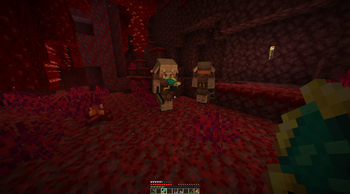
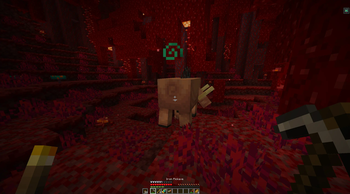
Nether Additions is a mod meant to subtly expand on the Nether, in a vanilla friendly style.
Screenshots
About this Mod
Nether Additions is a mod meant to subtly expand on the Nether, it currently includes a full suite of blocks for Basalt, the option to craft a fishing rod capable of fishing in lava, and new paintings!
Blocks
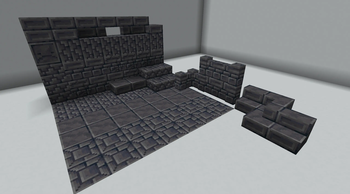
Nether Additions currently include the following blocks to expand on the utility of Basalt:
- Chiseled Basalt
- Basalt Bricks
- Cracked Basalt Bricks
- Basalt Brick Stairs
- Basalt Brick Wall
- Basalt Brick Slab
- Basalt Tiles
- Basalt Tiles Slab
All blocks are craftable from Smooth Basalt, either through the crafting interface or the stone cutter.
Lava Fishing
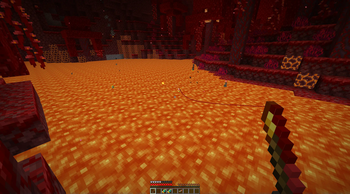
Crafted with two Sticks, a Gold Ingot and 2 Weeping Vines, go fishing in the deep lava lakes of the Nether with the new Weeping Fishing Rod!
The lava lakes of the Overworld are not hot enough to allow the Nether fauna to thrive, so those lava lakes are sadly empty.
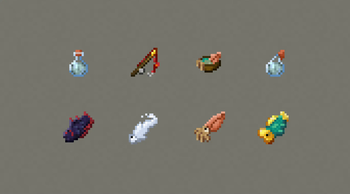
Nether Additions currently include 4 different type of fish for you to catch:
Pyrolithid
Not the most tasty of food, but combined with some Nether Wart and Warped Fungus, it makes a great soup, however the Hoglins don't seem too fond of your "Fungal Aroma".
Lavacanth
A hot and warming snack, its obsidan scales seem to rub off on you, granting you Fire Resistance for a brief period of time.
Goldhead Wrasse
A great meal, but this gilded fish holds other value, maybe not to you, but the Piglins certainly seem happy to barter with you for it.
Ectocarp
When you eat this ethereal fish, you feel like you sit on a cloud, almost literally.
Granting a short burst of Levitation on consumption, it can also be brewed down into proper Potions of Leviation.
Miscellaneous
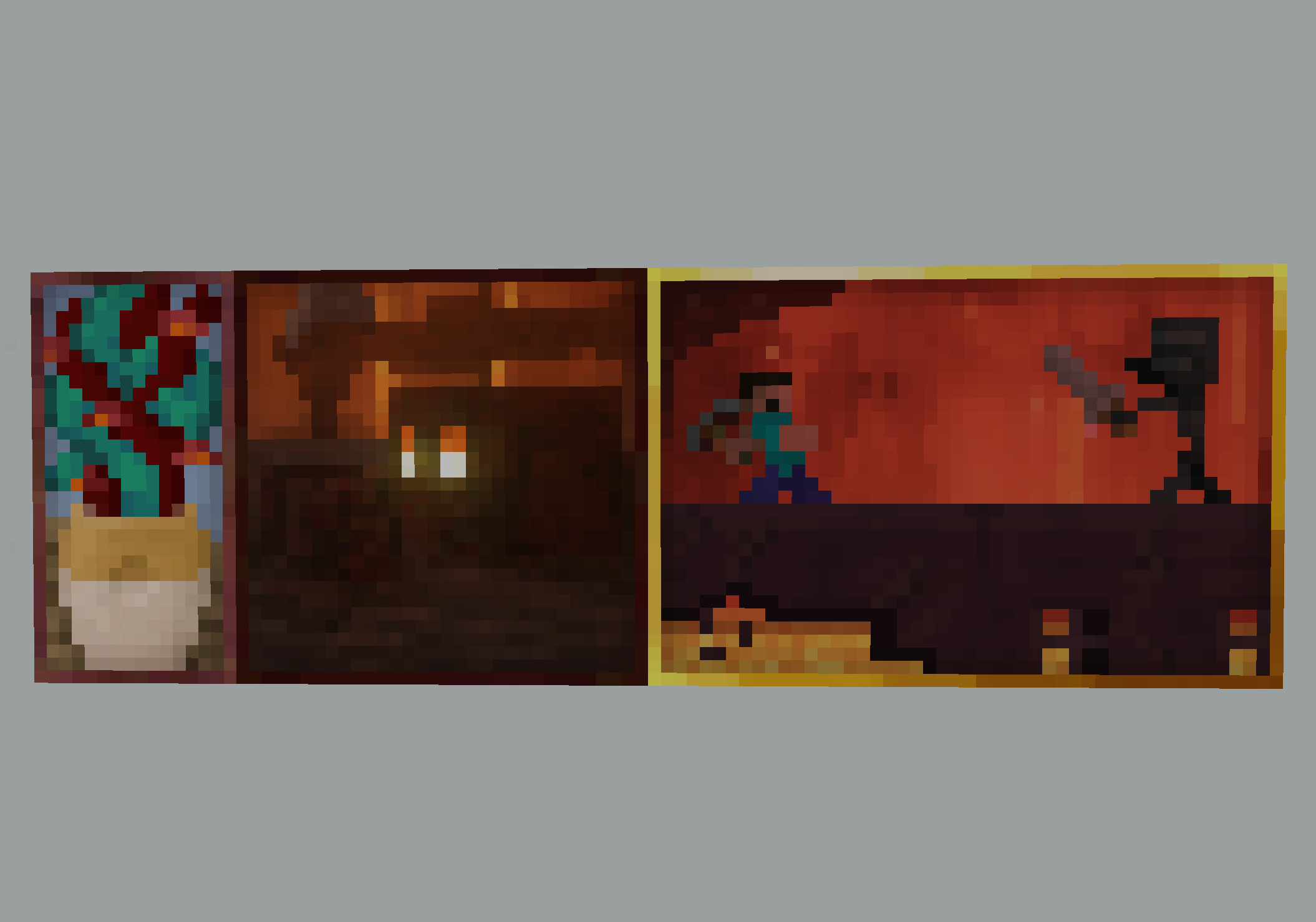
3 new paintings added to the vanilla painting pool.
- Pursuit
- Twisting Vines
- Family Meeting
Available Versions
How to Install Nether Additions on Your Server
Order Server
Order a Minecraft Java server with at least 3 GB RAM (4 GB recommended).
Set fabric Loader
In the panel under "Egg", select the fabric loader and matching Minecraft version (1.21.8).
Install Mod
Open the mod browser in the dashboard and search for "Nether Additions". Click "Install" – done! Alternatively, upload the .jar via SFTP to the /mods folder.
Compatibility
Mod Loaders
Minecraft Versions
1.21.8, 1.21.7, 1.21.6 (+12 more)
Server-side
✓ RequiredRecommended RAM
4 GB(min. 3 GB)Frequently Asked Questions
Nether Additions server crashes on startup – what to do?
Most common cause: wrong fabric version or insufficient RAM. Check the server log (latest.log) for "OutOfMemoryError" or "Mixin" errors. With Mado Hosting: ensure at least 3 GB RAM is allocated and the loader matches the mod version (1.21.8). You can switch loaders with one click in the panel.
Is Nether Additions compatible with fabric and quilt?
Nether Additions officially supports fabric, quilt for Minecraft 1.21.8, 1.21.7, 1.21.6. The Mado dashboard automatically detects incompatible loader combinations.
Server lagging with Nether Additions – how to optimize performance?
Recommended RAM: 4 GB (per 8 players). Use /spark profiler to check if Nether Additions consumes the most tick time. Common fixes: reduce server view-distance to 8-10, install "performant" or "starlight" as supplementary mods on Forge. With Mado Hosting, your server runs on NVMe SSDs with dedicated CPU cores for minimal latency.
Similar Mods




Rent Modded Server
Install Nether Additions with just one click on your server.