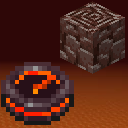
Netherite Compass
This mod adds the Netherite Compass to your game which helps you track down Ancient Debris blocks in you world.
Screenshots
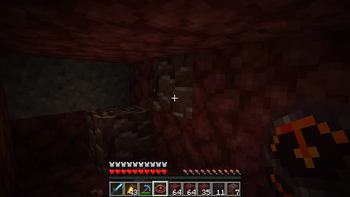
About this Mod
About the mod
This mod adds the Netherite Compass to your game which helps you track down Ancient Debris blocks in you world.
Behaviour:
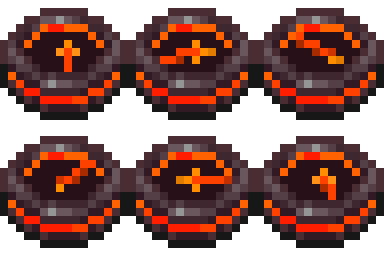
Tracking:
The Netherite Compass will point to the nearest Ancient Debris in you 3x3 chunk area. If it finds an Ancient Debris block it will lock onto it and will point to it (even if you move and another Ancient Debris is closer) until the block is broken.
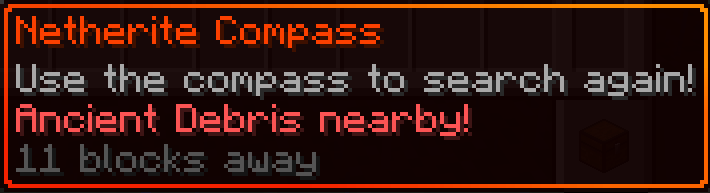
Locating:
If the compass didn't managed to find Ancient Debris in your nearby are it will start spinning. This means its continuously looking for them while you have it on you.
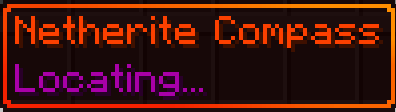
Changing Dimensions:
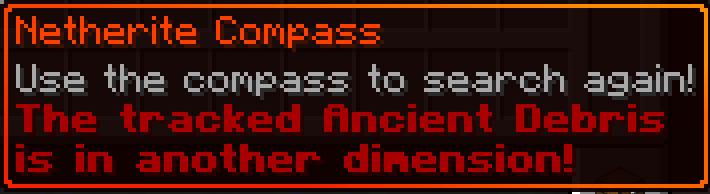
If you go to another dimension and your compass is locked onto an Ancient Debris, it will warn you in its description that the Ancient Debris is in another dimension. It will start wobbling around like the default compass when it can't find its target.
Using the compass:
When you right click the compass it will try to search for a new target if it already had one. This action will give you a five second cooldown before you can use it again (just like the ender pearl when thrown).
Droped and Item frames
The compass will not change its state if its droped or in an Item frame. For example, if its in the "Locating..." state and you put into an Item frame it will not lock onto an Ancient Debris if you place one nearby, like it would if you had it in your inventory.
Crafting
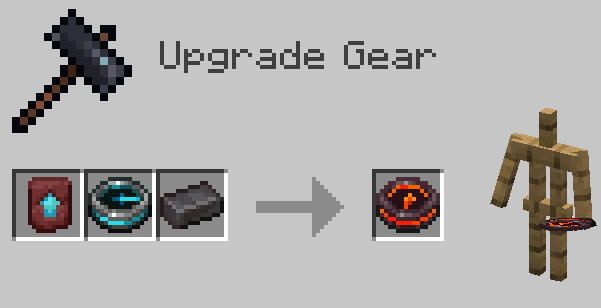
In order to obtain the Netherite Compass the player have to put three items into the Smithing Table:
- Netherite Upgrade Smithing Template
- Recovery Compass
- Netherite Ingot
Configuring search radius with Modmenu
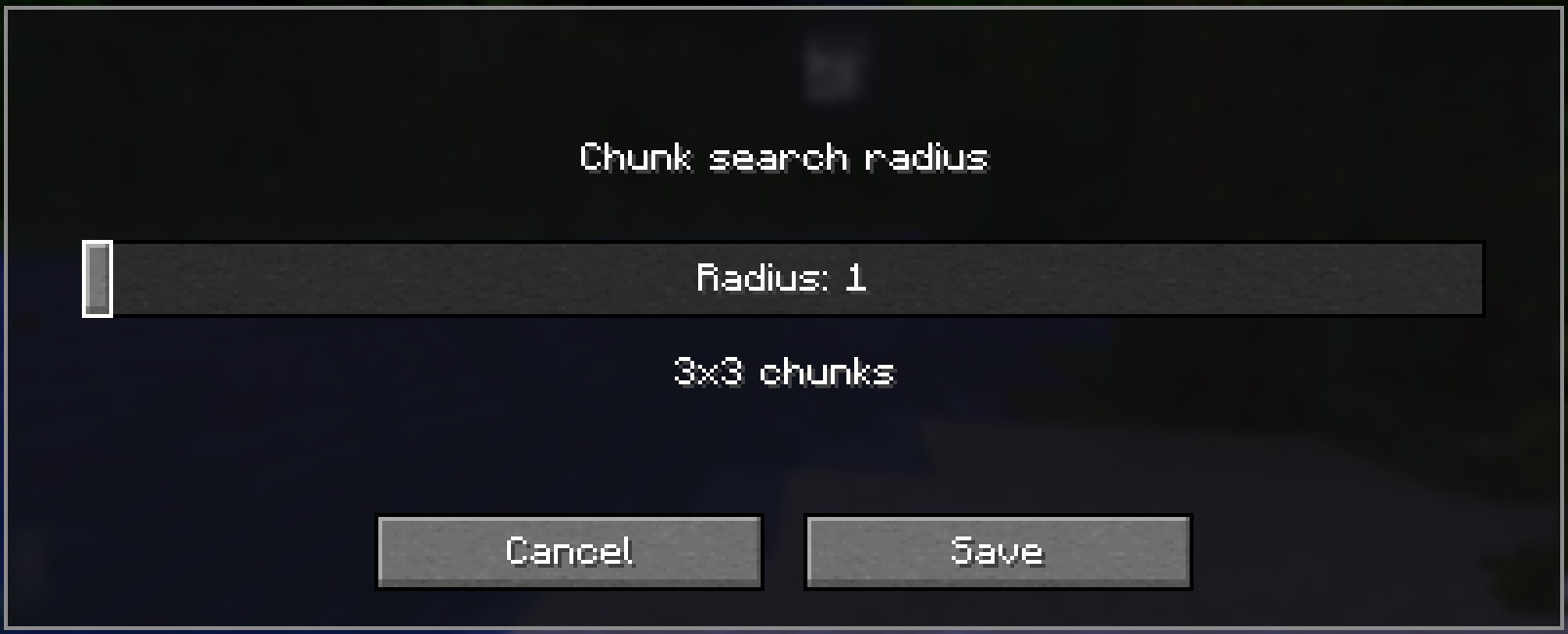
This mod integrates with Mod Menu to provide an in-game configuration screen. You can adjust the chunk search radius to balance between performance and search range.
Note: Larger search radii will scan more chunks, which may impact performance on slower systems. The default value of radius 1 -> 3x3 chunks should be more than enough for vanilla worlds.
Available Versions
How to Install Netherite Compass on Your Server
Order Server
Order a Minecraft Java server with at least 3 GB RAM (4 GB recommended).
Set fabric Loader
In the panel under "Egg", select the fabric loader and matching Minecraft version (26.1.2).
Install Mod
Open the mod browser in the dashboard and search for "Netherite Compass". Click "Install" – done! Alternatively, upload the .jar via SFTP to the /mods folder.
Compatibility
Mod Loaders
Minecraft Versions
26.1.2, 26.1.1, 26.1 (+15 more)
Server-side
✓ RequiredRecommended RAM
4 GB(min. 3 GB)Frequently Asked Questions
Netherite Compass server crashes on startup – what to do?
Most common cause: wrong fabric version or insufficient RAM. Check the server log (latest.log) for "OutOfMemoryError" or "Mixin" errors. With Mado Hosting: ensure at least 3 GB RAM is allocated and the loader matches the mod version (26.1.2). You can switch loaders with one click in the panel.
Is Netherite Compass compatible with fabric and forge?
Netherite Compass officially supports fabric, forge for Minecraft 26.1.2, 26.1.1, 26.1. Note: Forge and Fabric mods are NOT cross-compatible – pick one loader and stick with it. The Mado dashboard automatically detects incompatible loader combinations.
Server lagging with Netherite Compass – how to optimize performance?
Recommended RAM: 4 GB (per 8 players). Use /spark profiler to check if Netherite Compass consumes the most tick time. Common fixes: reduce server view-distance to 8-10, install "performant" or "starlight" as supplementary mods on Forge. With Mado Hosting, your server runs on NVMe SSDs with dedicated CPU cores for minimal latency.
Similar Mods




Rent Modded Server
Install Netherite Compass with just one click on your server.