
Nightworld
Explore a parallel world!
Screenshots

About this Mod










📝 Description
Explore the Nightworld, a similar world to the Overworld, but it's always night and beds explode!
It's a perfect choice for both multiplayer servers who need the nighttime but can't coordinate many players and for single players in search of a more challenging Overworld!

✨ Features
- Required only server side!
- Compatible with both Vanilla and modded clients!
- Can be added to a server/single player world at any time!
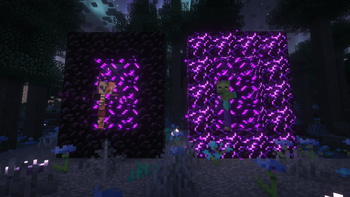
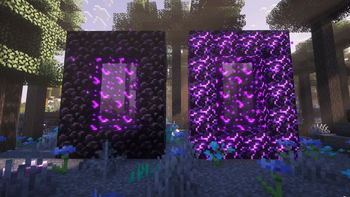
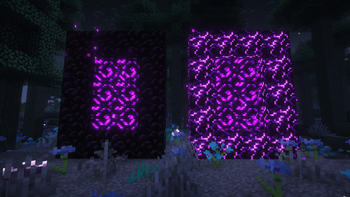
- Enter the Nightworld by creating a portal with crying obsidian.
- Similarly to Nether portals spawning zombified piglins, Nightworld portals can spawn zombies and skeletons!
- Respawn anchors work just fine!
- You can change the portal frame block to anything you like (yes, even multiple blocks!) with a simple datapack!
- You make so that only specific item(s) are able to light up Nightworld portals with a simple datapack!
⚙️ Configuration
To create a datapack configuration you have to follow a few simple steps:
- Create a datapack following this guide.
- If you want to tweak the portals frame, define under
nightworldnamespace a block tag callednightworld_portal_frame.jsonthat contains:{ "replace": true, "values": [ // List of block IDs ] } - If you want to tweak the portals igniter, define under
nightworldnamespace an item tag callednightworld_portal_igniter.jsonthat contains:{ "replace": true, "values": [ // List of item IDs ] }
That's all!
🤝 Compatibilities
| Mod | Loader | Compatibility |
|---|---|---|
| Crying Portals | All | Incompatible |
| Immersive Portals | All | Incompatible |
| BetterNether | Fabric | Compatible |
| Very Many Players | Fabric | Compatible with use_async_portals=false |
| Canary | Forge | Compatible with fast portals disabled |
Dependencies
| Mod | Loader | Requirement |
|---|---|---|
| Cobweb | All | Required |
| Server Sided Portals | All | Required |
📜 License and right of use
Feel free to use this mod for any modpack or video, just be sure to give credit and possibly link here.
This project is published under the Crystal Nest Community License v1.
❤️ Support us







Available Versions
How to Install Nightworld on Your Server
Order Server
Order a Minecraft Java server with at least 4 GB RAM (6 GB recommended).
Set fabric Loader
In the panel under "Egg", select the fabric loader and matching Minecraft version (26.1.2).
Install Mod
Open the mod browser in the dashboard and search for "Nightworld". Click "Install" – done! Alternatively, upload the .jar via SFTP to the /mods folder.
Compatibility
Mod Loaders
Minecraft Versions
26.1.2, 26.1.1, 26.1 (+15 more)
Server-side
✓ RequiredRecommended RAM
6 GB(min. 4 GB)Frequently Asked Questions
Nightworld server crashes on startup – what to do?
Most common cause: wrong fabric version or insufficient RAM. Check the server log (latest.log) for "OutOfMemoryError" or "Mixin" errors. With Mado Hosting: ensure at least 4 GB RAM is allocated and the loader matches the mod version (26.1.2). You can switch loaders with one click in the panel.
Is Nightworld compatible with fabric and forge and neoforge?
Nightworld officially supports fabric, forge, neoforge for Minecraft 26.1.2, 26.1.1, 26.1. Note: Forge and Fabric mods are NOT cross-compatible – pick one loader and stick with it. The Mado dashboard automatically detects incompatible loader combinations.
Server lagging with Nightworld – how to optimize performance?
Recommended RAM: 6 GB (per 5 players). Use /spark profiler to check if Nightworld consumes the most tick time. Common fixes: reduce server view-distance to 8-10, install "performant" or "starlight" as supplementary mods on Forge. With Mado Hosting, your server runs on NVMe SSDs with dedicated CPU cores for minimal latency.
Similar Mods




Rent Modded Server
Install Nightworld with just one click on your server.