
NMB. New Models Backport
Mod that makes a layer of compatibility between new models of minecraft 1.21.11+ for the older version. (Backport)
Screenshots
About this Mod
New Models Backport (NMB)
New Models Backport is a utility mod for Minecraft 1.21.1 (NeoForge). It allows map makers and resource pack creators to natively load and render modern JSON models (1.21.11+ format) in version 1.21.1.
It was designed for use in very specific and personal situations. (When you don't want to lug around a massive library with a ton of features just for a single function.) However, it is very simple and convenient for regular users to use.
Key Features
- Modern Format: Support for block and item JSON models from the newest Minecraft versions.
- Arbitrary Rotation: Full support for any rotation angles generated in Blockbench (removes the 22.5° limits).
- Fullbright: Supports the
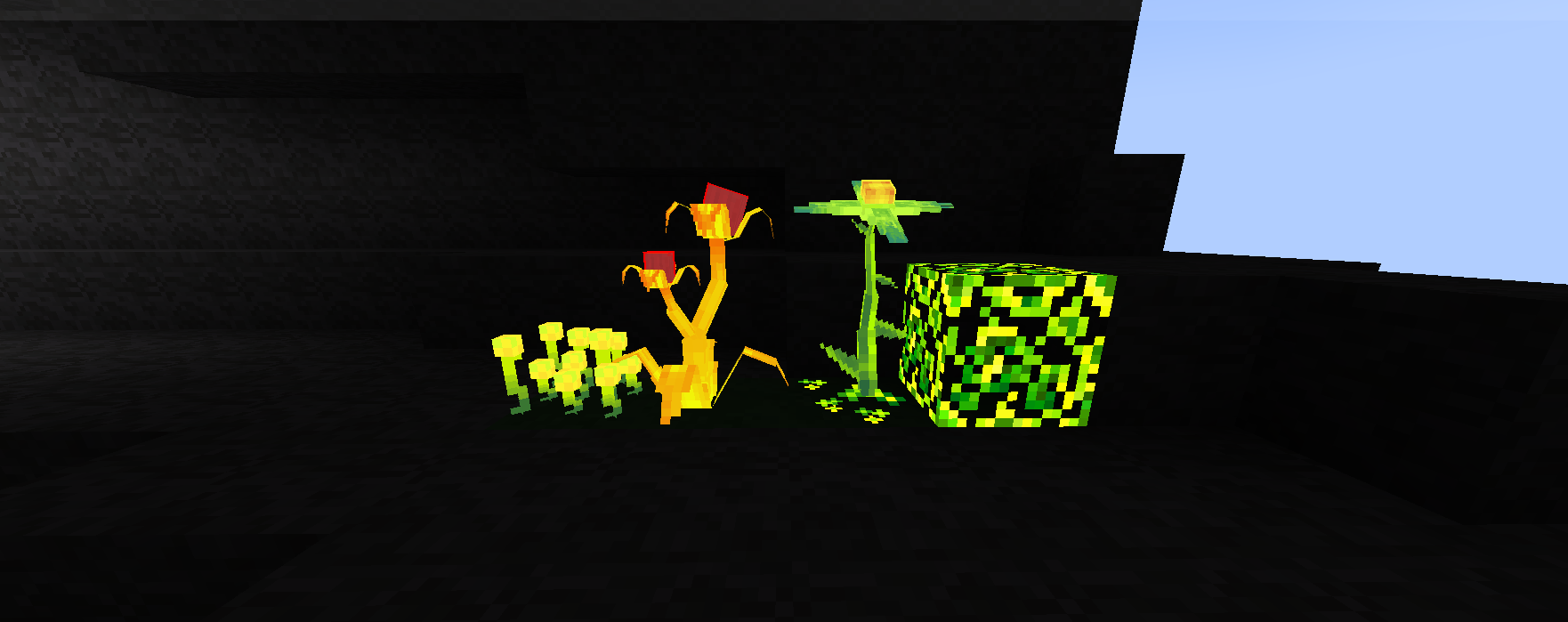
"ignore_light": trueproperty, allowing elements to render at maximum brightness while ignoring shadows and world lighting.
Compatibility & Conflicts
Because NMB functions strictly as a format-handling library, it works seamlessly with most client and server-side modifications, including rendering optimization mods. Currently, no conflicts with other mods have been found.
Example usage
{
  "format_version": "1.21.11", // PLEASE BE SURE TO SPECIFY THE FORMAT OF THE NEW VERSION HERE
  "ignore_light": true, // <--- GLOBAL GLOW (if placed here, the ENTIRE model will glow)
  "texture_size": [32, 32],
  "textures": {
    "texture_name": "texture_dir //minecraft:block/dirt",
    "particle": "texture_dir //minecraft:block/stone"
  },
  "elements": [
    {
      "name": "element_name",
      "ignore_light": true, // <--- LOCAL GLOW (if placed here, ONLY THIS specific element will glow)

      "from": ["X1", "Y1", "Z1"],
      "to": ["X2", "Y2", "Z2"],

      "rotation": {
        "x": "ROT_X",
        "y": "ROT_Y",
        "z": "ROT_Z",
        "origin": ["ORIGIN_X", "ORIGIN_Y", "ORIGIN_Z"]
      },

      "faces": {
        "north": {
          "uv": ["UV1", "UV2", "UV3", "UV4"],
          "texture": "#texture_name"
        }
      }
    }
  ]
}
An example of what the “glow” will look like
Requirements & License
- Minecraft: 1.21.1
- NeoForge: 21.1.200 or newer
- License: MIT
Available Versions
How to Install NMB. New Models Backport on Your Server
Order Server
Order a Minecraft Java server with at least 3 GB RAM (4 GB recommended).
Set neoforge Loader
In the panel under "Egg", select the neoforge loader and matching Minecraft version (1.21.1).
Install Mod
Open the mod browser in the dashboard and search for "NMB. New Models Backport". Click "Install" – done! Alternatively, upload the .jar via SFTP to the /mods folder.
Compatibility
Mod Loaders
Minecraft Versions
1.21.1
Server-side
~ OptionalRecommended RAM
4 GB(min. 3 GB)Frequently Asked Questions
NMB. New Models Backport server crashes on startup – what to do?
Most common cause: wrong neoforge version or insufficient RAM. Check the server log (latest.log) for "OutOfMemoryError" or "Mixin" errors. With Mado Hosting: ensure at least 3 GB RAM is allocated and the loader matches the mod version (1.21.1). You can switch loaders with one click in the panel.
Is NMB. New Models Backport compatible with neoforge?
NMB. New Models Backport officially supports neoforge for Minecraft 1.21.1. The Mado dashboard automatically detects incompatible loader combinations.
Server lagging with NMB. New Models Backport – how to optimize performance?
Recommended RAM: 4 GB (per 8 players). Use /spark profiler to check if NMB. New Models Backport consumes the most tick time. Common fixes: reduce server view-distance to 8-10, install "performant" or "starlight" as supplementary mods on Forge. With Mado Hosting, your server runs on NVMe SSDs with dedicated CPU cores for minimal latency.
Rent Modded Server
Install NMB. New Models Backport with just one click on your server.