Nodeflow
A library for graph based programming interfaces in minecraft on the fabric modloader
Screenshots
About this Mod
Nodeflow
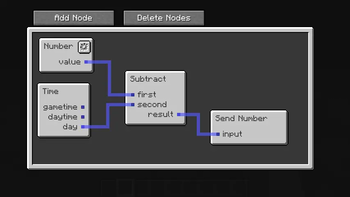
Nodeflow is a library for graph based programming interfaces in minecraft on the fabric modloader.
Getting Started
Add a dependency on the library from jitpack. You can also use the modrinth maven,
but you might end having to manually add a dependency on mixin extras then.
repositories {
    maven { url 'https://jitpack.io' }
}

dependencies {
    implementation 'com.github.mattidragon:nodeflow:$nodeflow_version'
}
To get started you will want to create a GraphEnvironment. Most mods will only ever need one, but if the available nodes change, feel free to create one every time.
public static final GraphEnvironment ENVIRONMENT = GraphEnvironment.builder()
        // Adds context that nodes need to execute. Stays same during each evaluation
        .addContextTypes(ContextType.SERVER_WORLD, ContextType.BLOCK_POS, ContextType.SERVER)
        // Datatypes that are allowed to be used. Exists for nodes that can act on any data type to know which ones are allowed
        .addDataTypes(DataType.BOOLEAN, DataType.NUMBER, DataType.STRING)
        // Adds groups of nodes at a time. They are also used for grouping in the editor.
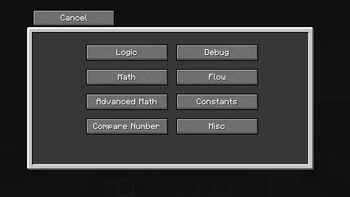
        .addNodeGroups(new TagNodeGroup(NodeGroup.MATH), new TagNodeGroup(NodeGroup.ADVANCED_MATH), new TagNodeGroup(NodeGroup.LOGIC), new TagNodeGroup(ModNodeTypes.REDSTONE_GROUP))
        // Adds single nodes. They will be placed in a misc group.
        .addNodeTypes(NodeType.TIME)
        .build();
Using this environment you can create a EditorScreen, although you usually don't have any use for the base class.
If you are using a block entity for holding your code you can make it implement GraphProvidingBlockEntity in addition to extending BlockEntity.
This interface already implements ExtendedScreenHandlerFactory so all you have to do is open the screen from the block entity.
Nodeflow will handle syncing the graph on change.
If you aren't storing the graph in a block you can create a subclass of EditorScreen and handle syncing yourself (or not if you are fully client sided).
Proper javadocs and a wiki might come in the future.
Available Versions
How to Install Nodeflow on Your Server
Order Server
Order a Minecraft Java server with at least 3 GB RAM (4 GB recommended).
Set fabric Loader
In the panel under "Egg", select the fabric loader and matching Minecraft version (26.1.2).
Install Mod
Open the mod browser in the dashboard and search for "Nodeflow". Click "Install" – done! Alternatively, upload the .jar via SFTP to the /mods folder.
Compatibility
Mod Loaders
Minecraft Versions
26.1.2, 26.1-snapshot-5, 1.21.6 (+5 more)
Server-side
~ OptionalRecommended RAM
4 GB(min. 3 GB)Frequently Asked Questions
Nodeflow server crashes on startup – what to do?
Most common cause: wrong fabric version or insufficient RAM. Check the server log (latest.log) for "OutOfMemoryError" or "Mixin" errors. With Mado Hosting: ensure at least 3 GB RAM is allocated and the loader matches the mod version (26.1.2). You can switch loaders with one click in the panel.
Is Nodeflow compatible with fabric and quilt?
Nodeflow officially supports fabric, quilt for Minecraft 26.1.2, 26.1-snapshot-5, 1.21.6. The Mado dashboard automatically detects incompatible loader combinations.
Server lagging with Nodeflow – how to optimize performance?
Recommended RAM: 4 GB (per 8 players). Use /spark profiler to check if Nodeflow consumes the most tick time. Common fixes: reduce server view-distance to 8-10, install "performant" or "starlight" as supplementary mods on Forge. With Mado Hosting, your server runs on NVMe SSDs with dedicated CPU cores for minimal latency.
Similar Mods



Rent Modded Server
Install Nodeflow with just one click on your server.