NoTextureRotations
Prevent Block Texture Rotations
About this Mod
A Fabric mod to prevent coordinate exploits based on texture rotation and position offsets. Or if you prefer how it looks!
Compatible with Vanilla MC, Sodium, and custom texture/resource packs
How the mod works
This mod can either:
- Disable block texture rotations and offsets
- Replace the random function with a secure implementation, which will retain the normal visual feel of the game
Configuration
There are two ways to configure the mod in-game:
- Install YetAnotherConfigLib and ModMenu
- Install Sodium. A page for NoTextureRotation settings will be added to the Video Settings.
The configuration file is located at: .minecraft/config/no-texture-rotations.json
What's the exploit?
Many blocks like grass, dirt, and stone have variations that rotate or change their textures slightly.
Texture variants are not inherently bad, they make the game visually more interesting as they prevent blocks from looking "same-y" when many are next to each other.
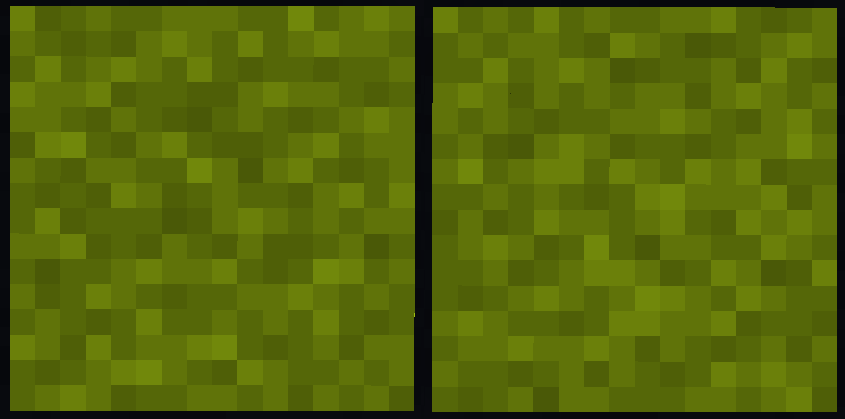
The problem is that the "random" number used to select the variant is seeded by the block's position in-game. No world seed is required.
Offsets works similarly, some blocks like flowers offset their position from the center of the block with a "random" offset.
Any screenshots or videos that show examples of these blocks are susceptible to an attacker cracking the block coordinates.
On anarchy servers, this can be particularly powerful - leading to bases with images or videos shared being found.
This is not a new discovery, and the method has been known since at least before 2018 and is still regularly used today
in reversing panorma seeds. Example: https://youtu.be/gE1dMNCyofs?t=57
There are multiple public tools to perform this:
Available Versions
How to Install NoTextureRotations on Your Server
Order Server
Order a Minecraft Java server with at least 3 GB RAM (4 GB recommended).
Set fabric Loader
In the panel under "Egg", select the fabric loader and matching Minecraft version (26.1.2).
Install Mod
Open the mod browser in the dashboard and search for "NoTextureRotations". Click "Install" – done! Alternatively, upload the .jar via SFTP to the /mods folder.
Compatibility
Mod Loaders
Minecraft Versions
26.1.2, 26.1.1, 26.1 (+24 more)
Server-side
✗ UnsupportedRecommended RAM
4 GB(min. 3 GB)Frequently Asked Questions
NoTextureRotations server crashes on startup – what to do?
Most common cause: wrong fabric version or insufficient RAM. Check the server log (latest.log) for "OutOfMemoryError" or "Mixin" errors. With Mado Hosting: ensure at least 3 GB RAM is allocated and the loader matches the mod version (26.1.2). You can switch loaders with one click in the panel.
Is NoTextureRotations compatible with fabric?
NoTextureRotations officially supports fabric for Minecraft 26.1.2, 26.1.1, 26.1. The Mado dashboard automatically detects incompatible loader combinations.
Server lagging with NoTextureRotations – how to optimize performance?
Recommended RAM: 4 GB (per 8 players). Use /spark profiler to check if NoTextureRotations consumes the most tick time. Common fixes: reduce server view-distance to 8-10, install "performant" or "starlight" as supplementary mods on Forge. With Mado Hosting, your server runs on NVMe SSDs with dedicated CPU cores for minimal latency.
Rent Modded Server
Install NoTextureRotations with just one click on your server.