
NUM NUM Dweller
NUM NUM Dweller is a custom horror entity mod that adds a terrifying creature to Minecraft, creating fear, tension, and intense survival gameplay.
Screenshots
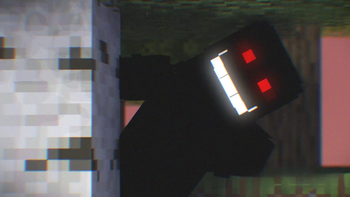
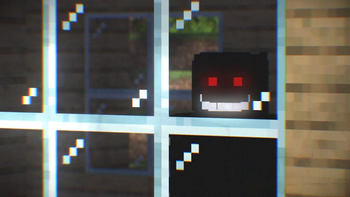
About this Mod
⚠️ Disclaimer
This mod is for horror gameplay purposes.
Recommended for players who enjoy fear-based and intense survival experiences.
🩸 NUM NUM Dweller
NUM NUM Dweller is a high-quality horror entity mod that introduces a terrifying custom creature into your Minecraft world.
Designed to create fear, tension, and psychological pressure, this mod transforms normal survival gameplay into a true horror experience.
This entity is not just a mob — it is a presence.
It stalks, observes, and hunts the player, creating an atmosphere of suspense and constant danger.
👁️ Features
Custom horror entity (NUM NUM Dweller)
Intelligent stalking behavior
Fear-based gameplay mechanics
Immersive survival horror experience
Smooth animations and performance-optimized design
Balanced difficulty for survival worlds
Works in both singleplayer and multiplayer
🎮 Gameplay Experience
NUM NUM Dweller is designed to:
Create paranoia and tension
Force players to stay alert
Add psychological fear, not just combat
Make exploration dangerous and unpredictable
Every encounter feels intense and cinematic.
⚙️ Compatibility
Works in Singleplayer
Works in Multiplayer / Servers
Designed for Client + Server
Performance optimized
🎯 Purpose
This mod is built for:
Horror survival worlds
Scary SMP servers
Horror content creators
Challenge gameplay
Cinematic modpacks
🧠 Concept
The NUM NUM Dweller is inspired by psychological horror rather than simple jumpscares —
focusing on presence, fear, silence, and unpredictability.
🛠 Developed By
G-TECH
High-quality Minecraft mods, tools, and creative tech projects.
Available Versions
How to Install NUM NUM Dweller on Your Server
Order Server
Order a Minecraft Java server with at least 3 GB RAM (4 GB recommended).
Set forge Loader
In the panel under "Egg", select the forge loader and matching Minecraft version (1.20.1).
Install Mod
Open the mod browser in the dashboard and search for "NUM NUM Dweller". Click "Install" – done! Alternatively, upload the .jar via SFTP to the /mods folder.
Compatibility
Mod Loaders
Minecraft Versions
1.20.1, 1.19.2
Server-side
✓ RequiredRecommended RAM
4 GB(min. 3 GB)Frequently Asked Questions
NUM NUM Dweller server crashes on startup – what to do?
Most common cause: wrong forge version or insufficient RAM. Check the server log (latest.log) for "OutOfMemoryError" or "Mixin" errors. With Mado Hosting: ensure at least 3 GB RAM is allocated and the loader matches the mod version (1.20.1). You can switch loaders with one click in the panel.
Is NUM NUM Dweller compatible with forge?
NUM NUM Dweller officially supports forge for Minecraft 1.20.1, 1.19.2. The Mado dashboard automatically detects incompatible loader combinations.
Server lagging with NUM NUM Dweller – how to optimize performance?
Recommended RAM: 4 GB (per 8 players). Use /spark profiler to check if NUM NUM Dweller consumes the most tick time. Common fixes: reduce server view-distance to 8-10, install "performant" or "starlight" as supplementary mods on Forge. With Mado Hosting, your server runs on NVMe SSDs with dedicated CPU cores for minimal latency.
Similar Mods





Rent Modded Server
Install NUM NUM Dweller with just one click on your server.